Type text, add images, blackout confidential details, add comments, highlights and more.
02. Sign it in a few clicks
Draw your signature, type it, upload its image, or use your mobile device as a signature pad.
03. Share your form with others
Send it via email, link, or fax. You can also download it, export it or print it out.
How to use or fill out QUICK GUIDE TO USAJOBS with DocHub
Ease of Setup
DocHub User Ratings on G2
Ease of Use
DocHub User Ratings on G2
Click ‘Get Form’ to open the QUICK GUIDE TO USAJOBS in the editor.
Begin by creating or signing into your USAJOBS account at https://my.usajobs.gov/Account/Login. Ensure your profile is complete with basic contact information.
Navigate to the 'Saved Documents' section to upload necessary documents like DD214 and transcripts, which are essential for appointment eligibility.
Fill out the 'Hiring Eligibility' section carefully, documenting all categories of your eligibility for federal service appointments.
In the 'Preferences' section, indicate your willingness for duty-related activities such as travel and temporary employment.
Complete sections 4 and 5, ensuring you set up notifications for application status updates before clicking SAVE and FINISH.
Use the 'Resumes' feature to view, delete, or revise your resumes. You can build a new resume or upload an existing one from your device.
Create saved searches for job opportunities by specifying position titles, agencies, and locations. Remember to save your search settings.
Start using our platform today to streamline your application process for free!
You can store up to five resumes on USAJobs.gov. #6) Use the Online Resume Builder Instead of Your Uploaded Resume. Youll be more likely to thoroughly address all aspects of the application if you use the USAJobs Resume Builder versus uploading your own resume. Fill out all fields, including optional if possible.
How to beat the job hiring algorithm?
5 Tips to Beat AI Hiring Systems Use AI tools to include keywords and industry terms the ATS is looking for. Avoid generic using AI tools that werent created for resumes. Develop a robust online presence on GitHub or YouTube showcasing your knowledge.
What is the easiest federal job to get?
How to Beat the Bots on USAjobs.gov Make Sure Youre Eligible for the Job. Make Sure Youre Eligible for the Pay Grade. Tailor Your Resume to the Job Description Keywords. Dont Rush the KSA Questions. Get Certified to Prove Experience and Knowledge. Ready to Get Hired?
How to increase chances of getting a federal job?
How to get a government job: Your step-by-step guide Bookmark federal job search websites. Find roles that match both your qualifications and interests. Check if you have a special status. Craft a multi-page, detailed resume. Tailor your resume for each job. Dot all of the is and cross all the ts.
How to beat AI in job search?
Heres my advice: Be clear. Your resume should describe your relevant job experience and background in an understandable and unambiguous manner. Tailor your resume to the specific job ad. Be honest. Ensure that it can be quickly read. Ensure your resume is AI-readable. Get help.
Related Searches
Quick guide to usajobs pdfQuick guide to usajobs loginUSAJOBS PathwaysUSAJOBS resume builderUSAJOBS searchUSAJOBS federal resume exampleUSAJOBS hiring process timelineUSAJOBS resume template Word
Related forms
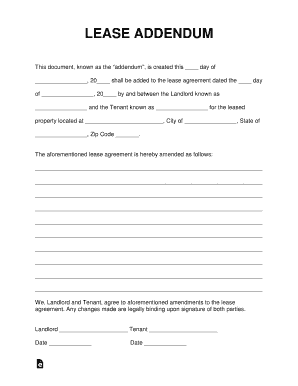
Free Lease Addendum Templates - PDF Word eForms ...
Cookie consent notice
This site uses cookies to enhance site navigation and personalize your experience.
By using this site you agree to our use of cookies as described in our Privacy Notice.
You can modify your selections by visiting our Cookie and Advertising Notice.