01. Edit your form online
Type text, add images, blackout confidential details, add comments, highlights and more.

Type text, add images, blackout confidential details, add comments, highlights and more.

Draw your signature, type it, upload its image, or use your mobile device as a signature pad.

Send it via email, link, or fax. You can also download it, export it or print it out.
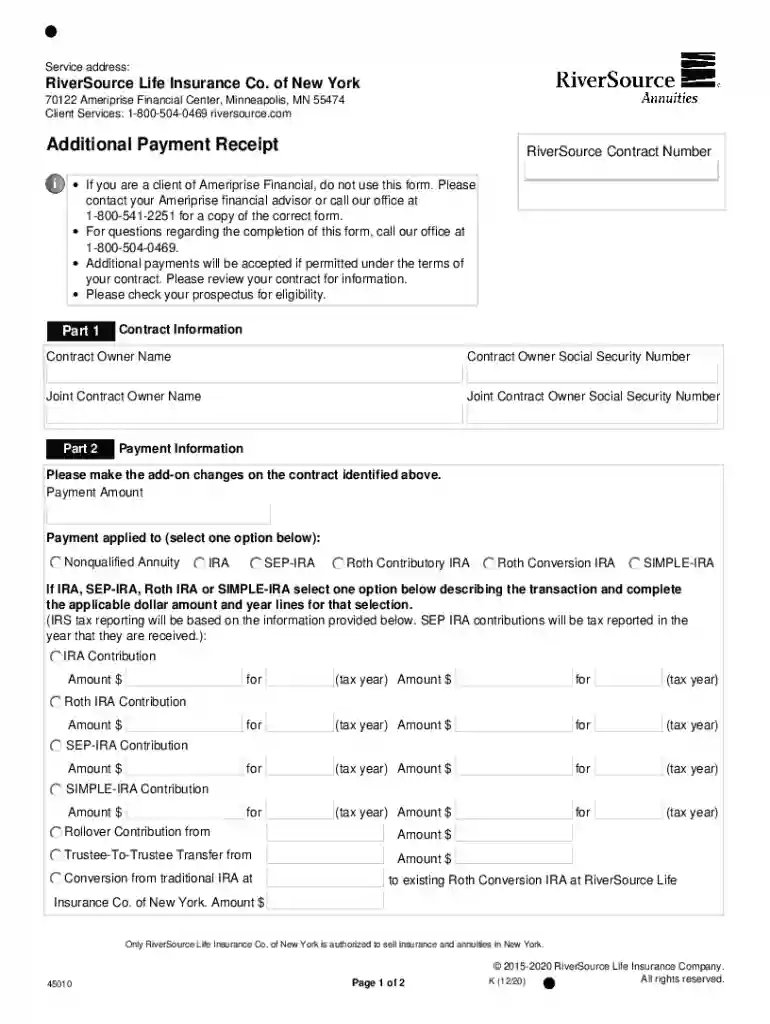
The "45010 Additional Payment Receipt NY" serves as an official document used by RiverSource Life Insurance Co. of New York. This form is essential for detailing the receipt of additional payments made by clients on their insurance contracts. Primarily, it provides a structured format for capturing crucial information relating to the contract and payment processes. This ensures both clarity and accuracy in recording and managing financial transactions associated with insurance contracts.
The 45010 Additional Payment Receipt NY includes several critical elements that ensure comprehensive documentation:
Contract Information:
Payment Details:
IRA Eligibility Sections:
To utilize the 45010 Additional Payment Receipt NY effectively, individuals and businesses must understand the procedural requirements and specific sections of the form:
Gather Required Information:
Complete the Payment Section:
Review IRA and Legal Considerations:
Understanding specific terminology is vital for accurately using the 45010 Additional Payment Receipt NY:
Completing the 45010 Additional Payment Receipt NY form thoroughly and accurately involves several sequential steps:
Input Contract Details:
Document Payment Information:
Address Legal and Eligibility Sections:
Seek Verification:
When handling the 45010 Additional Payment Receipt NY, it’s crucial to understand state-specific stipulations:
Various scenarios exemplify the use and utility of the form:
The "45010 Additional Payment Receipt NY" is compatible with digital processing, aligning with platforms like DocHub for streamlined management:
Digital Version:
Software Integration:
Understanding these components and following specified procedures will ensure efficient and accurate use of the 45010 Additional Payment Receipt NY, supporting effective contract management and compliance.
We've got more versions of the 45010 Additional Payment Receipt NY form. Select the right 45010 Additional Payment Receipt NY version from the list and start editing it straight away!
At DocHub, your data security is our priority. We follow HIPAA, SOC2, GDPR, and other standards, so you can work on your documents with confidence.