Definition & Meaning
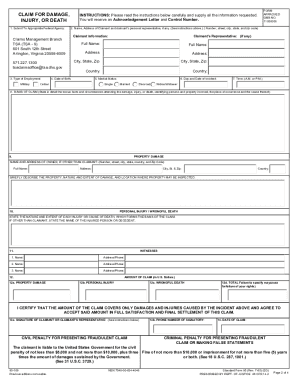
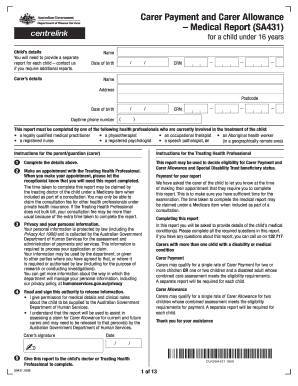
The concept of an "online form" refers to a digital document infrastructure that enables users to input, submit, and process data electronically. Unlike traditional paper forms, online forms provide a dynamic, interactive interface that can adapt to various fields and submissions based on user input. This digital medium supports a wide range of applications, from simple surveys and questionnaires to complex legal documents and financial statements. The integration of autofill features, validation checks, and digital signatures further enhances their functionality, ensuring that users can complete and submit forms with greater efficiency and accuracy.
How to Use the Form Online
Using an online form typically involves a series of intuitive steps designed for ease of navigation and accessibility. Initially, users should access the form through a web browser, either by following a link or entering the form's URL. The form layout will often guide users through the completion process, with fields marked for different types of data, including text, numbers, and dates. Drop-down menus, checkboxes, and radio buttons provide standardized options, ensuring that data is collected consistently. If a signature is required, the form may feature an electronic signature tool, allowing users to sign using a mouse, touchpad, or stylus. Upon completion, the form can be reviewed for accuracy and submitted with a simple click, often triggering a confirmation message or email acknowledgment.
How to Obtain the Form Online
Obtaining an online form is a relatively straightforward process. Most forms are hosted on websites associated with the issuing authority or service provider. Users can typically locate the form by visiting the provider's website and navigating to the relevant section, often labeled "Forms," "Applications," or "Resources." Forms may also be accessible via search engines by entering specific keywords related to the form's purpose. In cases where forms are used frequently, subscription or account-based access may be provided, ensuring that registered users receive the most current version and updates on their status.
Steps to Complete the Form Online
Completing an online form involves several structured steps to ensure data is entered correctly:
- Access the Form: Navigate to the form's URL and open it in a web browser.
- Fill Out Required Fields: Enter data into mandatory fields, which are often marked with an asterisk or highlighted in a distinct color.
- Attach Supporting Documents: If required, use the upload feature to attach additional files such as identification documents, proofs of address, or other supplementary data.
- Review Entries: Check all inputs for accuracy, ensuring that spelling is correct and all fields are completed as instructed.
- Sign Electronically: Use the digital signature tool if the form requires a signature, following the on-screen prompts to apply your signature.
- Submit the Form: Click the "Submit" button to send the completed form electronically. A confirmation screen or email usually follows to acknowledge receipt.
Why Should You Form Online
Filling out forms online offers several benefits that enhance user experience and overall efficiency. The digital format reduces time spent on manual entry, as forms often incorporate features like autofill and automatic calculations. Submission is instantaneous, eliminating delays associated with mail delivery. Additionally, online forms improve accuracy by incorporating validation checks and error notifications, which guide users to correct errors before submission. Enhanced security measures, such as encryption and secure access protocols, protect sensitive information during transmission. Online forms are also environmentally friendly, reducing paper use and the need for physical storage.
Important Terms Related to Form Online
Understanding key terms related to online forms enhances user comprehension and navigation. Common terms include:
- Field: A specific area within the form designated for input, such as text boxes for names or email addresses.
- Validation: An automated process that checks entered data for accuracy and completeness before submission.
- Dropdown Menu: A list of options that users can select from, commonly used for selecting items such as countries or titles.
- Checkbox: A small box that users can click to select or deselect options, often used for "Yes" or "No" questions.
- Captcha: A security feature that helps verify a human is completing the form to prevent automated spam submissions.
Legal Use of the Form Online
Legal considerations are paramount when utilizing online forms, particularly for documents requiring signatures or personal information. Many online forms are designed to comply with legal standards such as the ESIGN Act, which gives electronic signatures the same legal standing as written ones. It is crucial to ensure that the platform used to host the form implements robust encryption and secure data handling practices. Users should also be aware of privacy policies and consent requirements to ensure compliance with regulations like the GDPR in applicable jurisdictions.
Required Documents
Certain online forms may require additional documents to verify or supplement the information provided. These documents typically include identification such as passports or driver's licenses, proofs of income like pay stubs or tax returns, and utility bills for address verification. Uploading these documents is generally facilitated by the form's design, which provides users the ability to attach files directly within the form interface. It is important to check file size limitations and accepted formats, such as PDF or JPEG, when preparing documents for upload.
Examples of Using the Form Online
Practical applications of online forms span various sectors and can include tasks such as:
- Job Applications: Where applicants submit resumes and cover letters alongside personal information and employment history.
- Tax Filings: IRS forms can be filled out and submitted electronically, with built-in calculations for greater accuracy.
- Customer Feedback: Businesses often use online forms to gather feedback on products and services, allowing for structured responses.
- Healthcare Enrollment: Patients can register or update information with healthcare providers through secure online forms.
Software Compatibility
Online forms are commonly designed to be compatible with popular software systems, enhancing their utility and integration. For instance, forms may integrate with accounting software like QuickBooks or tax preparation services such as TurboTax, allowing for seamless data transfer. Many forms are also optimized for mobile use, ensuring that they can be completed on smartphones and tablets without loss of functionality. Compatibility considerations include ensuring that the form can recognize and process data in formats used by these platforms, such as CSV or XML, to facilitate efficient data management.