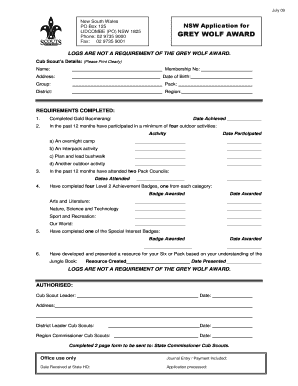
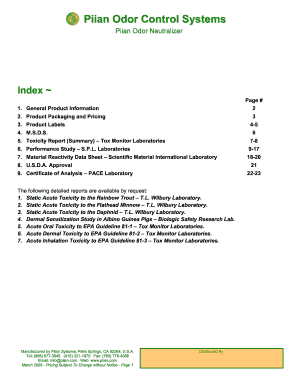
Definition and Meaning of Form Online
Online forms are digital documents that allow users to input and submit information electronically. They are essential tools for collecting data, conducting surveys, processing applications, and facilitating transactions without the need for physical paperwork. By using platforms like DocHub, creating and managing online forms becomes a streamlined process. These forms can include a variety of fields such as text boxes, checkboxes, and dropdown menus, catering to different user needs. The digital nature of these forms ensures easy data collection, storage, and retrieval, making them indispensable in today's fast-paced digital environment.
How to Use the Form Online
Engaging with an online form using DocHub is user-friendly and intuitive. First, users need to access the platform on a compatible device, either through a desktop or a mobile web browser. Once logged in, users can begin creating a new form or open an existing template. Inserting form fields is straightforward; users can drag and drop various input fields such as text boxes, checkboxes, and signature fields. DocHub also supports real-time collaboration, meaning multiple contributors can work simultaneously on a form, adding or editing fields as needed. Once the form is completed, it can be sent to recipients via email, allowing them to fill it out online.
How to Obtain the Form Online
Obtaining an online form through the DocHub platform involves a few simple steps. Users can begin by importing an existing template from their computer or cloud storage services like Google Drive or Dropbox. Alternatively, they can start from scratch using DocHub's form creation tools. DocHub provides a seamless import process that eliminates unnecessary format conversions, ensuring that users can start working on their forms immediately. Additionally, users can search through DocHub's library for pre-made templates that suit specific needs, saving time on initial form design.
Steps to Complete the Form Online
Completing a form online using DocHub is a straightforward process that includes the following steps:
- Open the Form: Access the form through the link provided by the sender or directly from your DocHub account.
- Fill in the Required Fields: Enter the necessary information in the designated fields. Use dropdowns, checkboxes, and text fields to provide the requested data.
- Sign the Form: If a signature is required, use DocHub's signature tool to insert your electronic signature. This can be done by drawing it with a mouse, typing it out, or uploading an existing signature image.
- Review the Information: Ensure all fields are correctly filled out and review the data for accuracy.
- Submit the Form: Once completed, submit the form electronically. This typically involves clicking a submit button, which sends the form back to the originator or designated recipient.
Legal Use of the Form Online
Forms submitted online through platforms like DocHub are often legally recognized, provided they meet specific standards and requirements. For instance, forms that require a signature are supported by DocHub's compliant electronic signature feature, which adheres to the ESIGN Act, making them legally binding in the U.S. It is crucial for forms, especially those involving contracts or legal agreements, to maintain confidentiality and security. This is ensured by using secure protocols and encryption to protect data during transmission and storage. Users should be aware of any additional legal requirements applicable to specific types of forms to ensure compliance.
Important Terms Related to Form Online
Several key terms are important when dealing with online forms:
- Digital Signature: An electronic form of a signature that is legally binding and can be created using a stylus, mouse, or keyboard.
- Fillable Fields: Specific areas in the form where users can enter data. These can include text fields, radio buttons, and dropdown menus.
- Real-time Collaboration: The ability for multiple users to work on a form simultaneously, ensuring everyone's input is included.
- Security Protocols: Measures such as SSL encryption that protect sensitive information entered into online forms.
- Authentication: Methods used to confirm a user's identity before allowing access to the form or its submissions.
Examples of Using the Form Online
Online forms are utilized in various scenarios:
- Job Applications: Companies use online forms to collect candidate information, resumes, and cover letters digitally.
- Customer Feedback Surveys: Businesses send out forms to gather customer opinions on products and services.
- Healthcare Documentation: Medical facilities use forms for patient intake, consent, and health history to streamline administrative processes.
- Event Registrations: Organizations use online forms to register participants for conferences, meetings, or workshops, including the collection of payments when necessary.
State-Specific Rules for the Form Online
Certain online forms may have unique requirements depending on the state in which they are used. For example, some states have specific regulations for document signing and storage to ensure compliance. When using DocHub to manage these forms, it's important to adjust the form fields to meet state-specific compliance needs, such as particular identification requirements or consent clauses. Businesses should remain informed about these rules to avoid potential legal issues.