






Definition and Meaning
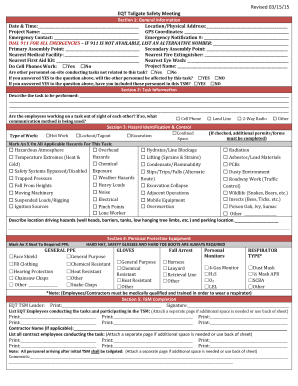
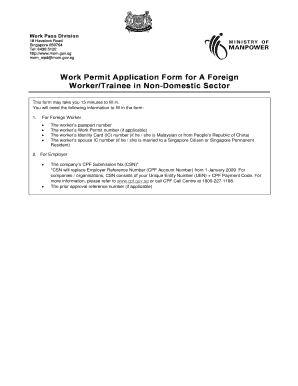
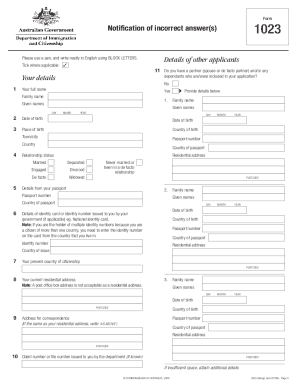
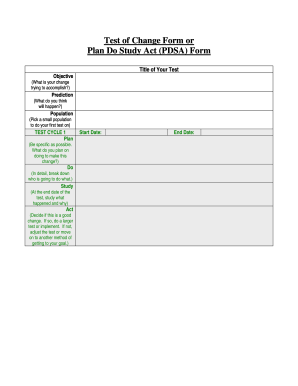
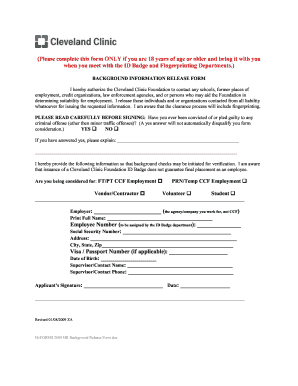
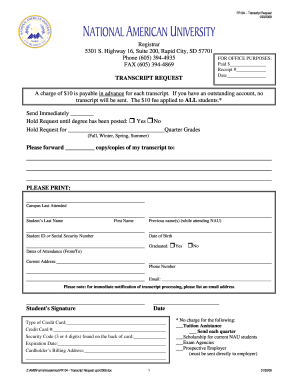
Faculty and staff forms are essential tools used in academic institutions to streamline administrative processes. These forms facilitate various functions, including requests for leave, travel reimbursements, and staff evaluations. They are typically structured documents containing fields and sections tailored to specific institutional needs. Form types can vary, but they commonly include personal information fields, signature lines, and approval sections.
Faculty and staff forms often incorporate multiple interactive elements that allow for efficient data collection and processing. They may be available in print or digital formats and are typically subject to institutional policies regarding data privacy and security. Understanding these forms' significance enables staff and faculty members to manage their administrative responsibilities effectively.
How to Use the Faculty and Staff Forms
-
Access the Form: Obtain the form from your institution's website or administrative office. Digital formats may be available for online access.
-
Review Instructions: Carefully read any accompanying instructions to understand its purpose and what information is required.
-
Complete the Form:
- Fill out all required fields. For digital forms, these are often marked with an asterisk (*) or highlighted.
- Ensure accuracy and clarity in the provided information to prevent processing delays.
-
Add Attachments: Attach necessary documents or additional pages as required. These may include evidence of expenses for reimbursements or medical documents for leave requests.
-
Review and Sign: Review all entered data for accuracy. Sign the form as required. If digital, use electronic signature options provided by platforms like DocHub for legally binding signatures.
-
Submit the Form: Follow submission guidelines, which may include submitting physically to administration, uploading to an online portal, or emailing to a designated staff member.
How to Obtain the Faculty and Staff Forms
Faculty and staff forms can be obtained through several channels, depending on the institution:
-
Institutional Website: Many universities and colleges provide downloadable forms on their websites. Look for a dedicated forms or resources section under faculty links.
-
Administrative Offices: Forms can usually be requested from the human resources or finance department. They may provide physical copies directly or guidance on where to find them online.
-
Digital Platforms: Some institutions utilize document management systems or platforms like DocHub, where forms can be accessed, completed, and submitted entirely online. This method facilitates ease of access and reduces the need for physical paperwork.
Important Terms Related to Faculty and Staff Forms
Several terms are integral while navigating faculty and staff forms:
-
Signature Field: An area designated for the form approver's or submitter’s legally binding signature.
-
Approval Section: Part of the form that requires review and consent from a superior or an administrative department.
-
Submission Deadline: The final date by which the form and any related documents must be submitted for processing.
-
Confidential Information: Sensitive data on forms, such as Social Security numbers, that require careful handling to maintain privacy.
Understanding these terms ensures proper handling and submission of requirements without unnecessary delays.
Key Elements of the Faculty and Staff Forms
Faculty and staff forms generally contain several key elements to facilitate processing:
-
Personal Information Fields: Sections for entering personal data like name, contact details, and employee ID.
-
Purpose Statement: A brief description of the form's intent, whether it's for leave, reimbursement, etc.
-
Detailed Instructions: Guidelines on how to complete the form, including what information to provide and where.
-
Signature and Date Lines: Spaces for the submitter and, where necessary, an approver to sign and date the document.
-
Approval Workflow: Instructions or a chart indicating whose approval is needed and the process for obtaining it.
Attention to these elements helps ensure forms are filled out accurately, reducing the risk of rejection or need for resubmission.
Steps to Complete the Faculty and Staff Forms
Completing faculty and staff forms efficiently requires following specific steps tailored to ensure accuracy and completeness:
-
Gather Required Information: Ensure you have all necessary details, such as your ID number, relevant dates, and documentation evidence required for the form's purpose.
-
Understand the Form's Purpose: Familiarize yourself with why the form is needed and the type of information expected to avoid providing irrelevant data.
-
Complete Identifying Information: Fill in personal details accurately, including department or position, to ensure proper routing and handling.
-
Input Detailed Information: Enter requested data in designated sections, such as reason for leave or expense information, providing concise and clear explanations where required.
-
Review Attached Documentation: Add any required supporting documents, ensuring they are correctly identified and labeled for correlation with form data.
-
Sign and Date: Utilize appropriate fields for signatures, complying with digital or physical signing protocols.
-
Submit Form: Deliver the completed form through designated methods specified by the institution, such as internal mail systems or digital platforms like DocHub.
Careful adherence to these steps ensures streamlined processing and minimizes administrative hold-ups.
Legal Use of the Faculty and Staff Forms
The legal use of faculty and staff forms is governed by institutional and legislative standards, particularly concerning data protection:
-
Data Privacy Laws: Forms should comply with laws such as FERPA in educational contexts, ensuring personal data is handled and stored securely.
-
Authorization Requirements: Only authorized personnel should access or process form details to prevent unauthorized data exposure.
-
Signature Legality: Ensure any electronic signatures meet legal standards, such as those defined by the ESIGN Act.
Proper adherence to legal guidelines secures both institutional accountability and personal data protection.
Digital vs. Paper Versions
The choice between digital and paper forms has implications for handling and processing efficiency:
-
Digital Forms: Accessible anytime and offer benefits like ease of editing and immediate submission. Platforms like DocHub streamline processes by integrating with cloud storage and providing digital signature capabilities.
-
Paper Forms: May be preferred in institutions with less technological infrastructure or where verifiability of ink signatures is vital. They require physical handling, which can delay processing.
Institutions often provide both formats to accommodate diverse technological levels and preferences among staff and faculty. Each version comes with pros and cons that need consideration based on accessibility, ease of use, and security needs.