01. Edit your form online
Type text, add images, blackout confidential details, add comments, highlights and more.

Type text, add images, blackout confidential details, add comments, highlights and more.

Draw your signature, type it, upload its image, or use your mobile device as a signature pad.

Send it via email, link, or fax. You can also download it, export it or print it out.
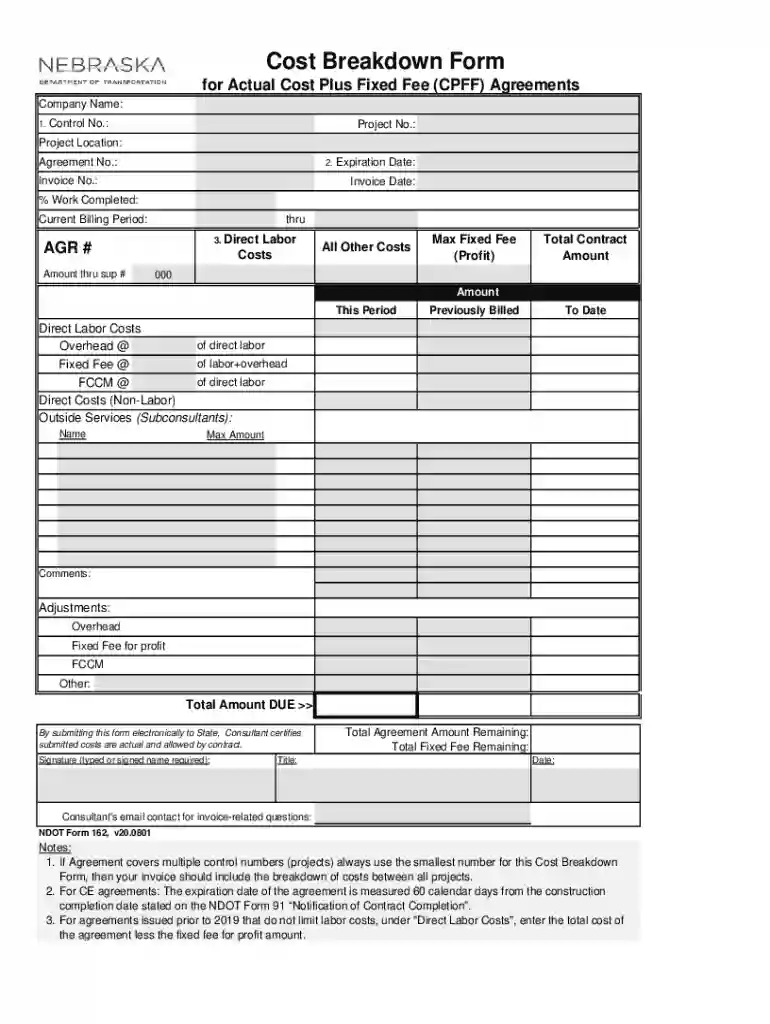
Form 162 - CPFFmacro-enabled (v20 08 01) for pdf xlsm is a specialized document utilized in detailing Cost Plus Fixed Fee (CPFF) Agreements. This form aids consultants in outlining project costs such as direct labor, overheads, fixed fees, and additional expenses.
Form 162 is primarily used in project management environments that operate on a CPFF basis. It assists in providing critical cost breakdowns ensuring transparency between contractors and clients.
The form can be accessed via document management platforms like DocHub, allowing for downloading in PDF or XLSM formats.
Completing the Form 162 requires attention to detail, as it involves various fields crucial for accurate financial reporting.
The effectiveness of Form 162 lies in its comprehensive framework that covers key financial segments in project management.
Form 162 is most often used by consultants, project managers, and financial controllers dealing with government or corporate contracts under CPFF terms.
Form 162 aligns with regulations governing CPFF agreements, ensuring that financial submissions comply with contract requirements.
Form 162, with its macro-enabled XLSM format, is compatible with various software solutions used for financial management and documentation.
We've got more versions of the Form 162 - CPFFmacro-enabled (v20 08 01) for pdf xlsm form. Select the right Form 162 - CPFFmacro-enabled (v20 08 01) for pdf xlsm version from the list and start editing it straight away!
At DocHub, your data security is our priority. We follow HIPAA, SOC2, GDPR, and other standards, so you can work on your documents with confidence.