Fillable ics 213 2026

Get Form
fillable ics 213 Preview on Page 1

Here's how it works

01. Edit your fillable ics 213 online
Type text, add images, blackout confidential details, add comments, highlights and more.
02. Sign it in a few clicks
Draw your signature, type it, upload its image, or use your mobile device as a signature pad.
03. Share your form with others
Send ics 213 fillable via email, link, or fax. You can also download it, export it or print it out.

How to use or fill out fillable ics 213 with our platform

Form edit decoration
9.5
Ease of Setup
DocHub User Ratings on G2
9.0
Ease of Use
DocHub User Ratings on G2
  1. Click ‘Get Form’ to open the fillable ICS 213 in the editor.
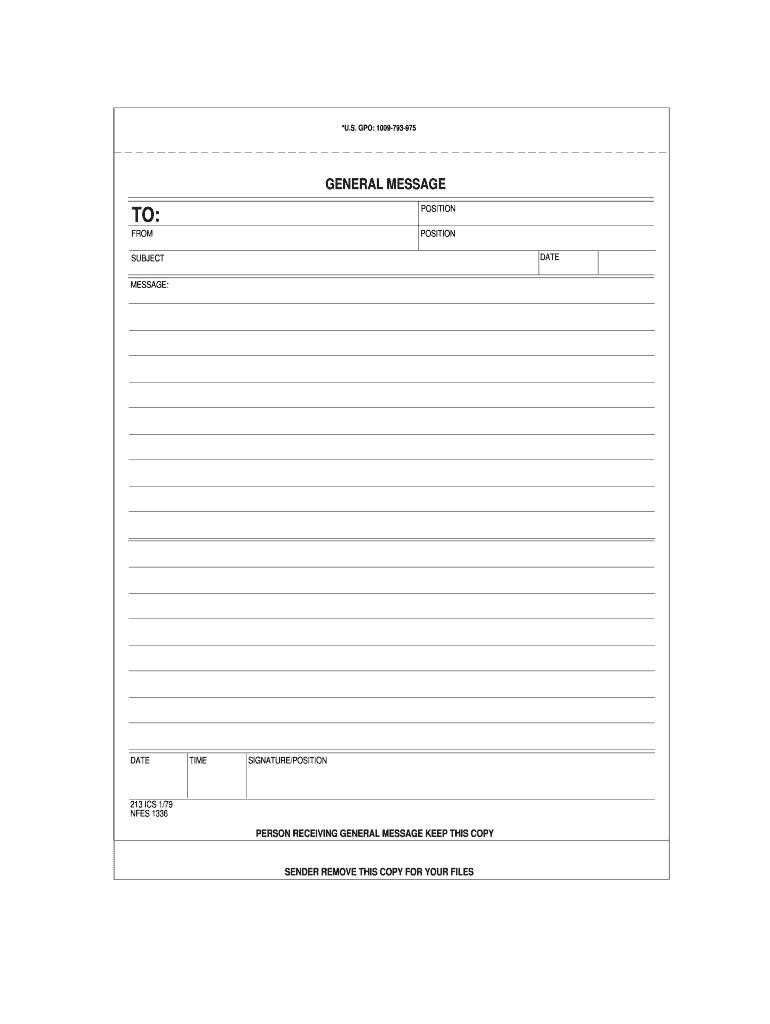
  2. Begin by entering the recipient's name and position in the 'TO' section. This ensures that your message reaches the correct individual.
  3. In the 'FROM' section, input your name and position. This identifies you as the sender of the message.
  4. Fill in the 'DATE' field with the current date to provide context for your communication.
  5. In the 'SUBJECT' line, summarize the main topic of your message succinctly.
  6. Use the 'MESSAGE' area to elaborate on your subject matter. Be clear and concise to ensure understanding.
  7. Finally, complete the form by signing in the 'SIGNATURE/POSITION' section, confirming your identity and authority.

Start using our platform today for free to streamline your document editing and form completion!

See more fillable ics 213 versions

We've got more versions of the fillable ics 213 form. Select the right fillable ics 213 version from the list and start editing it straight away!
Versions Form popularity Fillable & printable
2020 4.8 Satisfied (173 Votes)
2004 4.9 Satisfied (35 Votes)
1997 4 Satisfied (39 Votes)
be ready to get more

Complete this form in 5 minutes or less

Get form

Got questions?

We have answers to the most popular questions from our customers. If you can't find an answer to your question, please contact us.
Contact us

eSignatures are an excellent alternative to traditional signing, as they save time, effort, and costs people spend on printing, scanning, and paper delivery. You can eSign your ics 213 fillable pdf using a reliable and robust online document management tool like DocHub. It complies with major eSignature policies (ESIGN and UETA), so all forms approved there are legally binding and have the same validity as physically signed ones.

If you are looking for a state-specific fillable 213 sample, you can find it in our DocHub Forms & Templates catalog. Use the search field, enter your form’s name, and search through the results for your state. You may also filter out irrelevant results while exploring our catalog by categories.

How to Fill Out an ICS 214 Form Item Title. Incident Name. Check-In Location. Enter the time interval for which the form applies. Unit Name/Designators. Enter the title of the organizational unit or resource designator(e.g., FacilitiesUnit,Safety Officer,Strike Team). Unit Leader. Personnel Assigned. Activity Log.
The General Message (ICS 213) is used by the incident dispatchers to record incoming messages that cannot be orally transmitted to the intended recipients.
General Message ICS Form 213: Used by the incident dispatchers to record incoming messages that cannot be orally transmitted to the intended recipients.
be ready to get more

Complete this form in 5 minutes or less

Get form

People also ask

The Resource Request (ICS 213 RR) is utilized to order resources and track resource status. Preparation. The ICS 213 RR is initiated by the resource requestor and initially approved by the appropriate Section Chief or Command Staff.
Purpose. The Activity Log (ICS 214) records details of notable activities at any ICS level, including single resources, equipment, Task Forces, etc. These logs provide basic incident activity documentation, and a reference for any after- action report.
Answer Explanation D. The ICS Form 213 has three parts and uses carbon paper. The sender completes Part 1 and sends Parts 2 and 3 to the recipient. The recipient completes Part 2 and returns Part 3 to the sender.
The briefing form is prepared by the Incident Commander for presentation to the incoming Incident Commander along with a more detailed oral briefing. Distribution. Ideally, the ICS 201 is duplicated and distributed before the initial briefing of the Command and General Staffs or other responders as appropriate.

ics 213 form