




Here's how it works

01. Edit your form online
Type text, add images, blackout confidential details, add comments, highlights and more.

02. Sign it in a few clicks
Draw your signature, type it, upload its image, or use your mobile device as a signature pad.

03. Share your form with others
Send it via email, link, or fax. You can also download it, export it or print it out.
How to use or fill out don credit application with our platform

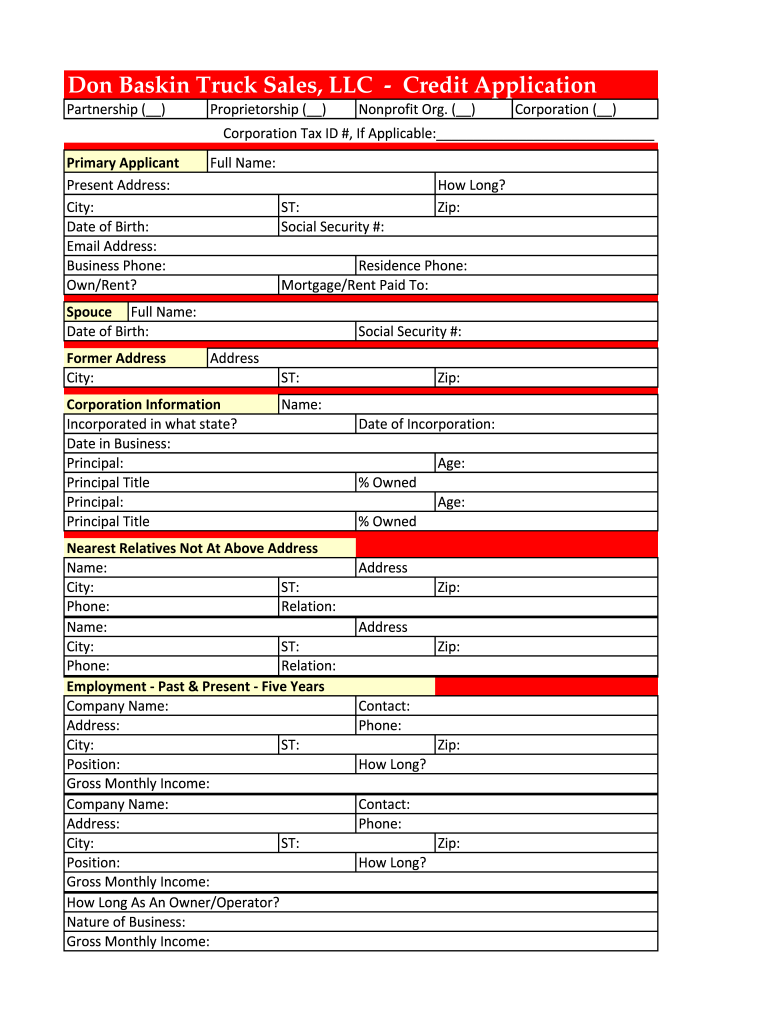
- Click ‘Get Form’ to open the don credit application in the editor.
- Begin by selecting your business type: Partnership, Proprietorship, Nonprofit Organization, or Corporation. If applicable, enter your Corporation Tax ID number.
- Fill in the Primary Applicant section with your present address, city, date of birth, email address, and business phone. Indicate whether you own or rent your residence.
- Provide your full name and Social Security number. Include your spouse's full name and date of birth if applicable.
- Complete the Corporation Information section by stating the state of incorporation and the date your business started. List the principal(s) along with their titles.
- In the Employment section, detail your past and present employment for the last five years including company names, addresses, positions held, and gross monthly income.
- Fill out the Purchaser's Financial & Current Credit Statement by providing details about your savings and checking accounts along with any assets and their values.
- Finally, review all information for accuracy before signing as both applicant and co-applicant. Click 'Submit Online' to complete your application.
Start filling out your don credit application today for free using our platform!
Fill out don credit application online
It's free
It's free
Security and compliance
At DocHub, your data security is our priority. We follow HIPAA, SOC2, GDPR, and other standards, so you can work on your documents with confidence.
Learn more


