
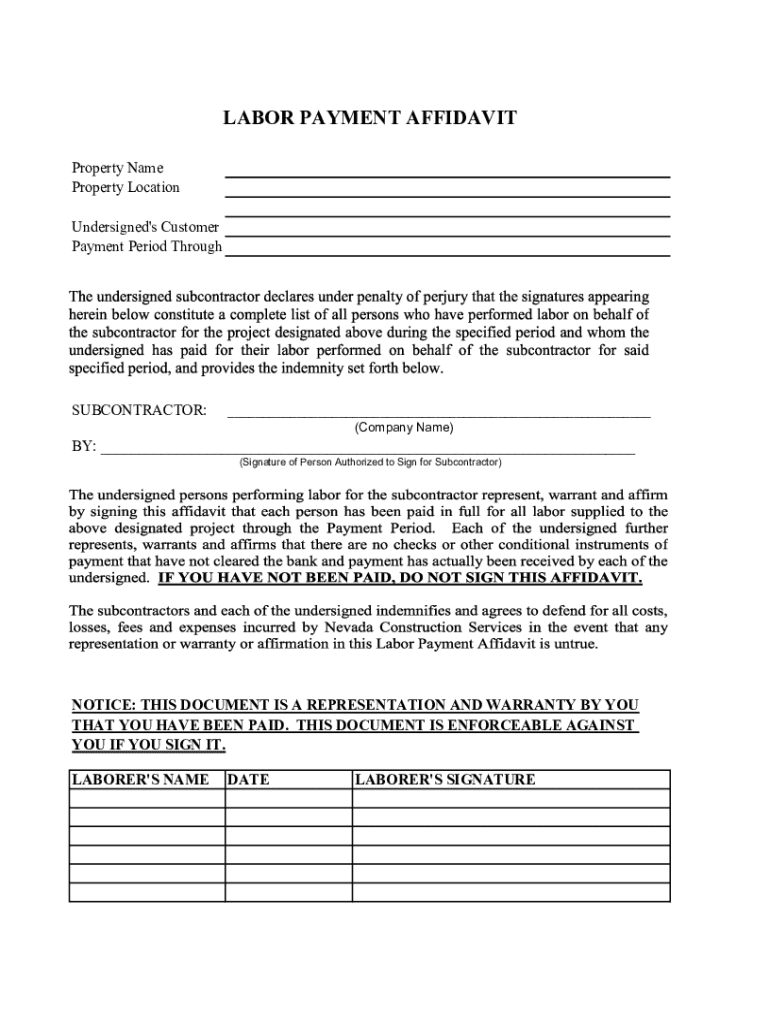







Definition & Meaning
Form online refers to the digital version of any form that traditionally exists in paper format but is now accessible via the Internet. These forms encompass a broad range of types, including tax forms, legal documents, and application templates. Digital transformation has rendered these forms more accessible, enabling users to fill out, submit, and manage documents entirely online without the need for physical paperwork. This mode of document handling eliminates geographic and time constraints, making it increasingly popular across various domains.
Types of Forms Available Online
- Tax Forms: These include common documents like the W-9 for tax identification or the 1040 for individual tax returns.
- Legal Documents: Such forms may consist of contracts, affidavits, or power of attorney documents that require official acknowledgment.
- Application Forms: Used for applying to schools, jobs, or grants, these are now predominantly digital due to ease of distribution and management.
How to Use the Form Online
Engaging with forms online is designed for simplicity and efficiency. The process generally includes accessing the form through a web platform, completing required fields, and submitting it electronically.
- Access the Form: Navigate to the platform hosting the form, such as DocHub, where a broad range of document types are available.
- Complete the Necessary Fields: Utilize interactive tools to fill in the essential information, ensuring all required fields like text boxes, checkboxes, or dropdown menus are appropriately populated.
- Add Attachments if Needed: Some forms might require supplementary documents, which can typically be uploaded directly.
- Submit Electronically: Once completion and review are finalized, submit the form through the electronic submission function provided.
- Track Submission Status: Monitor the status of the form post-submission, whether through email updates or by logging into the platform to view progress.
Steps to Complete the Form Online
Completing a form online effectively involves a combination of preparation, accurate data entry, and verification to ensure correctness before submission.
- Preparation:
- Gather all necessary personal or business information that will be needed to complete the form.
- Prepare any supporting documents that might be required to attach along with the form.
- Entering Information:
- Begin entering data, using guidance from system prompts to avoid mistakes commonly associated with manual entries.
- Take advantage of features like auto-filling to expedite the process.
- Verification and Review:
- Scrutinize entered information for accuracy; cross-check against reference information to avoid factual or typographical errors.
- Ensure all required fields are completed; look out for indicators signaling incomplete sections.
- Submission:
- Confirm all inputs are correct, then proceed to submit through the designated function.
- Post-Submission Review:
- Record the confirmation of submission and note any reference number or acknowledgment for future reference.
Examples of Using the Form Online
Real-world applications of using forms online demonstrate the flexibility and efficiency that this digital transformation provides.
- Tax Filings: Individuals and businesses use platforms like TurboTax for streamlined completion and submission of tax forms, with online guided processes that auto-compute tax obligations.
- Job Applications: Many companies now only accept online applications, where potential employees submit resumes and answer specific job-related queries through an online portal.
- Legal Signatures: Services like DocHub allow for binding signatures on contracts and affidavits to be applied online, verified by digital certificates, reducing delays associated with postal services.
Key Elements of the Form Online
Successful online form completion hinges on understanding the critical components that typically comprise such documents:
- Personal Information Section: This commonly includes name, contact information, and identification numbers.
- Purpose/Reason for Form: Specific sections elucidating the intent behind form submission, such as 'Application for Employment' or 'Change of Address'.
- User Action Requirements: Interactive elements like signatures, dates, and supplementary document uploads distinguish online forms from their paper counterparts.
- Validation Indicators: Automated checks or prompts to aid in data completeness and accuracy, minimizing chances of unintentional omission.
Legal Use of the Form Online
Using forms online must adhere to legal guidelines to maintain validity and compliance with applicable laws.
- ESIGN Act Compliance: Ensures electronic signatures are legally recognized as equivalent to traditional handwritten ones.
- Privacy and Data Protection Laws: Platforms managing online forms must comply with regulations like GDPR or the California Consumer Privacy Act (CCPA) to protect user data.
- Record Retention Requirements: Legal obligations often dictate the timeframe and manner of storing completed forms, ensuring their availability for audits or future reference.
Software Compatibility
The ability to handle forms online often depends on the compatibility with various software systems:
- Integration with Tax Preparation Software: Forms need to be accessible on platforms like TurboTax for seamless tax preparation experiences.
- Document Management Compatibility: Forms should be importable or downloadable via systems like Google Workspace or Dropbox, allowing for easy document management and accessibility.
- Standard File Formats: Ensure compatibility with formats like PDF, DOCX, and XLSX to facilitate a smooth transition between systems and platforms.
Penalties for Non-Compliance
Neglecting to comply with form submission guidelines online can result in various penalties, emphasizing the importance of timely and accurate form handling.
- Late Submission Fines: Forms submitted past specified deadlines may incur fees or interest charges, particularly in tax scenarios.
- Inaccuracies Leading to Legal Liability: Incorrect information on legal documents could lead to legal repercussions, including fines or litigation.
- Disqualification from Consideration: Failure in correctly submitting applications could automatically eliminate an applicant from consideration, whether for academic, professional, or legal opportunities.
By understanding these crucial aspects, users can adeptly navigate the online form landscape to achieve precise and compliant document processing.




