
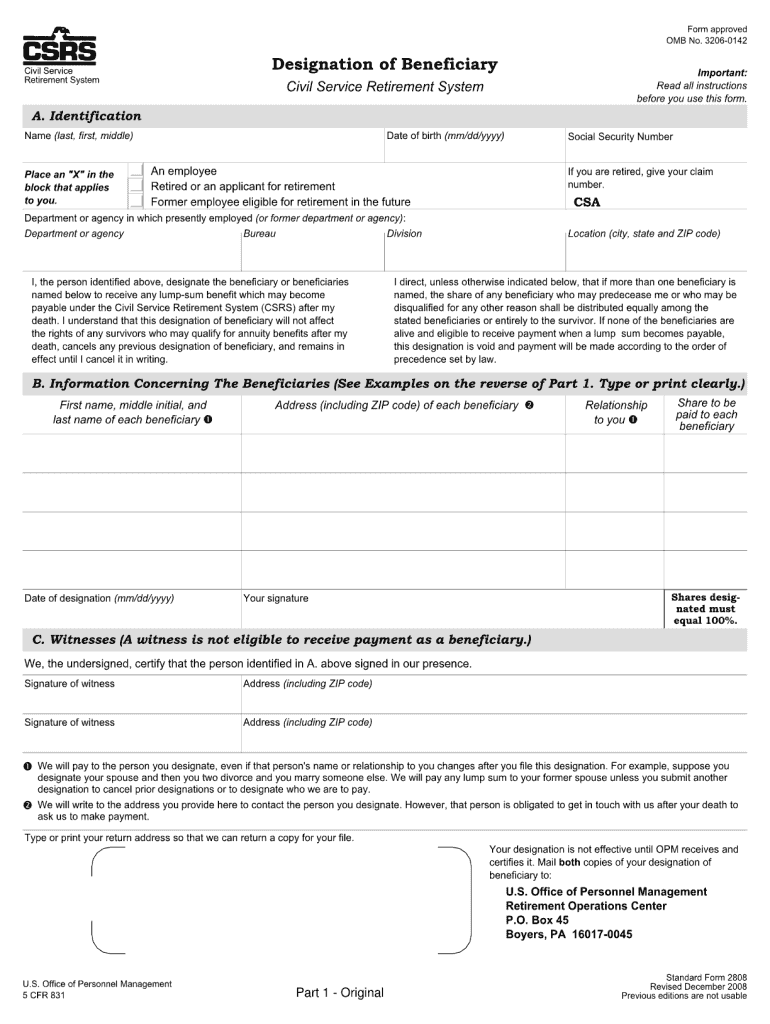



Form omb 3206 0142 2008-2026

Get Form
omb 3206 form Preview on Page 1

Here's how it works

01. Edit your omb 3206 form online
Type text, add images, blackout confidential details, add comments, highlights and more.

02. Sign it in a few clicks
Draw your signature, type it, upload its image, or use your mobile device as a signature pad.

03. Share your form with others
Send it via email, link, or fax. You can also download it, export it or print it out.

How to use or fill out form omb 3206 0142 2008 with our platform

Form edit decoration
9.5
Ease of Setup
DocHub User Ratings on G2
9.0
Ease of Use
DocHub User Ratings on G2
  1. Click ‘Get Form’ to open the form omb 3206 0142 2008 in the editor.
  2. Begin by filling out your personal information in the designated fields, including your name, address, and contact details. Ensure accuracy for seamless processing.
  3. Next, navigate to the section that requires specific details about your employment status. Carefully select or input the relevant options as prompted.
  4. Proceed to any additional sections that may require signatures or dates. Utilize our platform’s signature feature to sign electronically, ensuring a quick and efficient completion.
  5. Review all entered information for completeness and correctness. Use the editing tools available to make any necessary adjustments before finalizing your submission.

Start using our platform today for free and streamline your form completion process!

See more form omb 3206 0142 2008 versions

We've got more versions of the form omb 3206 0142 2008 form. Select the right form omb 3206 0142 2008 version from the list and start editing it straight away!
Versions Form popularity Fillable & printable
2011 4.9 Satisfied (42 Votes)
2008 4 Satisfied (35 Votes)
2006 4.1 Satisfied (64 Votes)
1999 4.1 Satisfied (60 Votes)
be ready to get more

Complete this form in 5 minutes or less

Get form

Got questions?

We have answers to the most popular questions from our customers. If you can't find an answer to your question, please contact us.
Contact us
SF-1152 Payment of a deceased employees last pay check to include the payment of earned annual leave and any other miscellaneous monies payable to beneficiaries. The completed original SF-1152 must be submitted to the employees servicing personnel office for immediate filing in the Official Personnel File (OPF).
SF 3102: Designation of Beneficiary, FERS. This form is used to designate the beneficiary of a deceased FERS individuals FERS contributions upon the later of the death of the FERS annuitant or FERS survivor annuitant and should be submitted to OPM.
Properly completed designations for CSRS employees and retirees are not valid unless the Office of Personnel Management (OPM) receives the form before the death of the designator. Mail both the completed Original and Employee copies of the SF 3102 to OPM, P.O. Box 45, Boyers, PA 16017.
Submit the designation form to: Office of Personnel Management, Retirement Operations Center, P.O. Box 45, Boyers, PA 16017-0045.
Internet, .opm.gov. 1730 M Street NW., Suite 218, Washington, DC 200364505 Phone, 2022543600 or 8008729855. Fax, 2026535151.

Security and compliance

At DocHub, your data security is our priority. We follow HIPAA, SOC2, GDPR, and other standards, so you can work on your documents with confidence.

Learn more
ccpa2
pci-dss
gdpr-compliance
hipaa
soc-compliance
be ready to get more

Complete this form in 5 minutes or less

Get form

