






Definition & Meaning
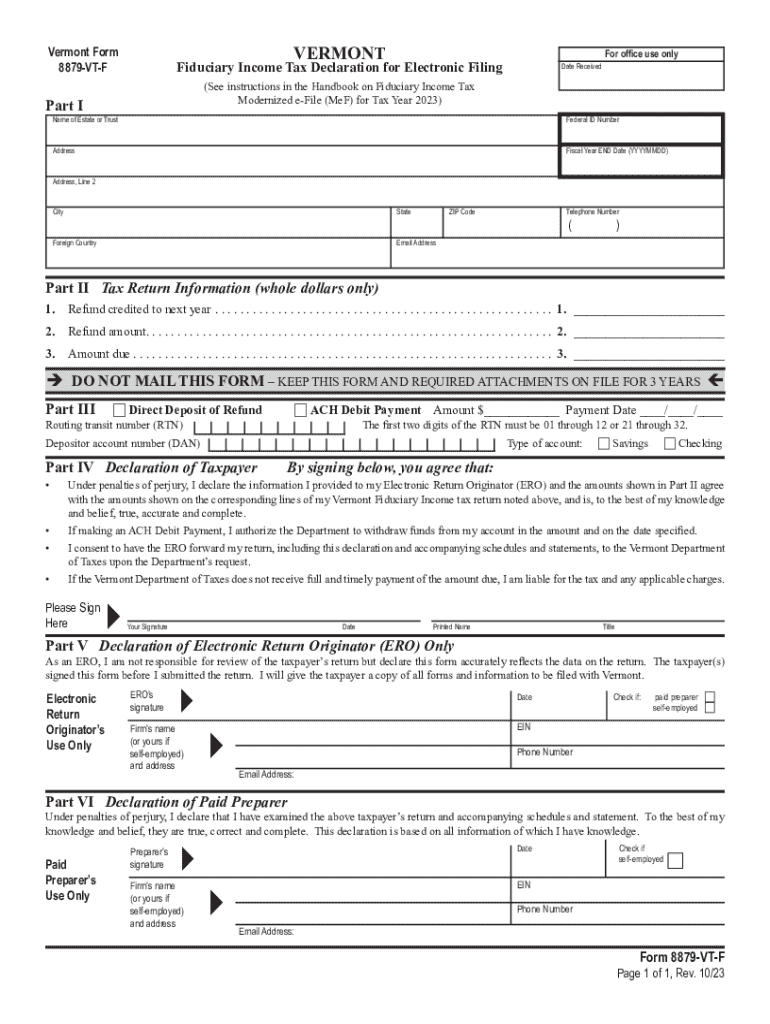
"Corporation, business, and fiduciary e-filing" refers to the electronic filing process that corporations, businesses, and fiduciaries use for submitting various types of tax returns and related documents. This digital method is designed to streamline the filing process, allowing entities to efficiently submit required forms to tax authorities. Electronic filing, or e-filing, is often considered more secure and quicker compared to traditional paper-based methods, providing instant confirmation of receipt by the tax office.
Importance of E-filing
- Efficiency: E-filing eliminates the need for paper handling and postage.
- Speed: E-filings are typically processed faster than paper submissions.
- Accuracy: Digital systems often have built-in checks to reduce errors.
- Accessibility: Filers can submit forms from any location with internet access.
How to Use the Corporation, Business, and Fiduciary E-filing
E-filing involves several steps to ensure that the process is completed accurately and securely:
- Select the Appropriate Platform: Choose a reliable e-filing platform that complies with state and federal regulations, such as IRS’s e-file system for federal returns or state-specific systems.
- Gather Necessary Information: Collect all required taxpayer information, financial data, and any supporting documents needed for the filing.
- Prepare the Electronic Forms: Use the e-filing software to fill out the necessary forms accurately. Ensure that all data entered corresponds with the financial records.
- Validate and Review: Double-check the forms for accuracy using the validation tools provided by the software.
- Sign Electronically: Use digital signatures to finalize the forms, as they are legally binding and required for submission.
- Submit the E-filing: Send the completed forms via the e-filing system. You will typically receive confirmation of submission almost immediately.
Steps to Complete the Corporation, Business, and Fiduciary E-filing
Completing a corporation, business, or fiduciary e-filing requires attention to detail. Below is a step-by-step guide to assist with the process:
- Create an Account: Register for an account on the chosen e-filing platform.
- Enter Organizational Details: Input the essential information about your business or fiduciary entity, including Federal Employer Identification Number (FEIN) and applicable state identification numbers.
- Select Forms to File: Identify and select the appropriate forms based on your filing requirements (e.g., U.S. Corporation Income Tax Return, Fiduciary Income Tax Return).
- Input Financial Data: Accurately enter all relevant financial data into the forms. This includes revenues, expenses, deductions, and credits.
- Upload Supporting Documentation: Attach any necessary documentation that supports the reported numbers, such as receipts, invoices, and financial statements.
- Review and Correct Errors: Use the software's error-checking features to identify and fix any inaccuracies or missing data before submitting.
- Authorise Submission: Ensure authorized personnel review and approve the completed forms for e-filing.
- Receive Confirmation: After submission, obtain confirmation from the tax authority as proof of filing. Keep this confirmation for your records.
Required Documents
To complete the e-filing process for corporations, businesses, and fiduciaries, you need to have several documents ready:
- Prior Year Tax Returns: For reference in reporting current year figures.
- Financial Statements: Income statements, balance sheets, and cash flow statements to provide detailed financial data.
- Employer Identification Documentation: FEIN documentation for identification purposes.
- Receipts and Invoices: To substantiate expenses and deductions claimed.
- Bank Statements: To verify cash transactions and reconcile financial activity during the year.
- Supporting Schedules: Such as depreciation schedules and breakdown of niche income streams.
Key Elements of the Corporation, Business, and Fiduciary E-filing
Several important elements characterize e-filing for corporations, businesses, and fiduciaries:
- Form Specifications: Each form comes with detailed instructions on the information required for different types of filings, such as corporate taxes or fiduciary income.
- Security Measures: E-filing platforms use encryption and secure authentication methods to protect sensitive taxpayer information.
- Compliance Standards: The e-filing process is designed to comply with both federal and state tax laws.
- Use of Technology: Utilizes the latest digital tools for accuracy and speed in reporting.
State-Specific Rules for the Corporation, Business, and Fiduciary E-filing
Rules for e-filing can vary significantly from one state to another. It’s crucial for businesses and fiduciaries to be aware of these variations:
Examples of State-Specific Rules
- Filing Thresholds: Some states have income or revenue thresholds that determine whether e-filing is mandatory.
- Deadlines: States may have different deadlines from federal tax filing dates.
- Form Variations: Each state may have its own versions of forms or additional documentation requirements.
- Submission Protocols: States may have unique procedures for e-filing submissions, requiring use of state-specific systems.
Filing Deadlines / Important Dates
Being aware of critical deadlines is fundamental for timely submission of e-filings:
- Federal Income Tax Deadline: Generally falls on April 15 each year, but may differ based on extensions or specific state requirements.
- Quarterly Filing Dates: Businesses often have to estimate and pay quarterly taxes; ensure these are scheduled and completed.
- State Tax Deadlines: Verify each state’s filing deadline and plan submissions accordingly.
- Extension Requests: Submit extensions before due dates if additional preparation time is needed. Failure to file on time can lead to penalties.
Penalties for Non-Compliance
Failing to comply with e-filing requirements can lead to several penalties:
- Late Filing Fees: Penalties imposed for missing the filing deadline.
- Interest on Unpaid Taxes: Accrued interest on any taxes that remain unpaid after the deadline.
- Failure to E-file: Some states impose penalties specifically for not using the electronic filing system when required.
- Accuracy-related Penalties: Fines for discrepancies and inaccuracies in submitted forms.
Understanding these elements will provide you with the knowledge to efficiently navigate the corporation, business, and fiduciary e-filing process. This ensures compliance and avoids potential penalties while leveraging the benefits of modern digital filing systems.