01. Edit your mw506r form online
Type text, add images, blackout confidential details, add comments, highlights and more.

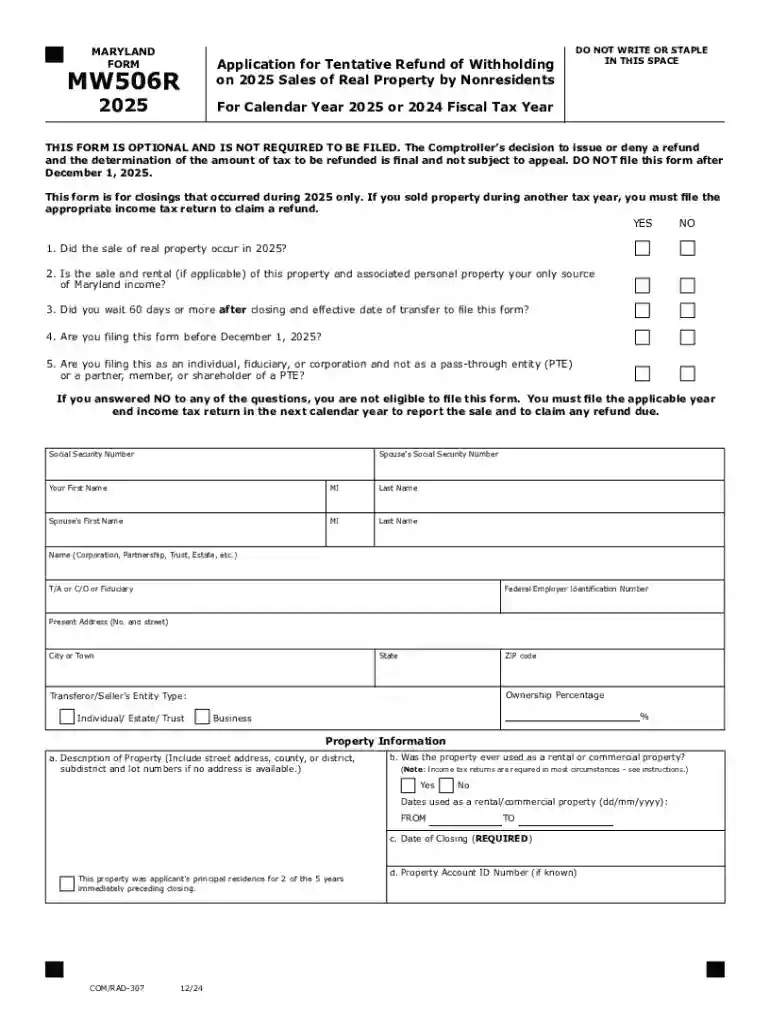
Type text, add images, blackout confidential details, add comments, highlights and more.

Draw your signature, type it, upload its image, or use your mobile device as a signature pad.

Send it via email, link, or fax. You can also download it, export it or print it out.
Forms online refer to electronic documents designed for completion and submission via the internet. These forms are used for various purposes, such as tax filings, legal agreements, and business applications. Unlike traditional paper forms, online forms provide convenience, speed, and efficiency, eliminating the need for physical paperwork. They enable users to input data directly into designated fields, which can then be processed or stored electronically. This digital transformation allows for faster data handling and reduces the risk of errors associated with manual entries.
To use a form online, users typically start by accessing the form through a web-based platform such as DocHub. Once opened, you can enter your information into the designated fields. The interface of most online form platforms will guide you through the process, highlighting mandatory sections that must be completed before submission. Some platforms also offer collaborative features, allowing multiple users to work on a single document. After completing the form, you can review your entries, make necessary edits, and submit the form by following the on-screen instructions provided by the platform.
Completing a form online involves several key steps to ensure accuracy and compliance with submission requirements. Initially, you must gather all the relevant information before starting the process. This includes personal details, identification numbers, or any supporting documents needed for the form. Next, navigate through the form, filling out each required section. Make use of any help icons or guidance tips provided within the form interface to clarify items that might be complex. Finally, review your entire form before submission, checking for accuracy and completeness.
Various individuals and organizations utilize online forms, including individual taxpayers, business entities, educational institutions, and government agencies. For instance, taxpayers may use online forms to submit income tax returns, while businesses might use them to apply for permits or licenses. Educational institutions often employ them for student admissions and registrations. The online form format appeals to a wide audience due to its efficiency and accessibility, allowing users to submit documents from any internet-connected device.


Understanding key terms associated with online forms can enhance user experience and ensure proper usage. Some essential terms include "Fillable Fields," which refer to interactive sections where users input data, and "Electronic Signature," which signifies a digital equivalent of a handwritten signature, affirming the document's legitimacy. "Submission Deadline" indicates the latest date by which the form must be submitted. Additionally, terms like "Data Encryption" highlight the security measures implemented to safeguard user information during transmission.
Forms completed online are legally binding when they meet certain criteria, such as containing a valid electronic signature and adhering to compliance regulations like the ESIGN Act in the United States. The ESIGN Act ensures that electronic signatures are as valid as their handwritten counterparts for legal documents. Users must ensure that the platform they utilize for form submission meets these legal requirements to avoid potential disputes or issues. Maintaining an audit trail of all interactions with the form can further substantiate its legitimacy in legal contexts.
Online forms typically consist of several integral components designed to capture essential data and facilitate submission. These elements include text boxes for entering information, checkboxes for selecting options, dropdown menus for choosing from set lists, and signature fields for authenticating the form. Additional elements might be integrated for specific form types, such as document uploads or compliance checklists. Understanding the function of each element helps ensure the form is completed correctly and efficiently.
There are numerous scenarios in which using an online form is advantageous. For example, a self-employed individual might use an online tax form to declare earnings and calculate liabilities efficiently. Businesses might complete an online application form to streamline the licensing process, while educational institutions could employ online registration forms to manage student admissions seamlessly. The adaptable nature of online forms makes them suitable for various industries and purposes, offering tailored solutions for specialized needs.
We've got more versions of the mw506r form form. Select the right mw506r form version from the list and start editing it straight away!
At DocHub, your data security is our priority. We follow HIPAA, SOC2, GDPR, and other standards, so you can work on your documents with confidence.