
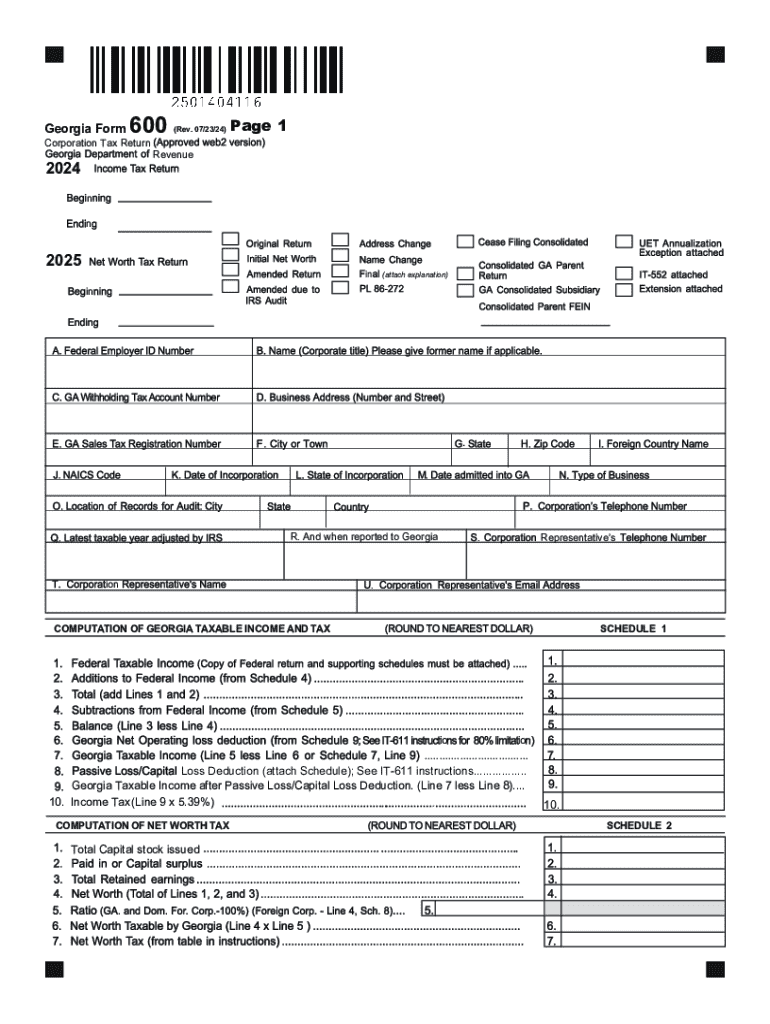







Definition and Meaning of Form Online
The phrase "form online" refers to electronic forms that can be filled out, submitted, and processed via an internet-based platform. Unlike traditional paper forms, these digital formats are interactive and allow users to input data directly through a web interface. Online forms are widely utilized across various sectors, including government, business, healthcare, and education, due to their convenience and efficiency. They streamline data collection and reduce the likelihood of errors associated with manual data entry.
Examples of Common Online Forms
- Tax forms: Individuals and businesses use digital versions of tax forms, such as the IRS W-9, for reporting purposes.
- Registration forms: Organizations, such as schools and event coordinators, provide online forms for enrolling students or registering participants.
- Application forms: Job seekers complete online employment applications, which facilitate the hiring process.
How to Use the Form Online
Using an online form is designed to be user-friendly and intuitive. Users typically start by accessing the form through a website or email link. Here is a step-by-step guide:
- Access the Form: Open the link provided to navigate to the online form.
- Fill in Required Fields: Enter your information in the designated fields. Required fields are often marked with an asterisk.
- Review Your Entries: Before submission, check all entries for accuracy to ensure the data is correct and complete.
- Submit the Form: Click the submit button. Some forms may provide a confirmation of successful submission or a tracking number.
Tips for Effective Form Use
- Read Instructions Carefully: Ensure you understand the form's requirements and instructions before starting.
- Save Information: If the form allows, save a copy of your submission for your records.
- Use Correct Formats: Follow guidelines for date formats, addresses, and contact information accurately.
Steps to Complete the Form Online
Completing an online form generally follows a structured process. To ensure successful submission, it's essential to understand each step involved:
- Open the Online Form Platform: Use a recommended web browser for optimal compatibility and performance.
- Profile Creation or Login: Some platforms require creating an account or logging in to access the form.
- Input Data: Follow on-screen prompts to enter data in text boxes, select options from drop-down menus, and mark checkboxes as applicable.
- Validate Entries: Use any available validation tools within the form to check for errors or missing information.
- Add Attachments: If necessary, upload supporting documents in acceptable file formats.
- Consent and Agreement: Sign digitally if the form requires agreement to terms and conditions. Electronic signatures can often be drawn or typed.
- Submit and Confirm: Finalize the submission by clicking the designated button. Look for confirmation messages or emails to verify completion.
Who Typically Uses the Form Online
Online forms are used by a diverse range of individuals and organizations for numerous purposes. Understanding common user scenarios helps highlight the versatility of online forms.
- Businesses: Companies use online forms for internal processes like HR onboarding, expense reporting, and client acquisition.
- Government Agencies: They employ online forms for public service applications, tax submissions, and census data collection.
- Educational Institutions: Schools and universities utilize online forms for student admissions, scholarship applications, and course evaluations.
- Healthcare Providers: Online forms facilitate patient intake, appointment scheduling, and medical records requests.


Key Elements of the Form Online
Online forms often contain fundamental components designed to capture user data accurately. These elements ensure that all necessary information is collected effectively.
- Text Fields: Areas where users can input alphanumeric data, names, and addresses.
- Checkboxes: Used for selecting one or more options without priority.
- Radio Buttons: Allow users to choose one option among several mutually exclusive choices.
- Drop-Down Menus: Provide a list of selections users can choose from.
- Signature Fields: Enable electronic signature input for authorization and consent purposes.
Form Submission Methods: Online, Mail, or In-Person
Different submission methods are available depending on the form type and organizational procedures. Understanding these can aid in choosing the best option for your needs.
Online Submission
- Fast and Efficient: Sends the form directly to the receiver and provides instant confirmation.
- Environmentally Friendly: Eliminates the need for physical paperwork.
Mail Submission
- Traditional Approach: Favored when electronic submission is not practical.
- Physical Confirmation: Allows for tangible proof of submission through postal tracking.
In-Person Submission
- Direct Interaction: Beneficial when personal interaction is required or additional clarification is needed.
- Immediate Feedback: Enables real-time correction of errors or omissions.
Legal Use of the Form Online
Online forms play a critical role in facilitating legal compliance and document management. They must adhere to relevant regulations to ensure validity and enforceability.
- ESIGN Act Compliance: Electronic signatures on digital forms are legally binding under the Electronic Signatures in Global and National Commerce Act.
- Data Protection: Forms must protect user data according to privacy laws and guidelines, such as the General Data Protection Regulation (GDPR) for EU citizens, and the California Consumer Privacy Act (CCPA) in the U.S.
- Accessibility Requirements: Online forms should meet accessibility standards, like the Americans with Disabilities Act (ADA), to accommodate users with disabilities.
State-Specific Rules for the Form Online
Online forms may be subject to state-specific guidelines and rules. It is essential to be aware of these variations to ensure compliance.
- Tax Laws: State tax forms might differ in data requirements and deadlines compared to federal forms.
- Business Filings: Company registration forms can vary significantly by state, affecting necessary documentation and procedures.
- Legal Documents: Certain legal forms, including power of attorney and wills, may have unique state-determined formats and submission criteria.
These structured headings and details are intended to offer extensive insight into the myriad aspects surrounding the use and completion of online forms, showcasing their significance in modern workflows.




