Understanding Form Online
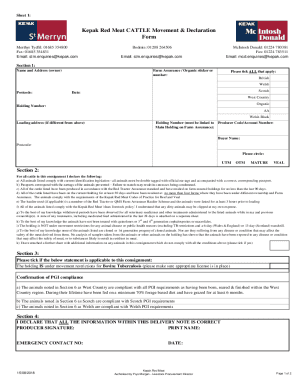
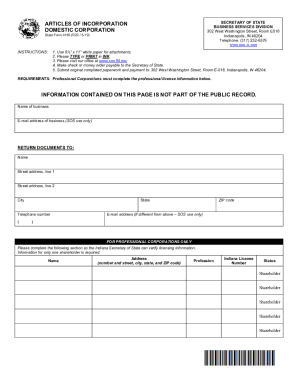
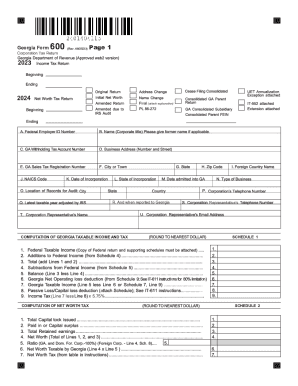
The concept of "form online" refers to digital versions of traditional paper forms that can be completed, submitted, and managed through internet-connected devices. These forms streamline processes by eliminating the need for physical documentation and allowing for easy data entry, collection, and processing. Online forms are commonly used across various domains, including government entities, businesses, educational institutions, and healthcare providers, offering a versatile solution for collecting and processing information efficiently.
Steps to Complete the Form Online
- Access the Form: Begin by accessing the online form through the designated platform or website. Ensure you are using a secure connection to protect your information.
- Read Instructions: Carefully read any provided instructions or guidelines to understand the required information and submission process.
- Fill Out the Form: Enter the requested data into the appropriate fields. Online forms often feature text boxes, dropdown menus, and checkboxes to facilitate information entry.
- Review and Verify Information: Before submitting, review the entered data to ensure accuracy. Errors can lead to processing delays or denials.
- Submit the Form: Once verified, submit the form by clicking the designated button. Some forms provide confirmation notifications upon successful submission.
- Save or Print Confirmation: For record-keeping, save or print a confirmation receipt, if available, which often includes a reference number or confirmation code.
Important Terms Related to Form Online
Understanding key terminology associated with online forms can enhance the user's experience and ensure accurate completion.
- Data Encryption: A method for securing sensitive information during transfer and storage to prevent unauthorized access.
- E-Signature: A digital representation of a signature that legally authenticates a document.
- Authentication Protocols: Security measures, such as OAuth 2.0, that verify user identities during login or access procedures.
- Interactive Template: A pre-designed form structure that can be customized with specific fields for user input.
- Audit Trail: A record of the history of activities related to a document, including who accessed it and when.
Obtaining the Form Online
Accessing an online form typically involves visiting the website or platform of the entity issuing the form. Here is a general guide on how to obtain an online form:
- Direct Website Access: Use the issuer's official website to locate the necessary form. Many sites feature a dedicated forms section or search functionality.
- Email Requests: Some organizations may provide online forms via email upon request. Contact their support or customer service department for assistance.
- Downloadable Links: Links to downloadable forms may be available on websites or sent via email, allowing users to save and complete forms offline before submitting online.
- Portal Access: Certain platforms require users to create an account or log in to a customer portal to access specific forms.
Who Typically Uses the Form Online
Online forms cater to a broad audience across multiple sectors:
- Individuals: Consumers and citizens use online forms for tax filings, job applications, and service requests.
- Businesses: Companies utilize online forms for client onboarding, contract agreements, and HR processes.
- Nonprofits: Organizations employ online forms for registration, donations, and volunteer sign-ups.
- Government Agencies: Government bodies use online forms for applications, compliance, and information gathering.


Legal Use of the Form Online
Completing and submitting forms online often carries the same legal significance as traditional paper forms, provided they conform to regulatory standards:
- Compliance with the ESIGN Act: The Electronic Signatures in Global and National Commerce Act grants electronic forms and signatures the same validity as paper-based documents.
- Privacy Protection: Online forms must adhere to privacy laws such as the GDPR (for EU residents) or the CCPA (for California residents) to protect users' personal information.
- Document Authenticity: By utilizing secure digital signatures and encryption, online forms maintain the authenticity and integrity essential for legal recognition.
Key Elements of the Form Online
Online forms often include several core elements designed to capture comprehensive information efficiently:
- Text Fields: Sections where users input specific data, such as names, addresses, or identification numbers.
- Dropdown Lists: Predefined options allow users to select from standardized responses, minimizing errors.
- Checkboxes and Radio Buttons: Enable users to make multiple selections or choose a single option, respectively, for specific questions.
- Signature Fields: Spaces for digital signatures, confirming consent or approval of the information provided.
- File Upload Options: Allow users to attach supporting documents, if required, such as identification or proof of address.
Penalties for Non-Compliance
Failing to complete or accurately submit an online form can result in various penalties:
- Fines and Penalties: Non-compliance with filing requirements may lead to monetary fines imposed by authorities or organizations.
- Delayed Processing: Errors or omissions can delay form processing, affecting outcomes such as approvals or benefits.
- Legal Consequences: In specific cases, intentional misstatements or fraudulent activity on forms may lead to legal action.
- Service Denial: Incomplete or incorrect forms may result in application rejection or service denial.
Digital vs. Paper Version
Online forms offer several advantages over traditional paper versions:
- Efficiency: Digital forms save time by enabling faster completion, submission, and processing.
- Accuracy: Automated validations in online forms help minimize user errors and ensure data consistency.
- Convenience: Users can access and submit forms from virtually anywhere with internet connectivity, reducing the need for physical travel.
- Environmentally Friendly: Digital forms reduce paper usage, supporting environmentally sustainable practices.