




Here's how it works



How to use or fill out cmls gift letter with our platform

- Click ‘Get Form’ to open the cmls gift letter in the editor.
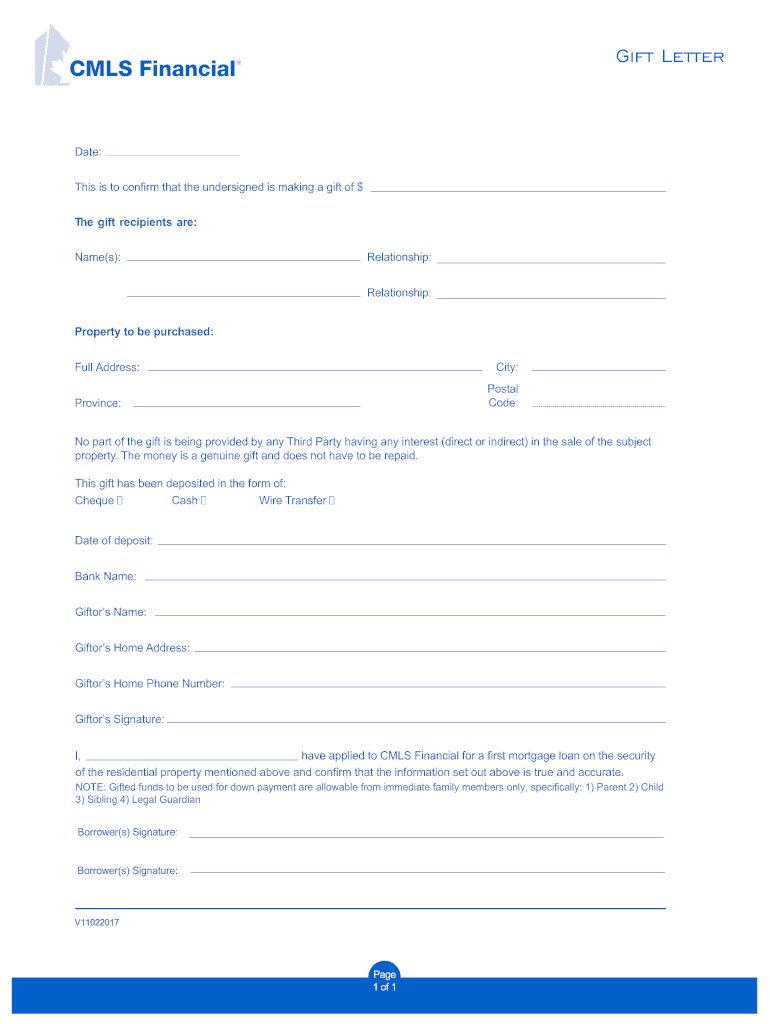
- Begin by entering the date at the top of the form. This is essential for record-keeping.
- In the section labeled 'This is to confirm that the undersigned is making a gift of $', input the amount of the gift.
- Fill in the names of the gift recipients in the designated area, ensuring accuracy for legal purposes.
- Specify your relationship to each recipient in the 'Relationship' fields provided.
- Indicate the property to be purchased along with its full address, including city, postal code, and province.
- Select how the gift has been deposited (Cheque, Cash, Wire Transfer) and provide relevant details such as bank name and date of deposit.
- Complete your information as a Giftor by filling in your name, home address, and phone number.
- Sign where indicated as a confirmation of all provided information being true and accurate.
- Finally, ensure that both Borrower(s) sign at the bottom to validate this document.
Start using our platform today for free to easily complete your cmls gift letter!
It's free
Got questions?
How do I sign my cmls gift letter without printing?
eSignatures are an excellent alternative to traditional signing, as they save time, effort, and money people spend on printing, scanning, and paper delivery. You can electronically sign your cmls gift letter utilizing a reliable and powerful online document processing services like DocHub. It complies with primary eSignature regulations (ESIGN and UETA), so all forms approved there are legally binding and have the same validity as physically signed ones.
How do you edit cmls gift letter on iOS?
You can easily edit fill out your cmls gift letter on any iOS gadget. Open an internet browser of your liking, go to the DocHub site, authorize or create a new account, add your file for editing, and make your desired changes. Our service is mobile-friendly, so utilizing its functions on your phone will be a no-brainer, even on the first try.
Security and compliance
At DocHub, your data security is our priority. We follow HIPAA, SOC2, GDPR, and other standards, so you can work on your documents with confidence.
Learn more




