




01. Edit your aaa application online
Type text, add images, blackout confidential details, add comments, highlights and more.

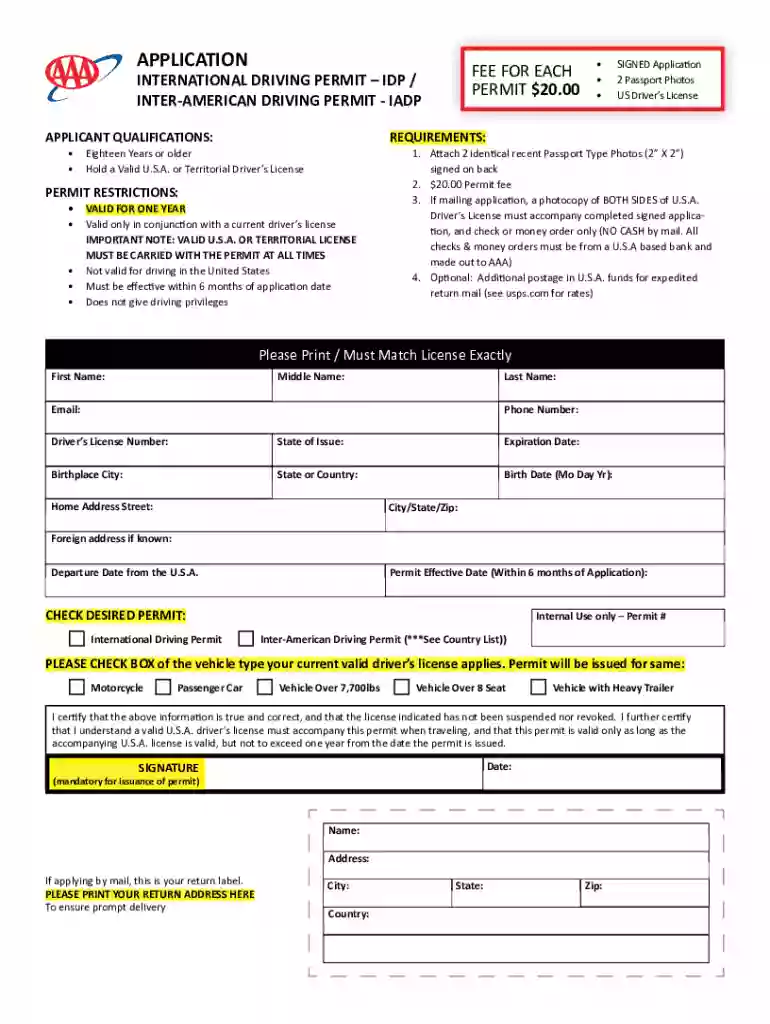
Type text, add images, blackout confidential details, add comments, highlights and more.

Draw your signature, type it, upload its image, or use your mobile device as a signature pad.

Send aaa idp via email, link, or fax. You can also download it, export it or print it out.
In the context of DocHub, the term "application" doesn't refer to an app that you need to install on your device. Instead, it represents a process that facilitates a range of document-centric tasks online. These tasks include filling out, signing, editing, and managing documents through a web-based interface. The application aims to provide users with a seamless experience across different types of files, like PDFs, and is enhanced with security measures such as encryption and authentication protocols.
Completing a document-related application on DocHub is streamlined to provide efficiency and accuracy. Users first import their document into the platform, choosing a format supported by DocHub, such as PDF or DOC. After importing, users can begin editing, adding text, or annotations as required. If the document requires signatures, users can create or insert legally binding electronic signatures. Finally, the document can be reviewed for any required fields, ensuring that every section is completed before saving or sharing it.
DocHub's application is tailored for a wide range of users, from individual users to professional environments. Business professionals, educators, and administrative personnel often find this application especially useful for managing daily document needs. Teams working collaboratively on projects that require multiple input stages from various stakeholders also benefit significantly, as DocHub allows for shared access and real-time editing.


The application within DocHub comprises several essential components designed to enhance document workflow:
DocHub ensures that all signatures and documents edited and completed through its application are compliant with legal standards, including the ESIGN Act. This compliance means that electronic signatures collected through DocHub are as legally binding as traditional ink signatures on paper documents. The application maintains a comprehensive audit trail for each document, recording every change, view, and signature, which helps comply with various legal and regulatory requirements.
Using DocHub's application effectively sometimes means preparing specific documents ahead of time. For instance, individuals may need to have identification documents, such as a driver's license or passport, ready when completing legal forms. In business settings, contracts, agreements, or NDA documents should be organized and, when necessary, pre-approved before being uploaded for signatures and distribution.
DocHub's application is designed to integrate seamlessly with various software environments, notably within the Google Workspace. This compatibility ensures that users can import and export documents directly to and from Google Drive, streamlining workflows without interrupting existing processes. Such seamless integration helps professionals conveniently manage documents while maintaining productivity.
The security offered by DocHub’s application ensures that user data and documents remain confidential and protected. The platform uses industry-standard 256-bit SSL encryption, safeguarding data transfer and storage. Additionally, users can choose to implement password protection on sensitive documents, while authentication is handled through protocols like OAuth 2.0, maximizing user security and trust during access and collaboration activities.
In practice, DocHub's application is invaluable in scenarios ranging from remote contracts and agreements in real estate to academic document review and mark-up by educators. For example, a real estate agent can use DocHub to have clients electronically sign purchase agreements without needing to meet in person. Similarly, educators might use the application to provide feedback on student assignments by annotating directly on the documents. Business partners across different locations can collaboratively edit a proposal or report, saving time and reducing the likelihood of miscommunication.
We've got more versions of the aaa application form. Select the right aaa application version from the list and start editing it straight away!
At DocHub, your data security is our priority. We follow HIPAA, SOC2, GDPR, and other standards, so you can work on your documents with confidence.
A system for collecting, saving, processing, and presenting data by means of a computer. The term application is generally used when referring to a component ofRead more
Common App streamlines college applications for over 1000 schools, saving time, tracking deadlines, and supporting students, counselors, and recommenders.


