
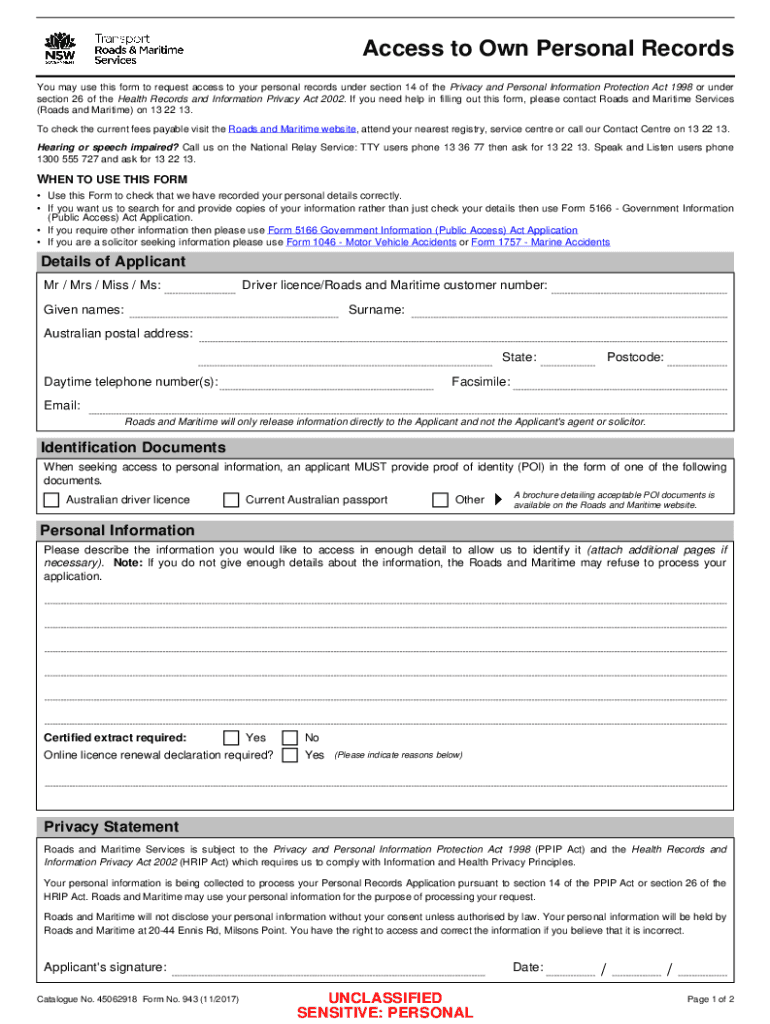







Definition and Purpose of the Access to Records Request Form - South Dakota
The Access to Records Request Form - South Dakota is an official document that enables individuals to request their personal or relevant records from government agencies under South Dakota's privacy and information access laws. This form serves as a gateway for obtaining various records, such as birth certificates, tax records, or public records, that are maintained by the state. The form ensures that individuals have a structured method to request the information they are entitled to while maintaining compliance with state regulations.
Key Components of the Form
- Personal Information Section: Requires the requester's full name, address, and contact details to ensure proper communication and identification.
- Identification Requirements: Applicants must provide valid identification to verify their identity and confirm their right to access the requested records.
- Description of Records: A detailed explanation of the specific records being requested, including any known details like dates, file numbers, or associated names to facilitate accurate retrieval.
- Purpose of Request: Although not always mandatory, stating the reason for the request can help prioritize processing in some cases.
How to Use the Access to Records Request Form - South Dakota
When preparing to use the Access to Records Request Form - South Dakota, it's essential to follow a structured approach to ensure all necessary information is included accurately. Here's a step-by-step guide:
- Download the Form: Begin by obtaining the most recent version of the form from the appropriate state agency's website or office.
- Complete the Personal Information Section: Carefully fill in your full name, mailing address, and contact number to facilitate communication.
- Identify the Records Requested: Provide as much detail as possible about the records you seek, including the nature of the documents, dates, and any identification numbers associated with them.
- Attach Required Identification Documents: Ensure copies of government-issued IDs, such as a driver's license or passport, are included to verify your identity.
- Submit the Form Via the Prescribed Method: Depending on the state agency, you can typically submit the form by mail, in-person, or online. Verify the preferred method of submission to avoid delays.
Steps to Complete the Access to Records Request Form - South Dakota
To accurately complete the Access to Records Request Form - South Dakota, follow these detailed instructions:
Step 1: Gather Necessary Information
- Identification: Have your identification documents ready to attach to the form.
- Record Details: Collect any information that will help in identifying the records, such as dates or reference numbers.
Step 2: Fill Out the Form
- Enter Personal Details: Clearly write your name, address, and contact details in the designated areas.
- Specify Records: In the description section, clearly outline the records you need, providing as many specifics as possible.
- Sign the Form: Include your signature to validate the request.
Step 3: Attach Required Documents
- Identification Copies: Attach photocopies of valid identification documents to verify your credentials.
Step 4: Submit the Form
- Submission Method: Choose the appropriate method for submission—mail, email, or in-person—and ensure it aligns with agency instructions.
- Confirmation: After submission, request a confirmation receipt if available.
Legal Use of the Access to Records Request Form - South Dakota
The Access to Records Request Form - South Dakota is legally governed by state statutes that protect an individual's right to access their records. The form upholds these legal provisions while ensuring that requests are processed efficiently and securely.
Key Legal Considerations
- Compliance with Privacy Laws: The form aligns with privacy regulations, ensuring personal information is handled with care.
- Validity of Requests: The form is intended for legitimate requests related to records maintained by public agencies. Misuse or fraudulent requests may carry penalties.
- Third-Party Access: Requests made by third parties require additional authorization from the individual whose records are being requested.
State-Specific Rules for the Access to Records Request Form - South Dakota
In South Dakota, specific regulations apply to the completion and submission of the Access to Records Request Form. These rules are designed to streamline the process while ensuring compliance with state law.
Important Regulations
- Privacy Protection: The state mandates strict guidelines on how personal data contained in the records is managed to prevent unauthorized access.
- Timely Processing: Requests must be processed within a specific timeframe established by state law, typically within a few weeks.
- Notification of Denial: If a request is denied, the requester is entitled to receive a written explanation and information on how to appeal the decision.
Required Documents for Submission
When submitting the Access to Records Request Form - South Dakota, it is crucial to include all necessary documentation to prevent delays.
Necessary Attachments
- Identification: Copies of valid government-issued identification to confirm the applicant's identity.
- Supplementary Information: Any additional documents that support the request, such as legal orders or authorization forms if acting on behalf of another.
Form Submission Methods
The Access to Records Request Form - South Dakota can typically be submitted through multiple channels, each tailored to accommodate individuals' preferences.
Submission Options
- Online Portal: Submission through an official website, providing immediate acknowledgment of receipt.
- Mail: Sending the form along with required documents to the designated agency address.
- In-Person: Direct submission at the relevant state office, offering the opportunity to clarify any issues during submission.
By following these guidelines, individuals can navigate the process of requesting access to their records in South Dakota efficiently and in compliance with the state's statutory requirements.


