
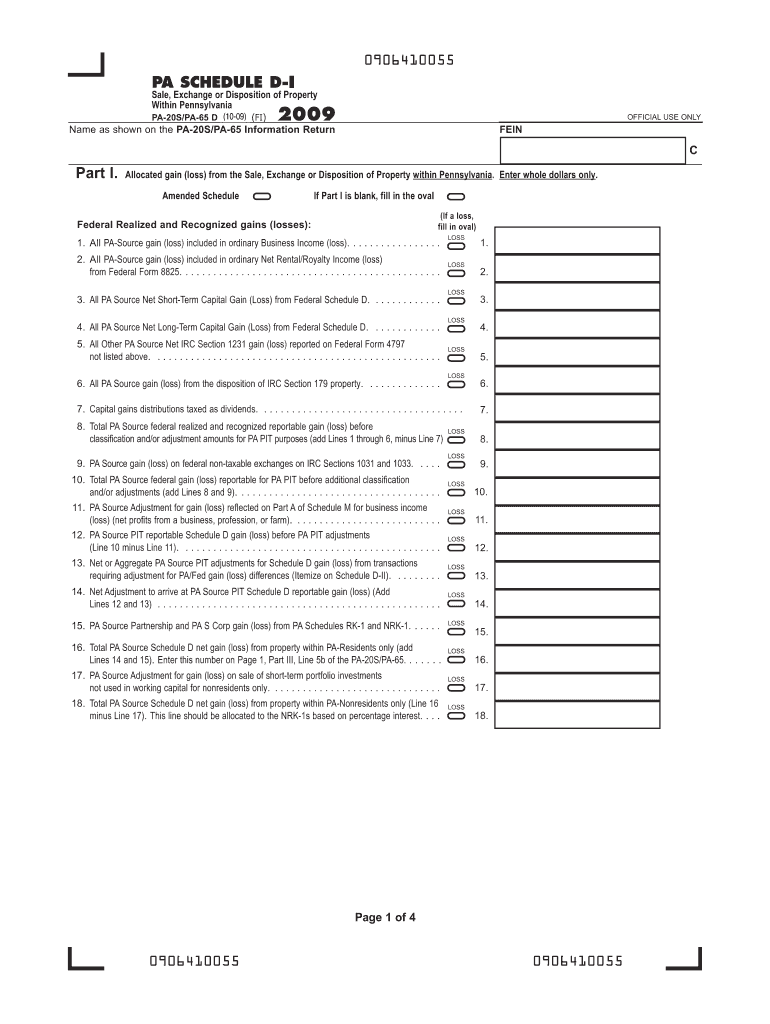







Definition and Importance of the 2009 PA Schedule D (PA-20S/PA-65 D)
The 2009 PA Schedule D (PA-20S/PA-65 D) is a tax form used by Pennsylvania taxpayers to report the sale, exchange, or disposition of property within or outside the state. This form is specifically relevant for partnerships, S corporations, or other similar pass-through entities that need to document their transaction details to the state. It allows for precise reporting of gains and losses, ensuring proper taxation in line with state guidelines.
Key Transactions Covered
- Capital Gains and Loss Reporting: The schedule captures details on both long-term and short-term capital gains or losses.
- Rental and Business Income Adjustments: Modifications related to rental or business income are crucial for accurate state tax reporting.
- State Tax Adjustments: Specific adjustments necessary to align with Pennsylvania state tax requirements are included in the form.
Obtaining the 2009 PA Schedule D (PA-20S/PA-65 D) Forms
Accessing the 2009 PA Schedule D is essential for accurate tax reporting. Taxpayers can obtain this form through several channels:
- Pennsylvania Department of Revenue Website: The official site offers downloadable versions of the form, keeping them accessible to users at home or in their offices.
- Tax Preparation Software: Platforms like TurboTax or QuickBooks often include the latest versions of required tax forms, including older ones like the 2009 PA Schedule D, for comprehensive tax filing options.
- Physical Compilations: Taxpayers can also visit local libraries or tax service centers, where printed forms might be available.
Steps to Complete the 2009 PA Schedule D (PA-20S/PA-65 D)
Completing the 2009 PA Schedule D involves several steps that demand careful attention to detail:
- Detailing Transactions: Begin by documenting each property sale, exchange, or disposition clearly, specifying the type and timing of each transaction.
- Calculating Gains and Losses: Use the reported transaction data to compute the net gains or losses. This involves considering factors like purchase price, selling price, and any related costs.
- Adjusting State-Specific Variables: Make adjustments as required by the Pennsylvania tax code, which may differ from federal rules.
- Final Review and Submission: Ensure all the sections are complete and accurate before proceeding with submission through the chosen method, whether online, by mail, or in person.
Who Typically Uses the 2009 PA Schedule D (PA-20S/PA-65 D)
The form serves a distinctive audience within Pennsylvania:
- Business Entities: Primarily relevant for partnerships and S corporations that operate as pass-through entities, distributing income, losses, and other tax attributes to their partners or shareholders.
- Individual Investors: Those engaged in frequent property transactions or investments needing specific state-level reporting must utilize this form.
- Tax Preparers: Professionals helping clients with Pennsylvania tax filings often require detailed use and understanding of Schedule D.


Legal and Compliance Aspects of the 2009 PA Schedule D (PA-20S/PA-65 D)
Fulfilling legal obligations involves ensuring:
- Accurate Reporting: Filers must provide truthful and precise information to avoid penalties.
- Timely Submission: The Pennsylvania Department of Revenue outlines specific deadlines which should be strictly adhered to for compliance.
- Audit Preparedness: Keeping detailed documentation helps in case of audits, where entities must justify the figures recorded in the tax forms.
Key Elements and Sections of the Form
The 2009 PA Schedule D includes several key sections:
- Schedule D-I: Dedicated to reporting gains and losses from stocks, bonds, and other securities.
- Schedule D-II: Covers rental properties and related income transactions.
- Schedule D-III: Focuses on business-related property transactions, crucial for commercial tax reporting.
- Schedule D-IV: Used for other miscellaneous transactions or adjustments not covered in the previous sections.
Examples of Using the 2009 PA Schedule D
Understanding the practical application of this form can be beneficial:
- Example Scenario 1: A partnership sells a commercial property at a significant profit, necessitating detailed reporting of the transaction in Section D-III.
- Example Scenario 2: An individual partner within an S corporation reports losses on sold shares in Schedule D-I for individual income adjustments.
- Example Scenario 3: Adjustments for rental property improvements and depreciation captured in Schedule D-II ensure accurate rental income reporting.
State-Specific Rules and Considerations
Pennsylvania imposes unique guidelines for Schedule D:
- Variation from Federal Returns: There might be discrepancies in how state taxes are calculated versus federal tax returns. It's critical to adjust entries accordingly on the PA Schedule D.
- Income Classification: Proper categorization of different income types and related taxes according to the Pennsylvania tax code is mandatory.
- Additional Deductions and Credits: Some state-specific deductions or credits may apply, which can affect reported gains and losses.




