




01. Edit your form online
Type text, add images, blackout confidential details, add comments, highlights and more.

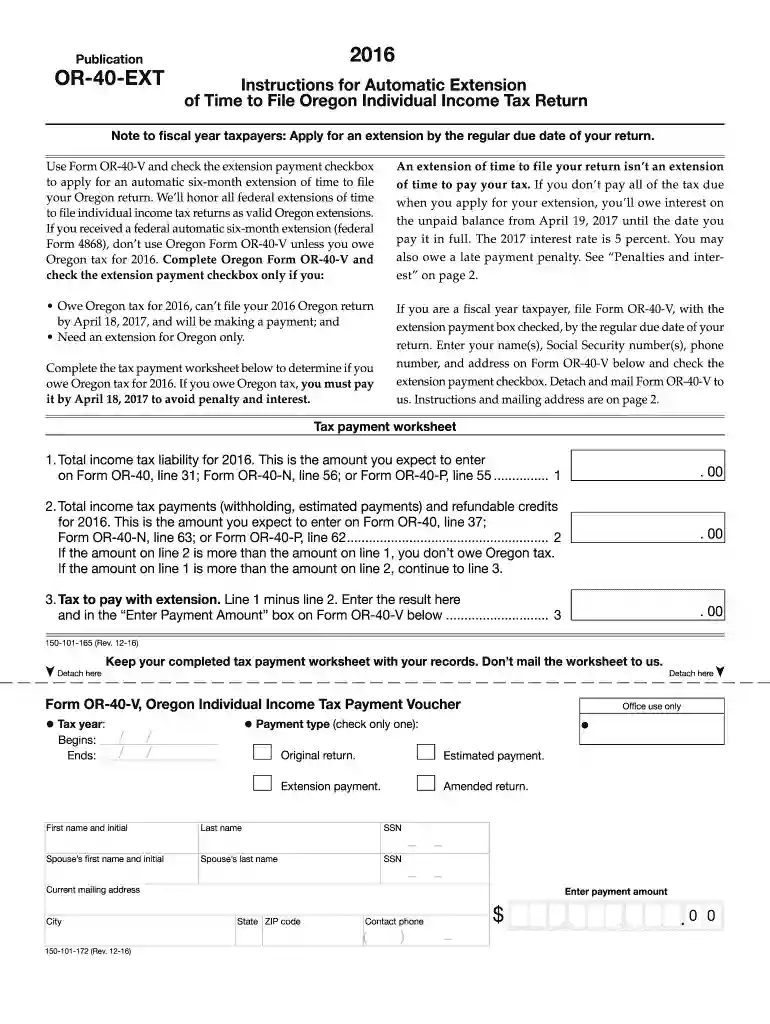
Type text, add images, blackout confidential details, add comments, highlights and more.

Draw your signature, type it, upload its image, or use your mobile device as a signature pad.

Send it via email, link, or fax. You can also download it, export it or print it out.
The 2016 Form 40-ESV, including the Oregon 40-V Income Tax Payment Voucher (form number 150-101-026), serves primarily as a tool for Oregon taxpayers to manage estimated tax payments and requests for extension. This form ensures taxpayers can accurately gauge their tax liability throughout the fiscal year, thereby helping them avoid penalties related to underpayment or late payment.
To accurately fill out the Form 40-ESV, follow these outlined steps:
Personal Information: Begin by entering your personal information, including your name, Social Security number, and current address.
Estimated Tax Calculation: Use calculations based on your income sources to determine your estimated tax liability. Consider seeking assistance from tax preparation software or a tax professional if needed.
Payment Details: Clearly indicate the amount of tax being paid with the voucher and align it with estimated payments for the respective quarter or final due date.
Filing for an Extension: If applying for an extension, accurately complete the designated section without overlooking any mandatory fields.
For comprehension and ease of use, familiarize yourself with key terms relevant to the 2016 Form 40-ESV:
While Form 40-ESV pertains to state-level obligations, it's crucial to align your filings with IRS guidelines:
Adhering to the relevant deadlines is critical for effective tax management:
Ensure the following documents accompany the 2016 Form 40-ESV for effective submission:
Taxpayers have multiple options when submitting the Form 40-ESV:
Failure to comply with filing and payment requirements can result in several penalties:
Choosing between digital and paper versions affects flexibility and convenience:
Integrating these tools can significantly simplify the process and enhance accuracy when managing fiscal responsibilities.
We've got more versions of the 2016 Form 40-ESV Instructions, Oregon 40-V Income Tax Payment Voucher, 150-101-026 form. Select the right 2016 Form 40-ESV Instructions, Oregon 40-V Income Tax Payment Voucher, 150-101-026 version from the list and start editing it straight away!
| Versions | Form popularity | Fillable & printable |
|---|---|---|
| 2025 | 4.5 Satisfied (26 Votes) | |
| 2024 | 4.2 Satisfied (44 Votes) | |
| 2023 | 4.6 Satisfied (34 Votes) | |
| 2022 | 4.7 Satisfied (46 Votes) | |
| 2021 | 4.7 Satisfied (75 Votes) | |
| 2020 | 4.8 Satisfied (106 Votes) | |
| 2020 | 4.3 Satisfied (136 Votes) | |
| 2019 | 4.1 Satisfied (60 Votes) | |
| 2017 | 4.4 Satisfied (35 Votes) | |
| 2016 | 4.2 Satisfied (63 Votes) |
At DocHub, your data security is our priority. We follow HIPAA, SOC2, GDPR, and other standards, so you can work on your documents with confidence.


