







Definition & Meaning
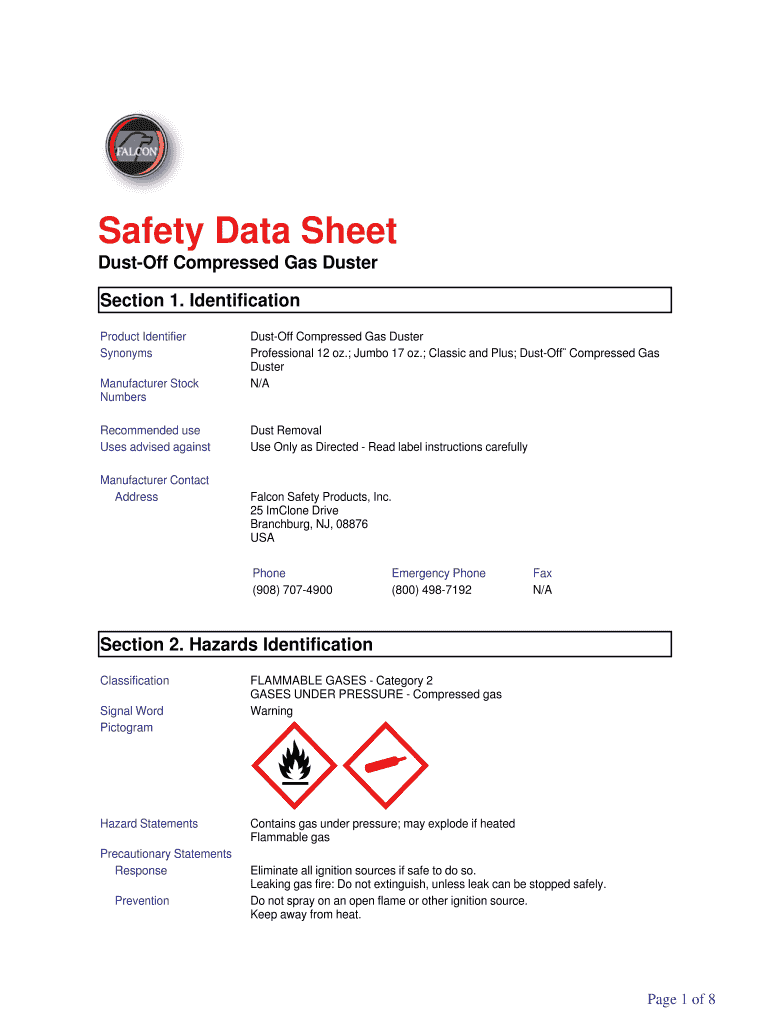
The Safety Data Sheet (SDS) is a critical document for managing workplace safety, specifically for handling chemical products. It provides essential information about the properties of a chemical substance, including its hazards, handling procedures, and emergency control measures. The purpose of the SDS is to inform users about potential risks and preventive measures, thereby ensuring the safe use and storage of hazardous materials. This document is standardized to ensure consistency and clarity, adhering to regulatory guidelines outlined by agencies like OSHA in the United States.
Key Elements of the SDS
At its core, the SDS includes several sections designed to give users a comprehensive understanding of the chemical in question:
- Identification: Information about the chemical product and the manufacturer.
- Hazard Identification: Potential hazards and warning labels associated with the chemical.
- Composition/Information on Ingredients: Details about the chemical's ingredients and concentrations.
- First-Aid Measures: Steps to take in case of exposure or accidental contact.
- Fire-Fighting Measures: Fire hazards and suitable methods for extinguishing fires involving the chemical.
- Accidental Release Measures: Procedures for containing and cleaning up spills or leaks.
These sections ensure that all relevant safety aspects are covered, providing workers and emergency personnel with the necessary information to handle chemical substances safely.
How to Use the SDS
Using an SDS effectively requires familiarity with its structure and content. The document is divided into 16 sections, each providing specific information about the chemical:
- Identification: Ensures you’re using the right document for the product.
- Hazard Identification: Focuses on understanding potential risks before contact.
- Handling and Storage: Offers preventive guidelines to minimize accident risks.
- Exposure Controls/Personal Protection: Details protective measures and equipment.
By reviewing these sections before using any chemical product, workers can be better prepared to handle them safely and respond effectively in case of an emergency. Pre-use training sessions and regular updates on new SDS versions are also recommended practices.
Steps to Complete the SDS
Completing an SDS requires accurate and up-to-date information about the chemical product. Here are the fundamental steps involved:
- Identify the Chemical: Gather detailed information about the chemical's name, composition, and manufacturer.
- Assess Hazards: Review the chemical's physical, health, and environmental hazards.
- Compile Safety Measures: Document the recommended procedures for safe handling, storage, and accident response.
- Review Regulatory Information: Ensure compliance with applicable laws and standards, such as OSHA regulations.
Completing an SDS involves collaboration with chemists and safety officers to gather relevant data and ensure that all safety aspects are covered comprehensively.
Who Typically Uses the SDS
The SDS is primarily used by:
- Employees/Workers: Those who handle chemical products in various industries, including manufacturing, laboratories, and cleaning.
- Safety Officers: Responsible for enforcing safety protocols and training employees.
- Emergency Responders: Firefighters and first responders use SDS information during incidents involving chemical exposure.
- Regulatory Bodies: Organizations like OSHA review SDS for compliance with safety regulations.
Each group needs access to the SDS to undertake informed actions when handling or responding to chemical-related incidents.


Legal Use of the SDS
The legal use of an SDS is grounded in regulatory compliance with occupational safety standards. In the U.S., OSHA mandates that employers maintain SDSs for each hazardous chemical used and ensure they are readily accessible to workers. The document aids in compliance with regulations, enforcement of safety protocols, and protection of workers' health, serving as a legally binding proof of safety measures taken in a workplace.
State-Specific Rules for the SDS
State-specific rules may affect how SDSs are managed and utilized:
- California: The state has more stringent environmental and safety standards under its Proposition 65 regulations, which require additional warning labels.
- New York: Employers must comply with state-specific Right-To-Know laws, requiring additional training and documentation accessibility.
- Texas: Compliance with Texas Hazard Communication Act may include unique training requirements.
Understanding state-specific rules is crucial for businesses operating in multiple jurisdictions, ensuring compliance with all applicable safety regulations.
Software Compatibility with the SDS
While SDSs are often distributed in paper form, many organizations utilize software systems to manage these documents digitally. Notable software compatibility considerations include:
- Document Management Systems (DMS): Software like DocHub offers tools to edit and annotate SDS documents, making them easily manageable and accessible from any device.
- Integration with Cloud Services: Facilitated access and distribution via platforms like Google Drive further streamline document workflow.
- E-signature Solutions: Enable digital signings, ensuring authenticated handling of sensitive safety data.
Leveraging software compatibility aids in efficient management and accessibility of SDSs across digital platforms.
Business Types that Benefit Most from SDS
Various businesses can significantly benefit from implementing SDSs:
- Manufacturers: Engage in the production of chemical products and need comprehensive safety documentation.
- Laboratories: Regularly handle various chemicals requiring meticulous safety measures.
- Cleaning Companies: Utilize different cleaning agents and chemicals needing strict adherence to safety protocols.
- Construction Firms: Face exposure to diverse chemical substances necessitating robust safety documentation.
Businesses that effectively use SDS enhance their safety management practices, protecting employees and reducing the risk of chemical-related incidents.




