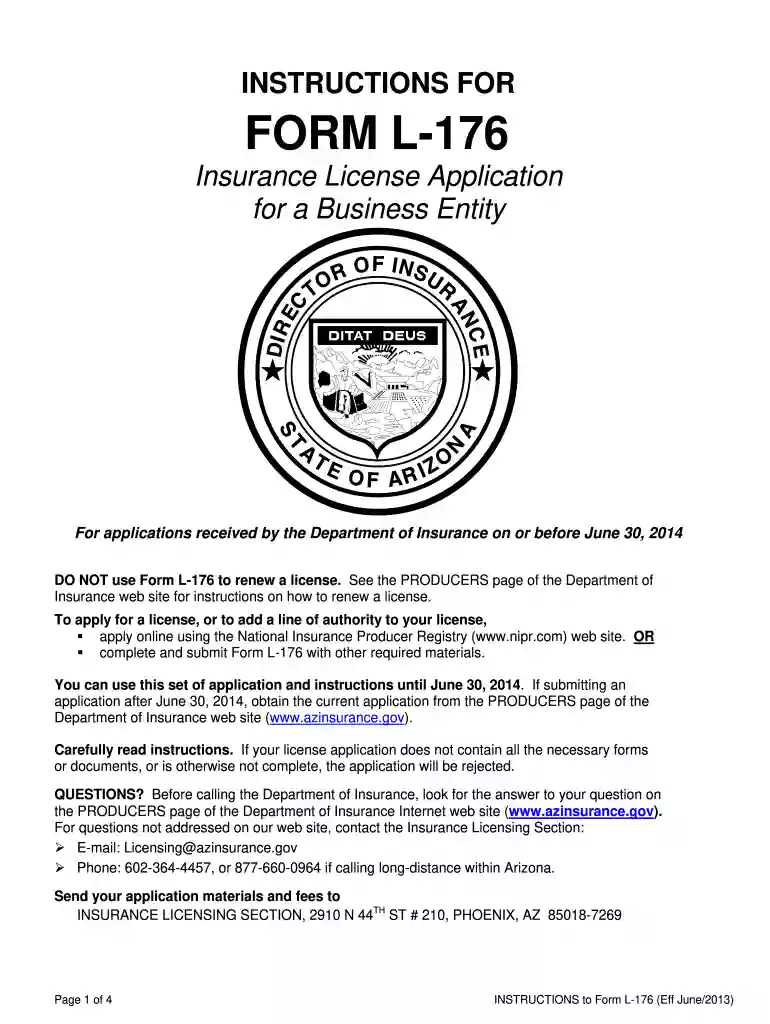
2013 arizona l 176 form-2026

Get Form
arizone form l 176 Preview on Page 1

Here's how it works

01. Edit your arizone form l 176 online
Type text, add images, blackout confidential details, add comments, highlights and more.

02. Sign it in a few clicks
Draw your signature, type it, upload its image, or use your mobile device as a signature pad.

03. Share your form with others
Send fillable 2019 arizona wec form via email, link, or fax. You can also download it, export it or print it out.

Definition & Meaning

Form L-176, commonly referred to as the 2013 Arizona L-176 form, is the Insurance License Application for a Business Entity used by the Arizona Department of Insurance. This form plays a crucial role in the process of obtaining an insurance license for business entities within the state of Arizona. It outlines the requirements for applying for different types of insurance licenses and is not suitable for use by sole proprietorships or specific insurance categories.

Key Characteristics

  • Purpose: Facilitates the licensing process for business entities seeking to conduct insurance operations in Arizona.
  • Exclusions: Not applicable for sole proprietorships or certain insurance types, ensuring only eligible entities utilize this application.

Steps to Complete the 2013 Arizona L-176 Form

  1. Gather Required Information: Collect details about the business entity, including its legal name, address, and organizational structure.
  2. Choose License Types: Identify the specific types of insurance licenses the entity is applying for.
  3. Prepare Supporting Documents: Assemble necessary attachments, such as proof of business registration and any required affidavits or agreements.
  4. Complete the Application: Fill out the form, ensuring accuracy and thoroughness. Pay special attention to sections regarding legal and regulatory compliance.
  5. Submit Fingerprints: If applicable, arrange for fingerprinting to meet the Arizona Department of Insurance's security protocols.
  6. Review and Sign: Thoroughly review the completed form for accuracy. An authorized representative of the business entity must sign the submission.
  7. Submit the Form: Send the completed form, along with all supporting documents, through the designated submission methods, whether online, by mail, or in-person.

Required Documents

  • Business Registration Proof: Documentation verifying the entity's legitimate business registration in Arizona.
  • Fingerprints: Needed for security checks or if certain legal questions are answered affirmatively.
  • Legal Agreements: Any relevant legal documents required by the Arizona Department of Insurance for license processing.

Additional Documentation

  • Compliance Certificates: Any compliance-related certificates necessary to ensure adherence to state regulations.
  • Financial Statements: For certain entities, financial disclosures may be required to demonstrate fiscal responsibility.

How to Obtain the 2013 Arizona L-176 Form

Online Access

  • Arizona Department of Insurance Website: The form can be downloaded directly from the official state website, ensuring you have the most current version.
  • DocHub: Another option for accessing the document. DocHub also offers tools for editing and signing the form digitally if needed.

Alternative Methods

  • Direct Request: Contact the Arizona Department of Insurance to request a physical copy.
  • Visit Department Offices: Obtain a copy in person at designated departmental offices.

State-Specific Rules for the 2013 Arizona L-176 Form

  • Licensing Regulations: Each insurance type may have unique requirements in Arizona. Ensure understanding of the specific regulations related to the desired insurance category.
  • Submission Guidelines: Adhere strictly to the submission guidelines specified by the state, which may include deadlines and specific channels of submission.
  • Eligibility Parameters: Ensure the business entity meets any state-defined eligibility criteria, including organizational structure and operational history.

Important Terms Related to 2013 Arizona L-176 Form

  • Business Entity: Any organization seeking an insurance license distinct from individuals, sole proprietorships, or specific unqualified groups.
  • Fingerprinting: A mandatory part of the application process for certain entities to ensure security and regulatory compliance.
  • License Types: Varied insurance licenses that a business entity may apply for within Arizona, each with unique requirements and conditions.

Legal Use of the 2013 Arizona L-176 Form

Compliance and Authenticity

  • Regulatory Compliance: Ensures that entities applying for insurance licenses meet Arizona's legal standards and requirements.
  • Authenticity Verification: The form establishes the authenticity and intent of entities to operate legitimately within the insurance sector in Arizona.

Business Entity Types (LLC, Corp, Partnership)

Eligible Entities

  • Limited Liability Companies (LLCs): Allowed to use this form if they seek to engage in insurance operations.
  • Corporations and Partnerships: Also eligible provided all state criteria and licensing requirements are met.

Application Constraints

  • Ineligible Entities: Sole proprietorships and non-compliant businesses must seek alternative methods or forms for licensure.

Penalties for Non-Compliance

  • Fines and Sanctions: Businesses that fail to comply with state regulations or inaccurately complete the form may face financial penalties or sanctions.
  • License Revocation: Possible revocation of issued licenses if compliance is breached post-application.
  • Legal Consequences: Potential for legal action against the entity, depending on the severity of non-compliance and the specific regulations violated.

This comprehensive examination of the 2013 Arizona L-176 form aims to ensure clarity and facilitate the successful navigation of the insurance licensing process for business entities in Arizona, providing a detailed guide for prospective applicants.

See more 2013 arizona l 176 form versions

We've got more versions of the 2013 arizona l 176 form form. Select the right 2013 arizona l 176 form version from the list and start editing it straight away!
Versions Form popularity Fillable & printable
2013 4.8 Satisfied (62 Votes)
2012 4 Satisfied (60 Votes)
be ready to get more

Complete this form in 5 minutes or less

Get form

Got questions?

We have answers to the most popular questions from our customers. If you can't find an answer to your question, please contact us.
Contact us
State electronic filing details You must file a federal return with, or prior to filing, the AZ return. a drivers license or state ID for both the taxpayer and spouse when you file electronically. Arizona does not accept amended returns for any tax year.
Form 140 - Resident Personal Income Tax Form -- Fillable Personal income tax return filed by resident taxpayers. You may file Form 140 only if you (and your spouse, if married filing a joint return) are full year residents of Arizona.
You can now file Form 1040-X electronically with tax filing software to amend your Form 1040, 1040-SR, or 1040-NR for the current or two prior tax periods. Paper filing is still an option for Form 1040-X. File Form 1040-X to: Correct Form 1040, 1040-SR, or 1040-NR (or older filings of Form 1040-A or 1040-EZ).
If you amend your federal return for any year, you must also file an Arizona Form 140X for that year. You must file the Form 140X within 90 days of amending your federal return. If the IRS makes a change to your federal taxable income for any year, you must report that change to Arizona.
Form 8879 is used to authorize the electronic filing (e-file) of original and amended returns. Use this Form 8879 (Rev. January 2021) to authorize e-file of your Form 1040, 1040-SR, 1040-NR, 1040-SS, or 1040- X, for tax years beginning with 2019.

Security and compliance

At DocHub, your data security is our priority. We follow HIPAA, SOC2, GDPR, and other standards, so you can work on your documents with confidence.

Learn more
ccpa2
pci-dss
gdpr-compliance
hipaa
soc-compliance
be ready to get more

Complete this form in 5 minutes or less

Get form