




Here's how it works

01. Edit your hipaa form online
Type text, add images, blackout confidential details, add comments, highlights and more.

02. Sign it in a few clicks
Draw your signature, type it, upload its image, or use your mobile device as a signature pad.

03. Share your form with others
Send oca 960 form via email, link, or fax. You can also download it, export it or print it out.
How to use or fill out oca 960 form pdf with our platform

- Click ‘Get Form’ to open the oca 960 form in the editor.
- Begin by entering the Patient Name, Date of Birth, and Social Security Number in the designated fields. Ensure accuracy as this information is crucial for identification.
- Fill in the Patient Address to provide a complete contact detail. This helps in ensuring that any correspondence regarding health information reaches you.
- In Item 7, specify the name and address of the health provider or entity from whom you are requesting information. This is essential for processing your request.
- Proceed to Item 8 and indicate the name and address of the person(s) or category of persons who will receive this information.
- In Item 9(a), select the specific information you wish to release by checking the appropriate boxes. If necessary, initial next to any sensitive information types you authorize for disclosure.
- Complete Items 10 through 13 by providing reasons for release, signing, and dating the form. Make sure all required fields are filled out before submission.
Start using our platform today to easily fill out your oca 960 form for free!
Fill out oca 960 form pdf online
It's free
It's free
See more oca 960 form pdf versions
We've got more versions of the oca 960 form pdf form. Select the right oca 960 form pdf version from the list and start editing it straight away!
| Versions | Form popularity | Fillable & printable |
|---|---|---|
| 2004 | 4 Satisfied (30 Votes) |
Security and compliance
At DocHub, your data security is our priority. We follow HIPAA, SOC2, GDPR, and other standards, so you can work on your documents with confidence.
Learn more


Related forms

Australian transit visa
The document is a checklist for applicants submitting a Transit Visa (Subclass 771) application to the Australian Govern ...
Application for a movable unit Movable Units - dhs vic gov
The document outlines the application process for hosting a movable unit, which provides self-contained accommodation fo ...
UPLATNENIE NAROKU NA NAHRADU SKODY - koopsk
The document is a claim form for damage compensation from KOOPERATIVA poisťovňa, a.s. Vienna Insurance Group, detailing ...

Advanced protection products international inc
The document is a remittance register for Advanced Protection Products International, Inc., detailing the submission pro ...
Dsp 1 test answers
The document is a DSP Orientation Test designed to assess knowledge and understanding of values, principles, and practic ...
Title defense rubrics
The document is an evaluation rubric for the M.S. Thesis Defense Examination, outlining criteria for assessing a candida ...
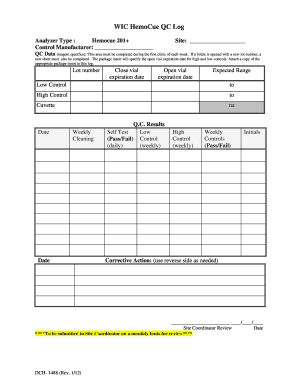
Hemocue glucose 201 quality control log sheet
The document is a WIC HemoCue QC Log used for recording quality control data for the Hemocue 201+ analyzer. It outlines ...