Account of fiduciary short form michigan 2008-2026

Get Form
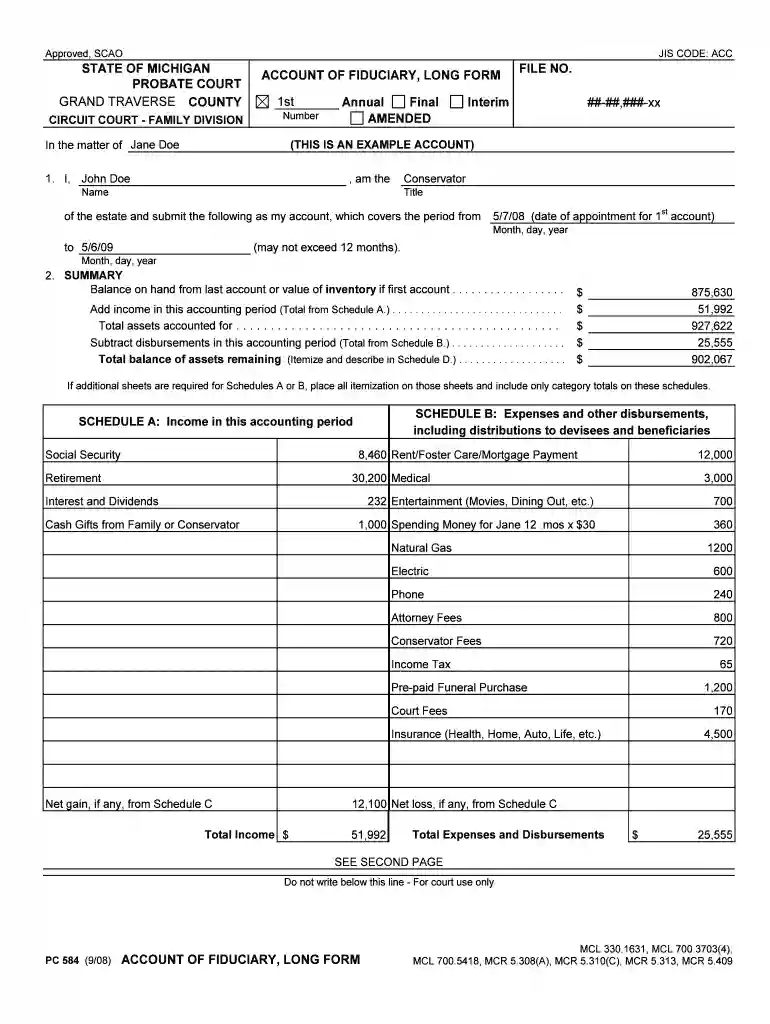
account of fiduciary short form michigan 2008 Preview on Page 1

Here's how it works

01. Edit your form online
Type text, add images, blackout confidential details, add comments, highlights and more.

02. Sign it in a few clicks
Draw your signature, type it, upload its image, or use your mobile device as a signature pad.

03. Share your form with others
Send it via email, link, or fax. You can also download it, export it or print it out.

How to use or fill out account of fiduciary short form michigan 2008 with our platform

Form edit decoration
9.5
Ease of Setup
DocHub User Ratings on G2
9.0
Ease of Use
DocHub User Ratings on G2
  1. Click ‘Get Form’ to open the account of fiduciary short form in the editor.
  2. Begin by entering your name and title as the conservator in the designated fields. Ensure that you accurately reflect your role in managing the estate.
  3. Fill in the accounting period dates, starting from your appointment date to the end date, ensuring it does not exceed 12 months.
  4. In the SUMMARY section, input the balance on hand from the last account or value of inventory if this is your first account. Follow this by adding income for the accounting period as detailed in Schedule A.
  5. Complete Schedule B by itemizing all expenses and disbursements during this period. Make sure to categorize each expense accurately for clarity.
  6. If applicable, use Schedule C to report any gains or losses on asset dispositions. Transfer relevant figures to Schedules A or B as needed.
  7. Finally, review all entries for accuracy before signing and dating at the bottom of the form. Ensure all required attachments are included.

Start using our platform today for free to streamline your document editing and completion process!

See more account of fiduciary short form michigan 2008 versions

We've got more versions of the account of fiduciary short form michigan 2008 form. Select the right account of fiduciary short form michigan 2008 version from the list and start editing it straight away!
Versions Form popularity Fillable & printable
2011 4.9 Satisfied (42 Votes)
2008 4 Satisfied (38 Votes)
be ready to get more

Complete this form in 5 minutes or less

Get form

Got questions?

We have answers to the most popular questions from our customers. If you can't find an answer to your question, please contact us.
Contact us
How Do I Get a Letter of Authority? Notify the Master of the High Court. You must lodge an application at the Masters office in the area where the deceased lived. Complete Required Forms. Submit Supporting Documents. Pay the Required Fee. Await Approval.
To obtain your Michigan Certificate of Authority, you will submit an Application for Certificate of Authority, along with required certificates or certified copies from your home state. You will need to appoint a registered agent in order for your filing to be approved.
You must first attempt to obtain an appointment from the state probate or surrogate court where the decedent lived. In general, states have procedures for individuals to open a simple or small estate in order to obtain an appointment.
How To Get Your Letter of Authority. In order to get a Letter of Authority, you must open a Probate Estate and petition the Probate Court to become the Estates Personal Representative. Once the court appoints you as the Personal Representative, you will be issued your Letter of Authority.

Security and compliance

At DocHub, your data security is our priority. We follow HIPAA, SOC2, GDPR, and other standards, so you can work on your documents with confidence.

Learn more
ccpa2
pci-dss
gdpr-compliance
hipaa
soc-compliance