01. Edit your petty cash float summary forms online
Type text, add images, blackout confidential details, add comments, highlights and more.
02. Sign it in a few clicks
Draw your signature, type it, upload its image, or use your mobile device as a signature pad.
03. Share your form with others
Send what is cash float via email, link, or fax. You can also download it, export it or print it out.
How to Use or Fill Out the Petty Cash Replenishment Form Online
Ease of Setup
DocHub User Ratings on G2
Ease of Use
DocHub User Ratings on G2
Click ‘Get Form’ to open the Petty Cash Replenishment Form in our editor.
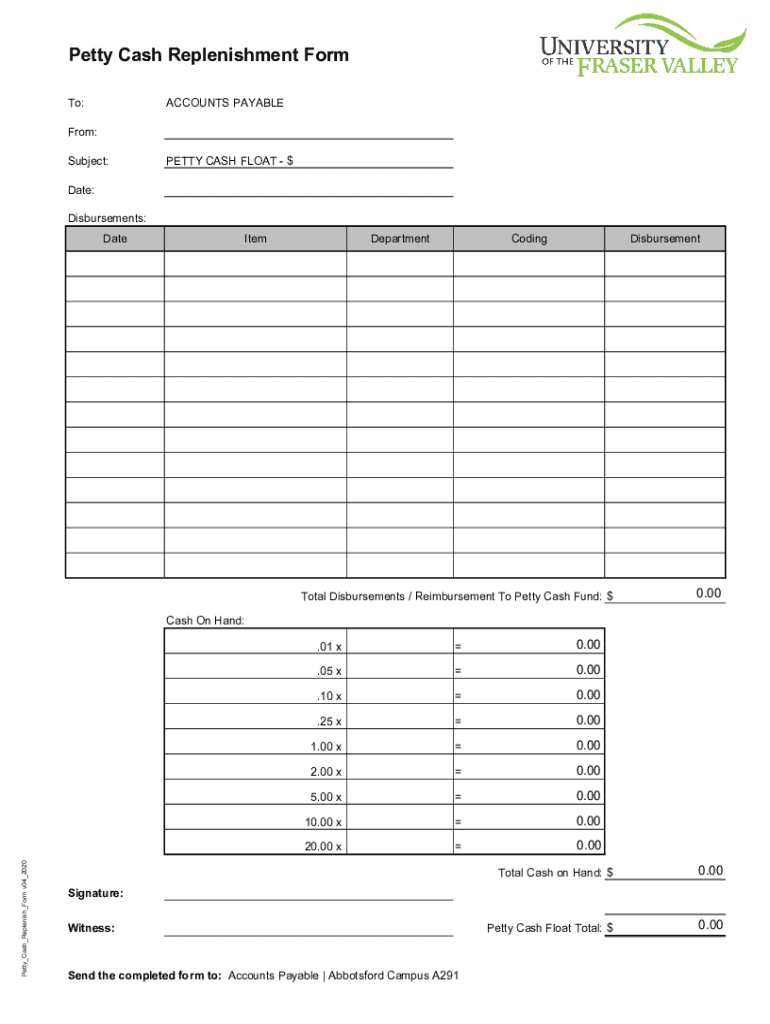
Begin by entering the date at the top of the form. This helps track when the replenishment request is made.
In the 'Disbursements' section, fill out each item being reimbursed. Include the date, item description, department, coding, and disbursement amount for each entry.
Calculate and enter the total disbursements in the designated field to ensure accurate reimbursement to your petty cash fund.
Next, input your cash on hand amounts in their respective fields. Multiply the quantity of each denomination by its value to get totals for each type of bill or coin.
Finally, review all entries for accuracy before signing and adding a witness signature at the bottom of the form.
Start filling out your Petty Cash Replenishment Form online for free today!
Fill out Petty Cash Replenishment Form online It's free
We've got more versions of the Petty Cash Replenishment Form form. Select the right Petty Cash Replenishment Form version from the list and start editing it straight away!
Jun 20, 2024 Petty cash custodians create a voucher in OAKS FIN as needed for replenishment of petty cash. However, a minimum of one replenishment is done each fiscal year.Read more
Cookie consent notice
This site uses cookies to enhance site navigation and personalize your experience.
By using this site you agree to our use of cookies as described in our Privacy Notice.
You can modify your selections by visiting our Cookie and Advertising Notice.