




01. Edit your progressive fs1 form online
Type text, add images, blackout confidential details, add comments, highlights and more.

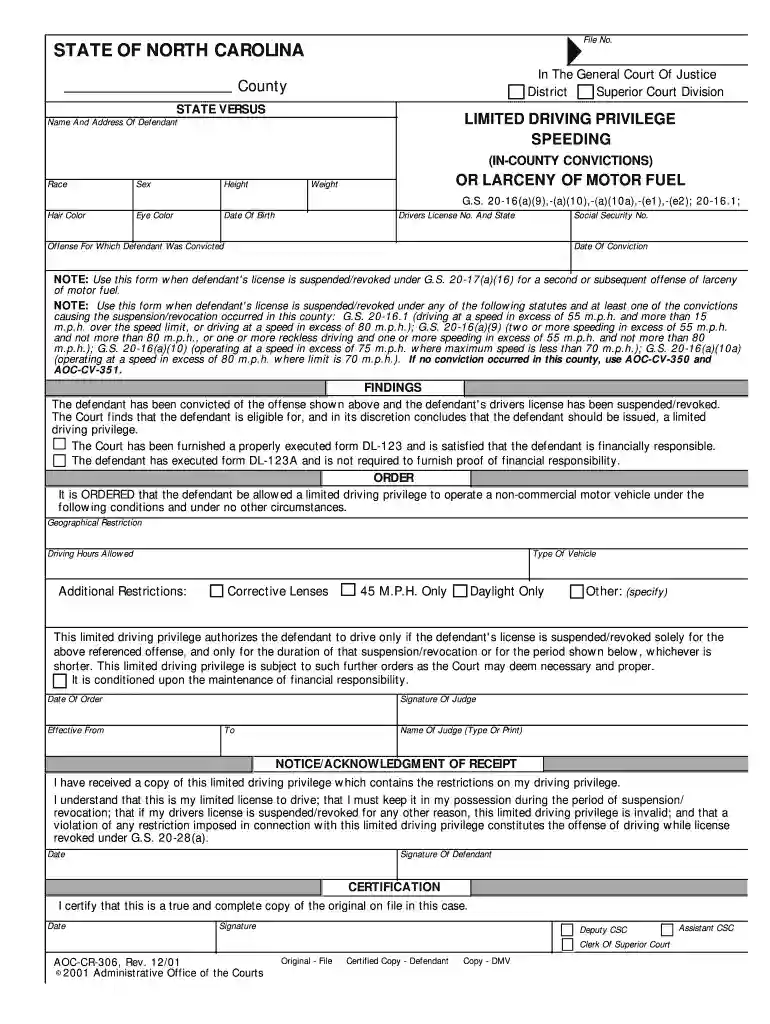
Type text, add images, blackout confidential details, add comments, highlights and more.

Draw your signature, type it, upload its image, or use your mobile device as a signature pad.

Send fs 1 form progressive via email, link, or fax. You can also download it, export it or print it out.
The FS1 form progressive, commonly referred to as the progressive FS1, is a crucial document used primarily in the realm of insurance. It is typically associated with Progressive Insurance and is utilized to provide essential information related to vehicle registration and insurance coverage. This form is vital for policyholders seeking to manage their insurance details and maintain compliance with state requirements regarding vehicle operation.
In essence, the FS1 form serves multiple purposes, including reporting vehicle details, updating insurance policies, and facilitating the claims process. Understanding its definition and functionalities is imperative for any individual engaging with Progressive Insurance services. The accurate completion of the FS1 form is paramount, as errors may lead to complications such as delayed registrations or denied claims.
Utilizing the FS1 form progressive involves several systematic steps that assist users in effectively reporting their insurance information. The form can be applied in various scenarios, such as applying for an insurance policy, modifying an existing one, or filing a claim.
Identify the Purpose: Determine why you need the FS1 form. Whether it's for new coverage or updating information, understanding your objective will guide the completion process.
Collect Relevant Information: Gather essential details such as your driver's license number, vehicle identification number (VIN), and information about any previous insurance claims.
Complete the Form: Fill out the form accurately. This includes inputting personal information, vehicle details, and selecting the types of coverage desired. Special attention should be given to any required fields to ensure the submission is valid.
Review for Accuracy: Double-check all entries for errors. Mistakes on the FS1 form could lead to processing delays or issues with your insurance coverage.
Submit the Form: Once completed and reviewed, the form can be submitted as directed on the document. This may include mailing it, submitting online through the Progressive portal, or providing it in person at a local branch.
By following these steps, users can streamline their process of dealing with insurance details efficiently.
Completing the FS1 form progressive requires attention to detail and an understanding of the information needed. Below are the detailed steps for filling out the form correctly:
Basic Information: Input your name, address, and contact information at the top of the form. This helps in identifying the policyholder.
Vehicle Information: Fill in details about your vehicle, including the make, model, year, and VIN. Make sure the VIN is accurate as it uniquely identifies your vehicle.
Insurance Details: Specify the type of coverage you are applying for or updating. This could range from liability to comprehensive insurance coverage, depending on your needs.
Signature: Sign and date the form. Your signature validates the information provided and confirms that you agree with the stated terms.
Submission Method: Choose a submission method (online, mail, or in person). Ensure that you keep a copy of the completed form for your records.
Completing the FS1 form correctly helps ensure that your insurance is processed without issues and that you remain compliant with vehicle registration requirements.
Familiarity with key terminology associated with the FS1 form can enhance understanding and smoothen the process. Here are some essential terms:
Vehicle Identification Number (VIN): A unique code assigned to every motor vehicle when it is manufactured. It contains information about the vehicle's make, model, and year.
Policyholder: The individual or entity that owns the insurance policy. This person is responsible for payment of premiums and managing the policy.
Coverage Types: Types of insurance coverage available, such as liability, collision, and comprehensive; understanding these terms is essential when selecting the appropriate coverage.
Deductible: The amount that the policyholder pays out of pocket before the insurance coverage kicks in. Knowing your deductible is crucial when planning your insurance costs.
Claim: A formal request made by the policyholder to the insurance company for compensation regarding damages or loss.
Understanding these terms will not only aid in filling out the FS1 form but also empower users to make informed decisions about their insurance coverage.
Understanding the eligibility criteria for the FS1 form progressive is essential before submission. Here are the key factors to consider:
Residency: Only individuals residing in states where Progressive operates can submit the FS1 form. Each state may have differing requirements, so confirming residency is vital.
Vehicle Ownership: The form must be filled out by the registered owner of the vehicle. If you're a leased vehicle driver, ensure that you have permission or guidelines from the leasing company.
Existing Insurance: Those looking to change their current Progressive insurance policy or enroll in a new one must be properly insured at the time of filling out the form.
Driver's License: A valid driver's license is often required to ensure that the policyholder is legally permitted to operate the vehicle.
Compliance with State Regulations: Each state may impose additional requirements regarding insurance forms and policies, which must be adhered to when filling out the FS1 form.
By confirming eligibility, users can avoid complications that may arise from incomplete or incorrect submissions.


Practical examples can provide clarity on how to effectively engage with the FS1 form progressive. Here are several scenarios:
New Policy Application: A new driver may use the FS1 form to apply for insurance with Progressive after purchasing their first car. They would complete the form with their details, vehicle specifications, and desired coverage to initiate their insurance policy.
Updating Vehicle Information: An individual who sells their old car and buys a new one would need to fill out the FS1 form to update their insurance records. They would submit information about the new vehicle, ensuring that the coverage reflects their current assets.
Claim Submission: If a policyholder experiences an accident, they might need to complete the FS1 form to initiate a claim. This involves detailing the incident and providing necessary documentation as part of the claim process.
Modifying Coverage Levels: A person looking to adjust their current coverage due to changing circumstances—like adding a teenage driver or upgrading their vehicle—would also use the FS1 form to reflect these changes.
These examples underscore how the FS1 form progressive serves practical functions within various contexts of insurance management.
At DocHub, your data security is our priority. We follow HIPAA, SOC2, GDPR, and other standards, so you can work on your documents with confidence.
Sample Insurance ID Cards: New York State Insurance ID Card (FS-20), FS20 Insurance ID Card, New York State Insurance ID Card (FS-83), FS83 Insurance ID Card.Read more
Abstract. A model is presented for the dynamic finite element analysis of large-strain, high strain rate deformation behavior of materials.
1) Complete understanding of the purpose of every single device and equipment used through the schematic apparatus interconnection approach.Read more


