




01. Edit your form online
Type text, add images, blackout confidential details, add comments, highlights and more.

Type text, add images, blackout confidential details, add comments, highlights and more.

Draw your signature, type it, upload its image, or use your mobile device as a signature pad.

Send it via email, link, or fax. You can also download it, export it or print it out.
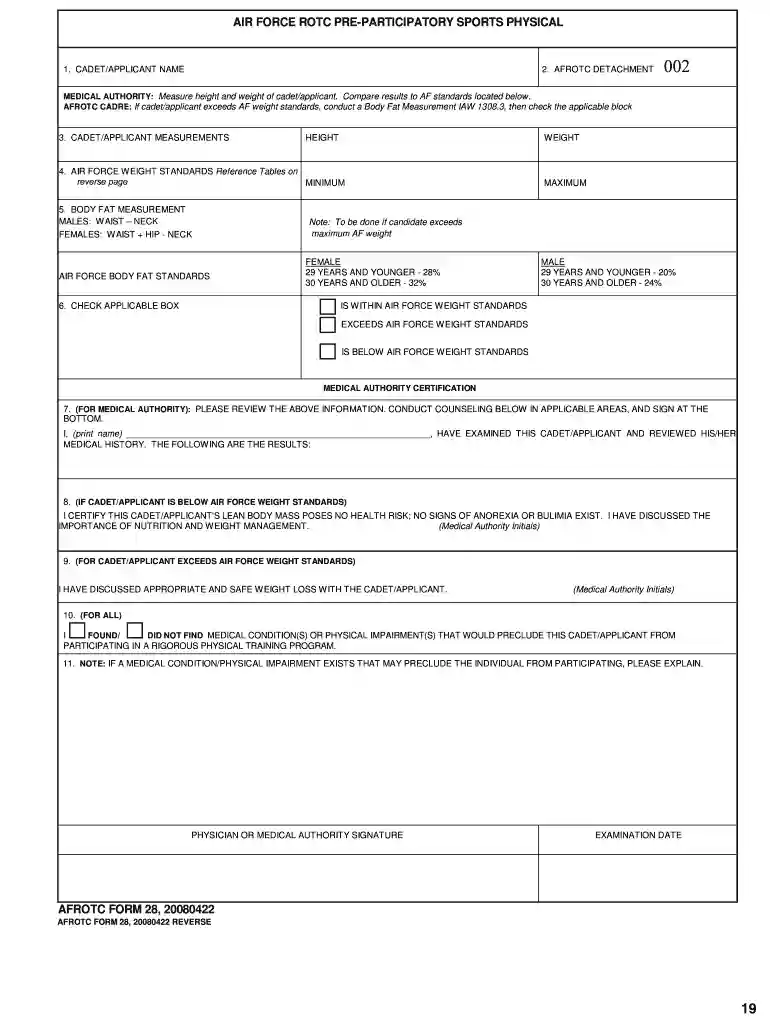
The "CADET APPLICANT NAME - csbs csusb" form pertains to the documentation process for individuals interested in joining the Air Force ROTC at California State University, San Bernardino. This form is critical in identifying and processing the application details of potential cadets. It serves as a primary information source that helps in managing the applicant's data through various stages of the enrollment and physical evaluation processes.
To effectively utilize the form, applicants must ensure all sections are thoroughly completed and documented. The form should be used to record all relevant personal information, including name, contact details, and health information necessary for the ROTC application process.
Completing the form involves a series of steps that applicants must follow to ensure accuracy and compliance with ROTC requirements. Each section must be carefully filled out to reflect the applicant's current status.
Completing this form is crucial for anyone interested in joining the Air Force ROTC program at CSUSB as it is the initial step in the enrollment process.
The form contains several critical sections that applicants must complete accurately. Each section provides specific information relevant to the ROTC application process.
Understanding specific terms related to the form ensures clarity and aids in correct form completion.
The form's legal framework outlines how information can be used and distributed in compliance with privacy and military regulations.
The submission of this form typically necessitates several supporting documents to verify qualifications and eligibility.
By meticulously following the steps and considerations outlined in these blocks, cadet applicants can successfully complete the "CADET APPLICANT NAME - csbs csusb" form, ensuring a comprehensive and compliant submission for the Air Force ROTC program.
We've got more versions of the CADET APPLICANT NAME - csbs csusb form. Select the right CADET APPLICANT NAME - csbs csusb version from the list and start editing it straight away!
At DocHub, your data security is our priority. We follow HIPAA, SOC2, GDPR, and other standards, so you can work on your documents with confidence.
The document presents a collection of projects developed by teachers enrolled in a 3-week summer institute curriculum areas to gifted students. California
CADET/APPLICANT NAME. 2. AFROTC DETACHMENT. MEDICAL AUTHORITY: Measure height and weight of cadet/applicant. Compare results to AF standards located belowRead more
Apr 2, 2020 Documentation for this module may be created at Module:College [Abilene Christian Wildcats] [Cal State San Bernardino Coyotes] cial Name


