
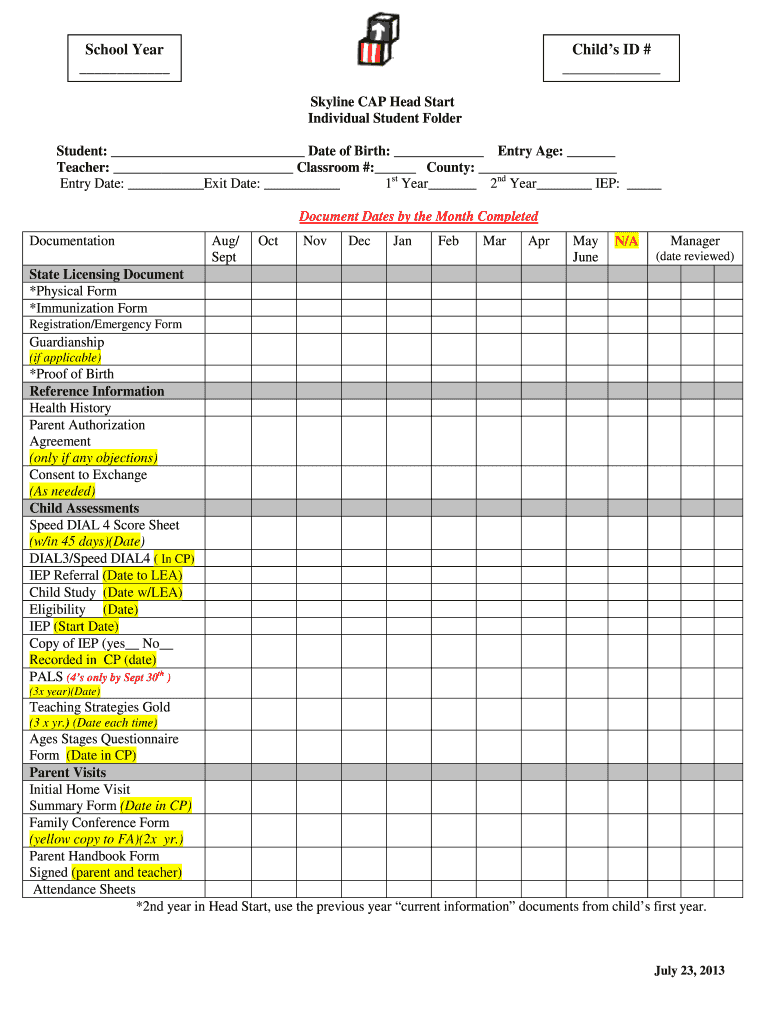







Understanding the School Year Child's ID in Skyline CAP Head Start
The School Year Child's ID is a crucial identifier within the Skyline CAP Head Start program. This ID helps track the child's progress, attendance, and compliance with educational standards. It serves as a unique reference for each child enrolled, ensuring their educational journey is documented accurately and effectively.
How to Use the School Year Child's ID
The School Year Child's ID is used throughout various stages and components of the Skyline CAP Head Start program. It is essential for:
- Recording and monitoring attendance.
- Documenting health forms and assessments.
- Collecting parent authorizations.
- Facilitating smooth communication between parents and staff. Each interaction or update about the child includes this ID to maintain consistency and accuracy in record-keeping.
Obtaining the School Year Child's ID
To obtain a School Year Child's ID, parents or guardians must enroll their child in the Skyline CAP Head Start program. During the enrollment process, the program assigns a unique ID to each child. It involves providing necessary personal and educational information to ensure proper documentation and tracking.
Completing the School Year Child's ID Documentation
Completing documentation related to the School Year Child's ID involves several steps:
- Gather Necessary Information: Collect personal, health, and educational details of the child.
- Fill Out Required Forms: Complete all sections accurately with the provided ID, ensuring no fields are left empty.
- Submit Health Documents: Provide up-to-date health records and assessments as part of the documentation.
- Acquire Authorizations: Obtain necessary parent consents and signatures for participation. This process ensures compliance with the program's requirements and facilitates a smooth onboarding.
Importance of the School Year Child's ID
The School Year Child's ID is vital for maintaining a structured and organized educational record. It:
- Ensures accurate tracking of a child's educational journey.
- Facilitates effective communication with parents and stakeholders.
- Supports compliance with educational and health standards. Without it, managing and accessing the child's progress and requirements would be challenging and prone to errors.
People Involved in Using the School Year Child's ID
Various stakeholders interact with the School Year Child's ID:
- Parents/Guardians: Use the ID for inquiries and updates on their child's progress.
- Educators/Staff: Refer to the ID for managing attendance, documentation, and assessments.
- Administrators: Utilize the ID to oversee compliance and reporting. Each group plays a role in ensuring the ID serves its purpose of effective record management.
Key Elements of the School Year Child's ID System
Several key elements define the system and its operation, including:
- Unique Identifier: Each ID is distinct per child, avoiding duplicates and confusion.
- Comprehensive Records: Covers all aspects such as health, attendance, and authorizations.
- Access Control: Controlled sharing and viewing to maintain confidentiality and security. These elements are critical for a reliable and secure documentation process, providing all involved parties access to necessary information without breaches of privacy.
State-Specific Requirements and Variations
While the School Year Child's ID follows a standardized system, there may be state-specific differences impacting:
- Documentation requirements.
- Health assessment standards.
- Reporting deadlines and obligations. Understanding these variations is critical for compliance with local laws and ensuring that the program meets the state's educational and health guidelines.
Digital vs. Paper Versions of the ID and Documentation
School Year Child's ID documentation can be managed both digitally and on paper. The digital version offers:
- Efficiency: Faster access and updates.
- Accuracy: Reduced manual errors and inconsistencies.
- Security: Enhanced with encryption and access controls. While paper versions provide a tangible backup, digital management is encouraged for its ease and reliability in contemporary educational settings.




