Printable envelope template 2026

Get Form
printable envelope template Preview on Page 1

Here's how it works

01. Edit your printable envelope template online
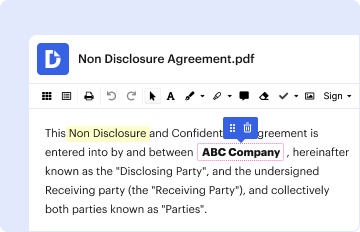
Type text, add images, blackout confidential details, add comments, highlights and more.
02. Sign it in a few clicks
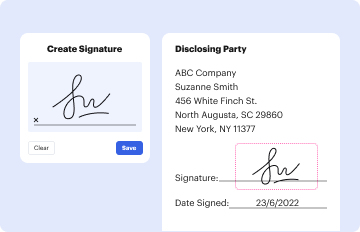
Draw your signature, type it, upload its image, or use your mobile device as a signature pad.
03. Share your form with others
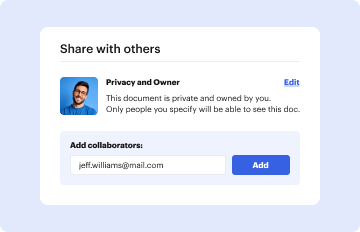
Send printable envelope template via email, link, or fax. You can also download it, export it or print it out.

How to use or fill out printable envelope template with our platform

Form edit decoration
9.5
Ease of Setup
DocHub User Ratings on G2
9.0
Ease of Use
DocHub User Ratings on G2
  1. Click ‘Get Form’ to open the printable envelope template in the editor.
  2. Begin by entering the recipient's address in the designated area on the front of the envelope. Ensure that you include all necessary details such as name, street address, city, state, and zip code for accurate delivery.
  3. Next, add your return address in the top left corner. This is important for ensuring that any undelivered mail can be returned to you.
  4. If there are additional fields for special instructions or notes, fill those out as needed. This could include information like 'Fragile' or 'Do Not Bend'.
  5. Once all fields are completed, review your entries for accuracy. Make any necessary adjustments before finalizing.
  6. Finally, save your completed envelope template and print it directly from our platform for a polished finish.

Start using our platform today to effortlessly create and manage your printable envelope templates for free!

be ready to get more

Complete this form in 5 minutes or less

Get form

Got questions?

We have answers to the most popular questions from our customers. If you can't find an answer to your question, please contact us.
Contact us
2:48 19:30 So your envelope is now traced now lets cut it. Out. Now your template is ready you can go ahead.MoreSo your envelope is now traced now lets cut it. Out. Now your template is ready you can go ahead. And write down the size of your envelope right on this template I find that very helpful.
Print an envelope Go to Mailings Envelopes, and enter delivery and return addresses. Place the blank envelope in the printer tray, ing to the diagram in the Feed box. Select Print.
You can use the envelope templates in Pages to print standard-sized envelopes. Go to the Pages app on your iPad. In the document manager, tap Choose a Template. Scroll down to the Envelopes section, then tap an envelope template.
1:06 1:53 And sound select view devices. And printers and select printers and Scanners from this list. AndMoreAnd sound select view devices. And printers and select printers and Scanners from this list. And then locate your HP printer. And then on this page now select the printing. Preferences.
Most printers will allow you to print directly onto an envelope. This is especially useful if you have a lot of letters to send, for example.
be ready to get more

Complete this form in 5 minutes or less

Get form

People also ask

Click File Print, and then click Show Details at the bottom of the dialog if it displays. Click the Style menu, and then select Envelopes.
Pretty much all printers will print onto envelopes, however not all will reliably feed envelopes from a stack. They generally rely on you feeding them one by one.

Related links