




01. Edit your form online
Type text, add images, blackout confidential details, add comments, highlights and more.

Type text, add images, blackout confidential details, add comments, highlights and more.

Draw your signature, type it, upload its image, or use your mobile device as a signature pad.

Send it via email, link, or fax. You can also download it, export it or print it out.
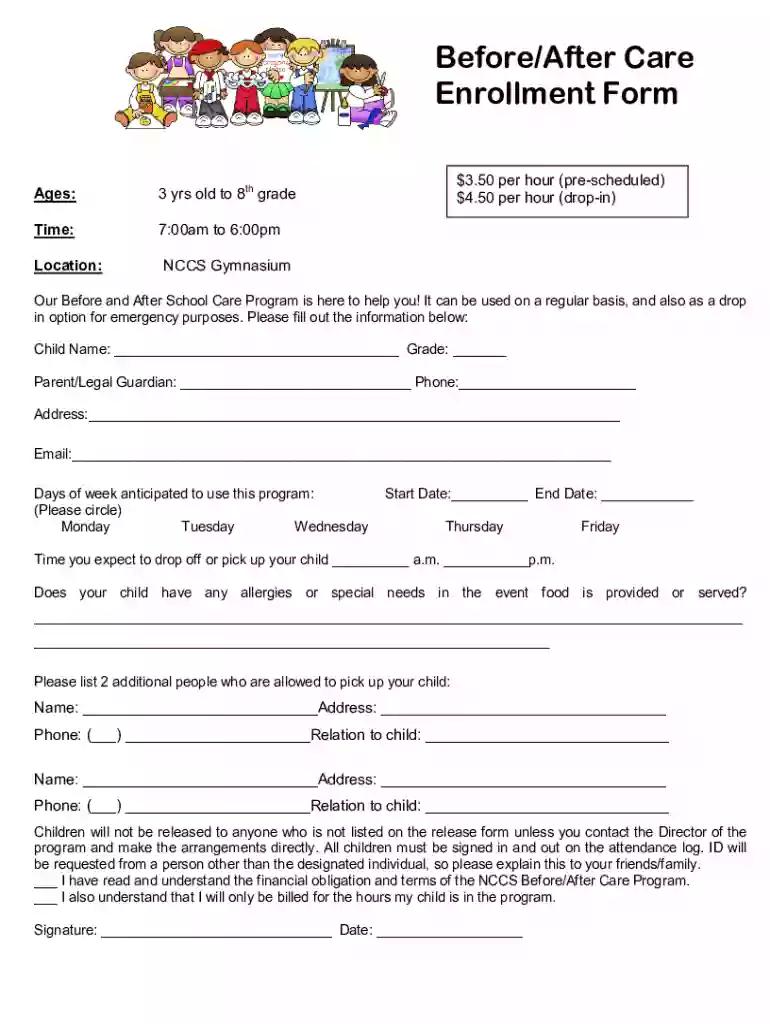
A Before After Care Enrollment Form is a specialized document used to register children in before and after school care programs. These programs typically provide supervision and structured activities for children aged three years to 8th grade outside regular school hours. The form collects essential data including the child's name, age, parent or guardian information, and other critical details necessary for program participation. This form is vital in specifying expected usage times and understanding the commitments required from parents for smooth program operation.
Using the Before After Care Enrollment Form involves several straightforward steps to ensure all necessary information is accurately captured. First, parents or guardians need to fill in personal details such as their child's full name, date of birth, and grade level. The form also requests contact information for both parents and any additional authorized pick-up individuals. It's essential to indicate specific days of the week that care will be required. This helps the care provider plan staffing and resources. Additionally, special care instructions, such as allergies or medical conditions, should be clearly detailed to ensure the child's safety.
Completing the form requires attention to several key sections:
Child and Family Information:
Program Details:
Emergency Contacts:
Health and Allergies:
Parental Consents and Signatures:
This enrollment form is crucial for several reasons:
The enrollment form comprises several integral elements:
Filling out this form often requires additional documentation, such as:
Parents can submit the Before After Care Enrollment Form through various methods, depending on program policies:
These forms are most commonly used by:


Enrollment forms may vary slightly based on state-specific child care regulations:
These multiple aspects underscore the significance of this form for child care management. Careful completion enhances efficiency, safety, and understanding between all parties involved.
We've got more versions of the Before After Care Enrollment Form form. Select the right Before After Care Enrollment Form version from the list and start editing it straight away!
| Versions | Form popularity | Fillable & printable |
|---|---|---|
| 2018 | 4.4 Satisfied (36 Votes) |
At DocHub, your data security is our priority. We follow HIPAA, SOC2, GDPR, and other standards, so you can work on your documents with confidence.
View the list of before and after school programs available at SFUSD schools. The Beacon staff is offering a Before Care program this year
Wish list available starting May 23: Browse before and after-school programs and add them to your wish list to make registration a breeze. Browse Programs.Read more


