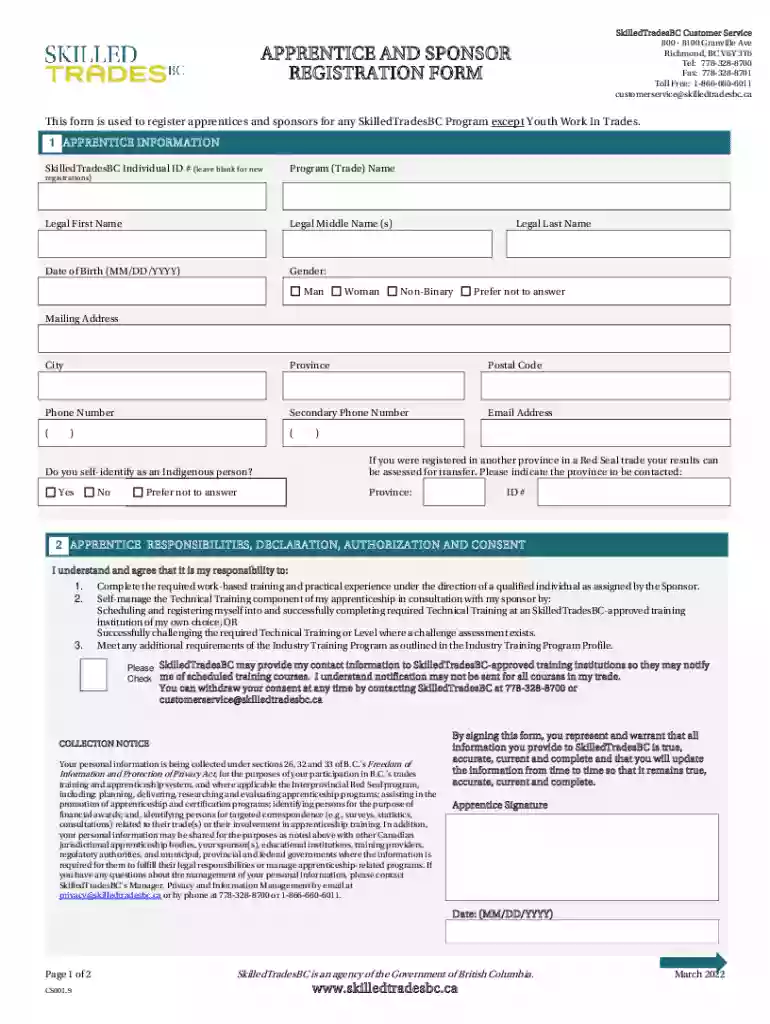
Apprentice And Sponsor Registration Form Preview on Page 1

Apprentice And Sponsor Registration Form 2026

Here's how it works

  • 01. Edit your form online

    Type text, add images, blackout confidential details, add comments, highlights and more.

  • 02. Sign it in a few clicks

    Draw your signature, type it, upload its image, or use your mobile device as a signature pad.

  • 03. Share your form with others

    Send it via email, link, or fax. You can also download it, export it or print it out.

How to use or fill out Apprentice And Sponsor Registration Form with our platform

Form edit decoration
9.5
Ease of Setup
DocHub User Ratings on G2
9.0
Ease of Use
DocHub User Ratings on G2
  1. Click ‘Get Form’ to open the Apprentice And Sponsor Registration Form in the editor.
  2. Begin with the 'Apprentice Information' section. Fill in your SkilledTradesBC Individual ID if applicable, and provide your legal first, middle, and last names along with your date of birth. Select your gender and enter your mailing address, city, province, postal code, phone numbers, and email address.
  3. Indicate whether you self-identify as an Indigenous person and provide details if you were registered in another province for a Red Seal trade.
  4. Move to the 'Apprentice Responsibilities' section. Review the responsibilities listed and ensure you understand them before signing and dating the form.
  5. Next, complete the 'Sponsor Information' section by entering the name of your organization, organization ID (if applicable), mailing address, contact information, and authorized staff details.
  6. Finally, review the 'Sponsor Responsibilities' section. Confirm understanding of these responsibilities before signing and dating this part of the form.

Start filling out your Apprentice And Sponsor Registration Form today for free using our platform!

See more Apprentice And Sponsor Registration Form versions

We've got more versions of the Apprentice And Sponsor Registration Form form. Select the right Apprentice And Sponsor Registration Form version from the list and start editing it straight away!

VersionsForm popularityFillable & printable
20224.1 Satisfied (60 Votes)

be ready to get more

Complete this form in 5 minutes or less

Security and compliance

At DocHub, your data security is our priority. We follow HIPAA, SOC2, GDPR, and other standards, so you can work on your documents with confidence.

Related links

Requirements for Apprenticeship Sponsors Reference Guide

Apprentice Electronic Registration process, or on ETA Form 671. Sponsors are required to develop an AAP within two years of registration for programs with (5)

Learn more
HTB Academy: Best Online Cybersecurity Courses

Develop your skills with guided training and prove your expertise with industry certifications. Become a market-ready cybersecurity professional.Read more

Learn more
If you believe that this page should be taken down, please follow our DMCA take down process here