
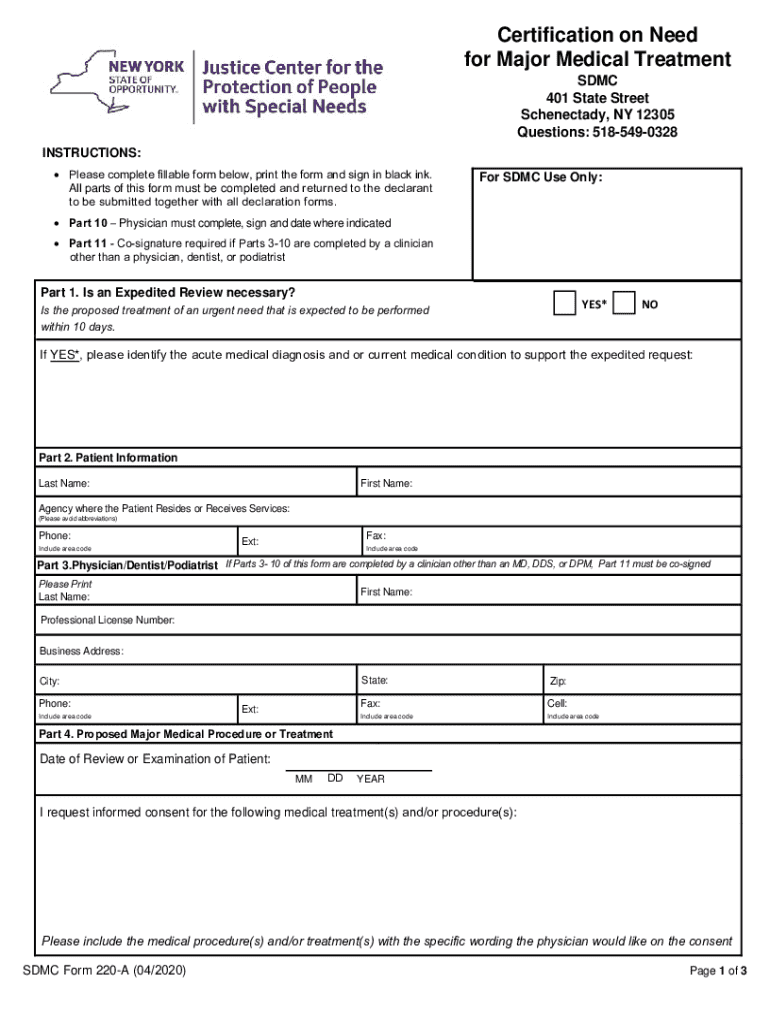







Definition & Meaning
The term "form online" refers to the digital version of a document designed for gathering and processing information through the internet. In the context of platforms like DocHub, these forms streamline data collection, reduce the need for physical paperwork, and enhance accessibility. By leveraging technology, users can easily complete, edit, and manage these forms without visiting a physical location, thereby increasing convenience and efficiency in both personal and professional settings.
How to Use the Form Online
Using a form online typically involves a series of steps that facilitate ease and accuracy. First, access the form from a reliable platform such as DocHub, which offers tools to directly import documents from cloud storage or email. Begin by familiarizing yourself with the fields required by the form, often identified by labels such as "Name" or "Address." Use interactive elements like dropdown menus and text boxes to enter necessary data accurately. Platforms may also allow highlighting or annotating for clarity. Finally, review your inputs for errors before saving or submitting the form to ensure completeness and correctness.
Step-by-Step Form Completion
- Access the Form: Navigate to DocHub or import the form from your cloud storage.
- Fill Out Required Fields: Use the text boxes, checkboxes, and dropdown menus to input information.
- Use Annotation Tools: Highlight or comment on sections if further explanation is needed.
- Validate Entries: Verify that all required fields are completed accurately.
- Submit or Save: Save the completed form online or submit it to the intended recipient.
Steps to Complete the Form Online
Completing a form online requires a systematic approach to ensure seamless data handling. Begin by opening the form on DocHub, which offers user-friendly tools and intuitive navigation. Proceed by identifying and filling in all mandatory fields, usually marked with an asterisk. Utilize the software's form-fields manager to handle complex sections efficiently. If the document is interactive, click through different elements like checkboxes and dropdown menus to complete each section. Utilize built-in validation if available to check for errors, then save and send the form.
Key Elements of the Form Online
Forms online often contain several key elements designed for user-friendliness and data accuracy. These include:
- Interactive Fields: Text boxes, checkboxes, and dropdown menus for versatile data entry.
- Guidelines and Instructions: Clear outlines or tooltips explaining how to fill in each section.
- Validation Checks: Systems that automatically flag incomplete or inconsistent fields.
- Optional versus Mandatory Fields: Clear differentiation to guide users effectively through the form process.
- Accessibility Features: Options for compatibility with assistive technology.
Who Typically Uses the Form Online
Various individuals and organizations utilize online forms depending on the context. In a professional environment, HR departments may use these for onboarding processes, while educational institutions might leverage them for student applications. Small businesses and freelancers benefit from using online forms for client intake or service evaluations. The widespread usage stems from the convenience and efficiency that online forms provide, making them integral across diverse sectors like healthcare, finance, and education.


Who Issues the Form
Forms available online are typically issued by organizations that manage the processes or data that the forms are designed to address. Government bodies might issue tax forms, while educational institutions could distribute application forms. Platforms like DocHub facilitate the distribution and submission of these forms, ensuring a secure and streamlined process. Recognizing the issuing authority helps users understand the form’s credibility and relevance.
Legally Binding Electronic Signatures
DocHub ensures that electronically signed forms are legally binding. Compliance with the ESIGN Act, which legitimizes electronic signatures in the U.S., secures the documents' authenticity and enforceability. DocHub offers several signature creation methods, including typing or drawing the signature and uploading an image of a handwritten signature. An audit trail tracks when and who signed, maintaining the form's legality and integrity.
Software Compatibility
Forms online often require compatibility with various software to ensure smooth functioning across different user environments. DocHub, for instance, is compatible with major file formats like PDF, DOC, PPT, and XLS, allowing seamless interoperability. This ease of integration extends to popular software like TurboTax or QuickBooks, which are essential for businesses and individuals handling tax-related or financial forms.
Examples of Using the Form Online
Online forms serve numerous practical scenarios, from simple contact forms on a website to complex financial disclosures. For instance, a company’s HR department might use online forms to manage employee feedback efficiently. Similarly, small businesses benefit by using forms online to manage client consultations, further demonstrating the adaptability of forms in improving operational workflows.




