Cancellation Request Form Email 2026

Get Form
Cancellation Request Form Email Preview on Page 1

Here's how it works

01. Edit your form online
Type text, add images, blackout confidential details, add comments, highlights and more.

02. Sign it in a few clicks
Draw your signature, type it, upload its image, or use your mobile device as a signature pad.

03. Share your form with others
Send it via email, link, or fax. You can also download it, export it or print it out.

How to use or fill out Cancellation Request Form Email with our platform

Form edit decoration
9.5
Ease of Setup
DocHub User Ratings on G2
9.0
Ease of Use
DocHub User Ratings on G2
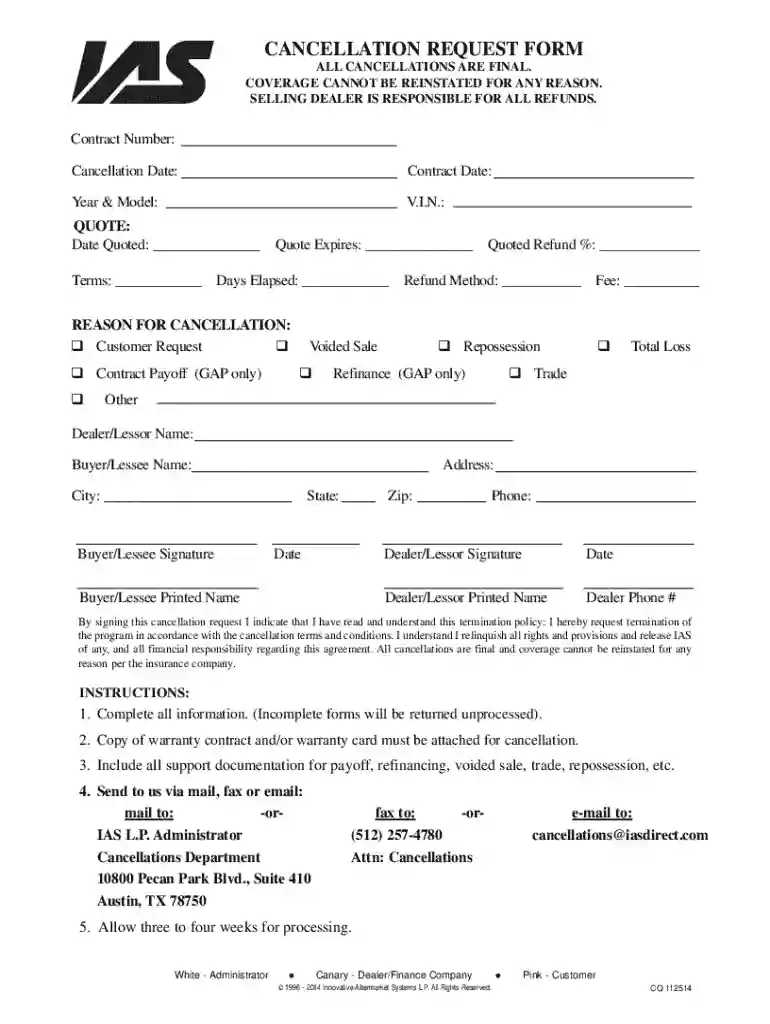
  1. Click ‘Get Form’ to open the Cancellation Request Form Email in the editor.
  2. Begin by entering your Contract Number and Cancellation Date at the top of the form. This information is crucial for processing your request.
  3. Fill in the Contract Date, Year & Model, and V.I.N. to provide specific details about your vehicle.
  4. In the QUOTE section, input the Date Quoted, Terms, Quote Expiration date, and Days Elapsed to ensure all financial aspects are clear.
  5. Select a reason for cancellation from the options provided. Be sure to specify any Refund Method if applicable.
  6. Complete the Dealer/Lessor Name and Buyer/Lessee Name sections along with their respective addresses and contact information.
  7. Ensure both parties sign and date the form where indicated to validate your request before submission.

Start using our platform today for free to streamline your cancellation process effortlessly!

See more Cancellation Request Form Email versions

We've got more versions of the Cancellation Request Form Email form. Select the right Cancellation Request Form Email version from the list and start editing it straight away!
Versions Form popularity Fillable & printable
2014 4.3 Satisfied (60 Votes)
2013 4 Satisfied (25 Votes)
be ready to get more

Complete this form in 5 minutes or less

Get form

Got questions?

We have answers to the most popular questions from our customers. If you can't find an answer to your question, please contact us.
Contact us
I am writing to inform you that I need to cancel my appointment scheduled for [*Date*] at [*Time*]. I apologize for any inconvenience this may cause. I would like to reschedule at your earliest convenience. Please let me know what alternative dates and times work for you.
How To Write A Cancellation Email (9 Steps) Step 1: Start with a Clear Subject Line. Step 2: Greet the Recipient. Step 3: State the Cancellation at the Beginning. Step 4: Provide a Reason for the Cancellation (If Appropriate) Step 5: Express Your Regret. Step 6: Mention Any Next Steps or Alternatives.
I regret to inform you that we must cancel the upcoming [Meeting Name] scheduled for [Date and Time]. Due to unforeseen circumstances, we are unable to proceed as planned. We apologize for any inconvenience caused and appreciate your understanding. We will notify you promptly with a rescheduled date.
How to politely decline when needed Understand the request. The first thing to do when someone makes a request is to understand where theyre coming from. Start with an apology. Be clear when declining. Keep your explanation brief. Be firm. Suggest alternatives. Get back to them if necessary.

Security and compliance

At DocHub, your data security is our priority. We follow HIPAA, SOC2, GDPR, and other standards, so you can work on your documents with confidence.

Learn more
ccpa2
pci-dss
gdpr-compliance
hipaa
soc-compliance
be ready to get more

Complete this form in 5 minutes or less

Get form