Type text, add images, blackout confidential details, add comments, highlights and more.
02. Sign it in a few clicks
Draw your signature, type it, upload its image, or use your mobile device as a signature pad.
03. Share your form with others
Send it via email, link, or fax. You can also download it, export it or print it out.
How to use or fill out fishing smarts with our platform
Ease of Setup
DocHub User Ratings on G2
Ease of Use
DocHub User Ratings on G2
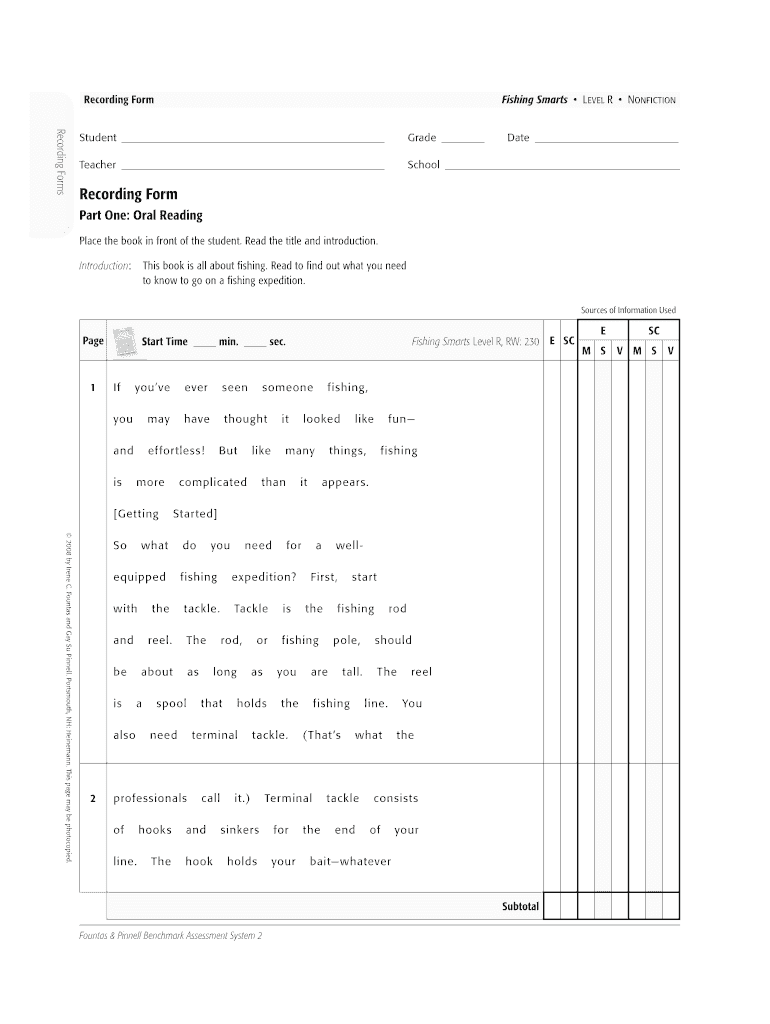
Click ‘Get Form’ to open the Fishing Smarts document in the editor.
Begin by filling in the student’s name, grade, date, teacher’s name, and school at the top of the form. This information is essential for tracking progress.
Move to Part One: Oral Reading. Have the student read aloud from the book while you note their start time and any errors they make. Use our platform's text box to record these observations directly.
In Part Two: Comprehension Conversation, engage with the student about what they learned. Use prompts provided in the form to guide your discussion and score their understanding using the scoring key.
If desired, proceed to Part Three: Writing About Reading. Instruct the student to describe their fishing preparation and activities. They can also draw a sketch if they wish.
Start using our platform today for free to enhance your document editing experience!
Fishing Smart around Essential Fish Habitats in the
Jun 3, 2022 Learn about some of the unique and special ecosystems that are popular with anglers and how to help protect and preserve these essential habitats.Read more
Cookie consent notice
This site uses cookies to enhance site navigation and personalize your experience.
By using this site you agree to our use of cookies as described in our Privacy Notice.
You can modify your selections by visiting our Cookie and Advertising Notice.