
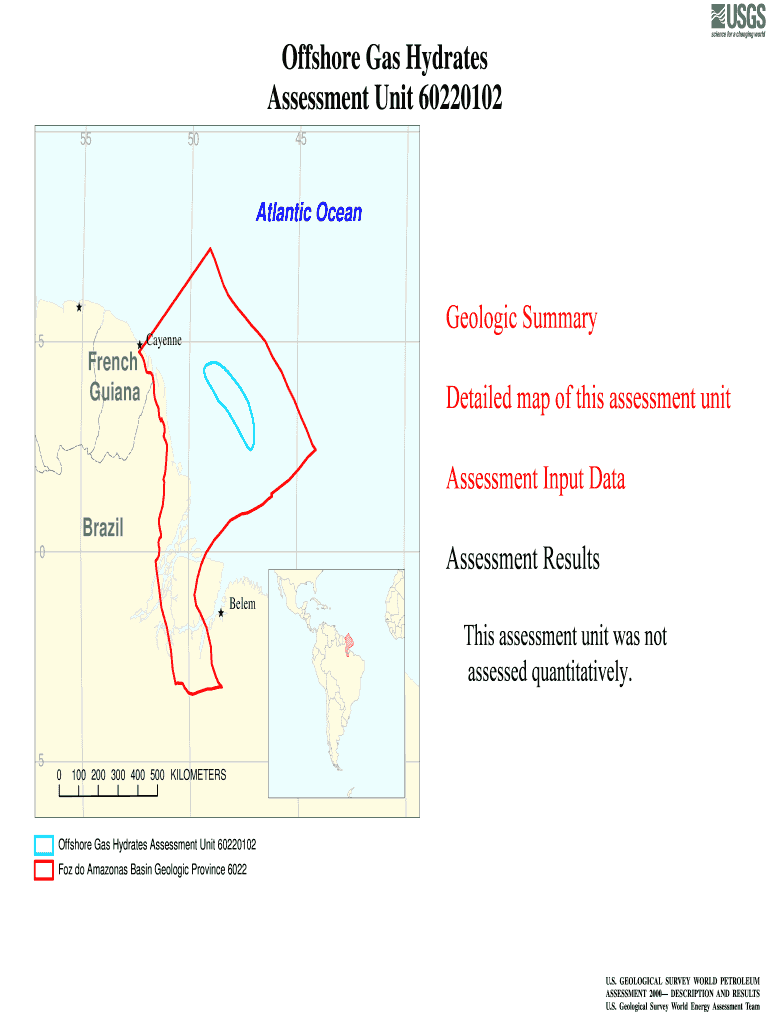




Here's how it works



How to use or fill out Offshore Gas Hydrates Assessment Unit 60220102 - USGS - energy cr usgs with our platform

- Click ‘Get Form’ to open the Offshore Gas Hydrates Assessment Unit 60220102 in the editor.
- Begin by entering the date and the assessment geologist's name in the designated fields at the top of the form. This information is crucial for record-keeping.
- Fill in the region and province details, ensuring accuracy as this data helps categorize your assessment correctly.
- In the 'Characteristics of Assessment Unit' section, indicate whether it pertains to oil or gas, and provide details on field sizes and discovered fields as required.
- Complete the 'Assessment-Unit Probabilities' section by evaluating and entering probabilities for charge, rocks, and timing of geological events based on your analysis.
- Finally, review all entries for accuracy before saving or exporting your completed form. Utilize our platform’s features to sign or share your document seamlessly.
Start using our platform today to streamline your document editing and form completion process for free!
It's free
Got questions?
How can I send my Offshore Gas Hydrates Assessment Unit 60220102 - USGS - energy cr usgs for eSignature?
Upload your Offshore Gas Hydrates Assessment Unit 60220102 - USGS - energy cr usgs to DocHub (after you’ve created an account for this). If you need to complete fields in it, use appropriate tools from the top pane. For example, drop Signature Fields, assign each to specific party, and click on Sign → Request signatures from others. Change your message for your recipients and click Send Request. You can also send your document by fax or as a Signing link instead of using email (you’ll locate these options by navigating to the Menu → Send)
How do you fill out Offshore Gas Hydrates Assessment Unit 60220102 - USGS - energy cr usgs online?
You can get and modify your Offshore Gas Hydrates Assessment Unit 60220102 - USGS - energy cr usgs online by using DocHub. Its straightforward yet feature-rich design enables you to start effective work right after you register your account. Create your account and add your file, then our user interface will guide you via our stress-free form completion experience.
What are gas hydrates as energy source?
What are Type 1 and Type 2 hydrates?
What is the structure II hydrate?
Security and compliance
At DocHub, your data security is our priority. We follow HIPAA, SOC2, GDPR, and other standards, so you can work on your documents with confidence.
Learn more


