




Here's how it works

01. Edit your business filing online
Type text, add images, blackout confidential details, add comments, highlights and more.

02. Sign it in a few clicks
Draw your signature, type it, upload its image, or use your mobile device as a signature pad.

03. Share your form with others
Send month calendar via email, link, or fax. You can also download it, export it or print it out.
How to use or fill out Business Tax Certificate Application - City of Inglewood with DocHub

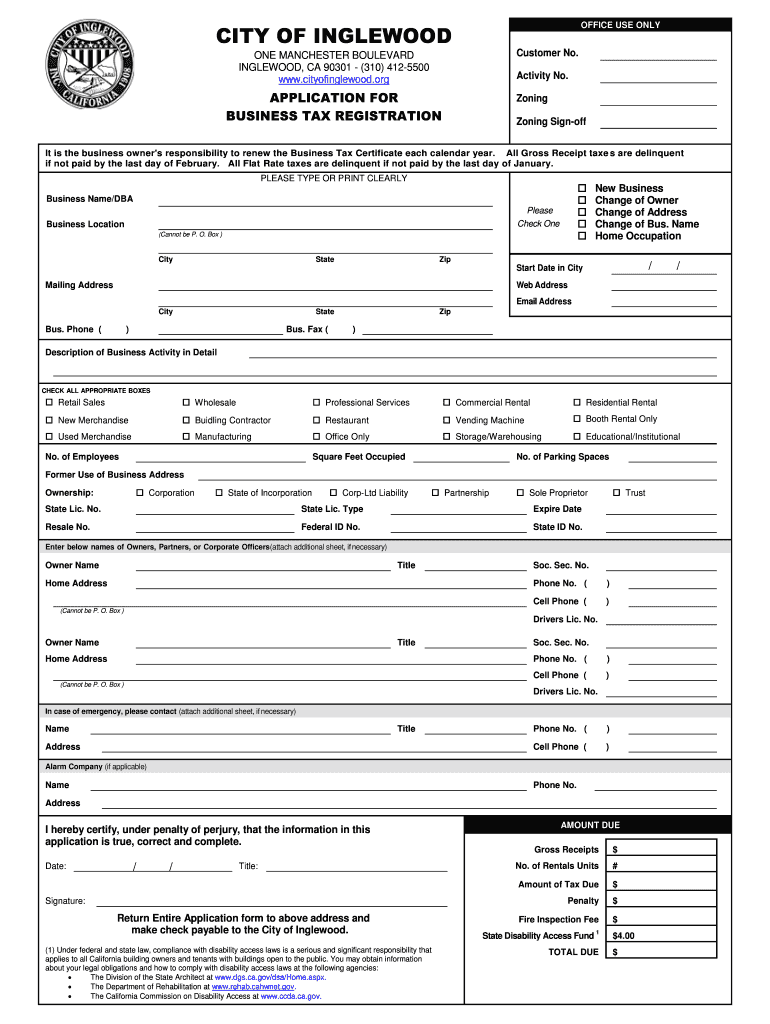
- Click ‘Get Form’ to open the Business Tax Certificate Application in our editor.
- Begin by entering your Business Name/DBA and selecting the appropriate checkbox for your business type (New Business, Change of Owner, etc.). Ensure that you provide a physical business location, as P.O. Boxes are not accepted.
- Fill in the Start Date in City and provide your Mailing Address, Web Address, Email Address, and contact numbers for your business phone and fax.
- In the Description of Business Activity section, check all relevant boxes that describe your business operations. This helps clarify your business activities for tax purposes.
- Complete the Ownership section by indicating your business structure (e.g., Corporation, Partnership) and providing necessary identification numbers such as State Lic. No. and Federal ID No.
- List the names of Owners or Partners along with their contact information. If needed, attach an additional sheet for more entries.
- Finally, certify that all information is accurate by signing and dating the application before submitting it to the specified address.
Start filling out your Business Tax Certificate Application today using our platform for free!
Fill out Business Tax Certificate Application - City of Inglewood online
It's free
It's free
Security and compliance
At DocHub, your data security is our priority. We follow HIPAA, SOC2, GDPR, and other standards, so you can work on your documents with confidence.
Learn more




