Va form physician 2006-2026

Get Form
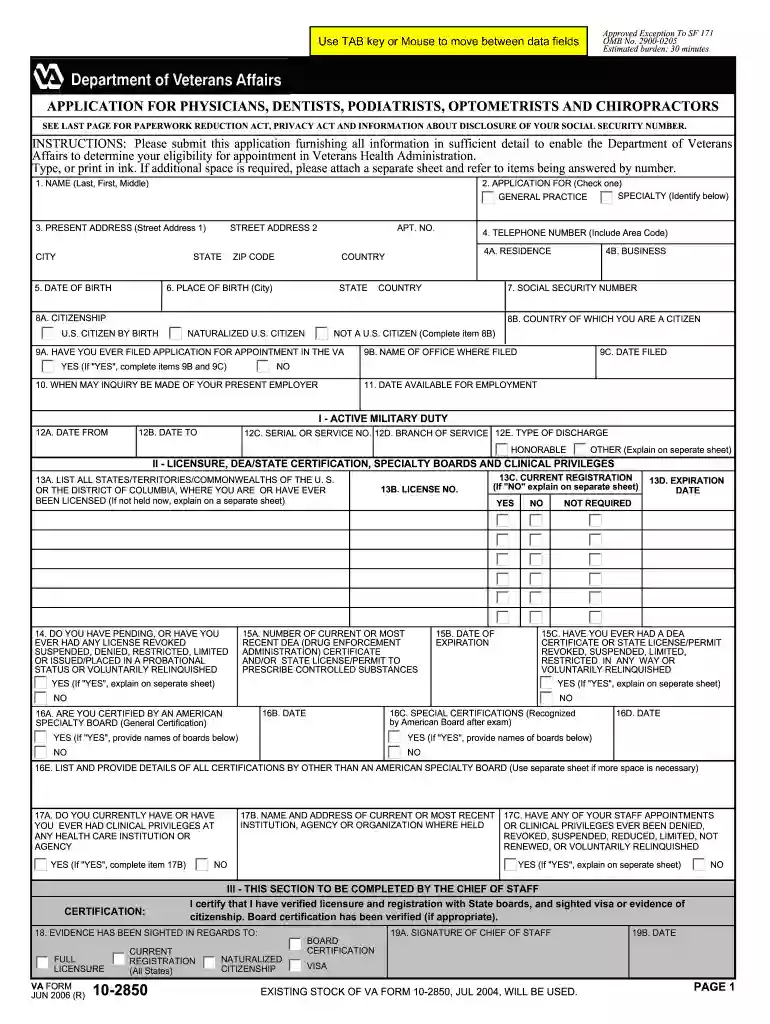
va form physician 2006 Preview on Page 1

Here's how it works

01. Edit your form online
Type text, add images, blackout confidential details, add comments, highlights and more.

02. Sign it in a few clicks
Draw your signature, type it, upload its image, or use your mobile device as a signature pad.

03. Share your form with others
Send it via email, link, or fax. You can also download it, export it or print it out.

How to use or fill out VA Form Physician 2006 with DocHub

Form edit decoration
9.5
Ease of Setup
DocHub User Ratings on G2
9.0
Ease of Use
DocHub User Ratings on G2
  1. Click ‘Get Form’ to open it in the editor.
  2. Begin by entering your name in the first section, ensuring you include your last, first, and middle names as required.
  3. In the 'Application For' section, check the appropriate box for your specialty or general practice.
  4. Fill in your present address details accurately, including street address, city, state, and zip code.
  5. Provide your date of birth and telephone number. Make sure to include the area code for clarity.
  6. Complete the citizenship section by selecting whether you are a U.S. citizen by birth or naturalization.
  7. Continue through each section methodically, providing detailed information about licensure, professional experience, and education as prompted.
  8. Once all fields are filled out correctly, review your entries for accuracy before submitting.

Start using our platform today to fill out VA Form Physician 2006 easily and for free!

See more va form physician 2006 versions

We've got more versions of the va form physician 2006 form. Select the right va form physician 2006 version from the list and start editing it straight away!
Versions Form popularity Fillable & printable
2016 4.8 Satisfied (213 Votes)
2006 4.1 Satisfied (95 Votes)
be ready to get more

Complete this form in 5 minutes or less

Get form

Got questions?

We have answers to the most popular questions from our customers. If you can't find an answer to your question, please contact us.
Contact us
VA Form 10091 is used to gather essential payment data from vendors (Commercial, Individuals, Veterans, etc.) to establish or update vendor records in order to process electronic payments in accordance with Title 31 of the Code of Federal Regulation Part 208 (31 CFR Part 208).
Use this form to provide a statement in support of a claimed mental health disorder(s) due to an in-service traumatic event(s). For more information, you can contact us online through Ask VA: or call us toll-free at 1-800-698-2411 (TTY:711).
You use this form to present your appeal to the Board of Veterans Appeals (Board). It is used by VA in processing your appeal and it is used by the Board in deciding your appeal.
Use VA Form 21-0781 if youve been diagnosed with a mental health condition related to a traumatic event during your military service, and you want to apply for related benefits or services.
VA Form 21-4138 is used to support claims for a range of Veterans benefits, like disability compensation, pension benefits, education benefits, and vocational rehabilitation.

Security and compliance

At DocHub, your data security is our priority. We follow HIPAA, SOC2, GDPR, and other standards, so you can work on your documents with confidence.

Learn more
ccpa2
pci-dss
gdpr-compliance
hipaa
soc-compliance

People also ask

In order to get a disability rating and subsequent benefits for PTSD, veterans must complete VA Form 21-0781. This is a statement in support of a claim for service connection for PTSD. If your PTSD was the result of physical assault or military sexual trauma, you should use VA Form 21-0781a.
There arent any magic words you can use to automatically get, say, 70% disability compensation for PTSD. You should instead focus on making sure that your stressor statement describes the traumatic events that led to you developing PTSD, as well as how your life has changed since your diagnosis.
Step-by-Step Instructions for Completing VA Form 21-0781 Section 1: Veteran Information. Section 2: Stressor/Traumatic Event(s) Description. Section 3: Additional Information Associated With the Event. Section 4: Treatment Information. Section 5: Additional Remarks. Section 6: VBA Notification to VHA (For MST Claims Only)

Related links