




Here's how it works



How to use or fill out John F Zwetchkenbaum MD - Asthma & Allergy Physicians Of with our platform

- Click ‘Get Form’ to open the Medical Record Release Form in the editor.
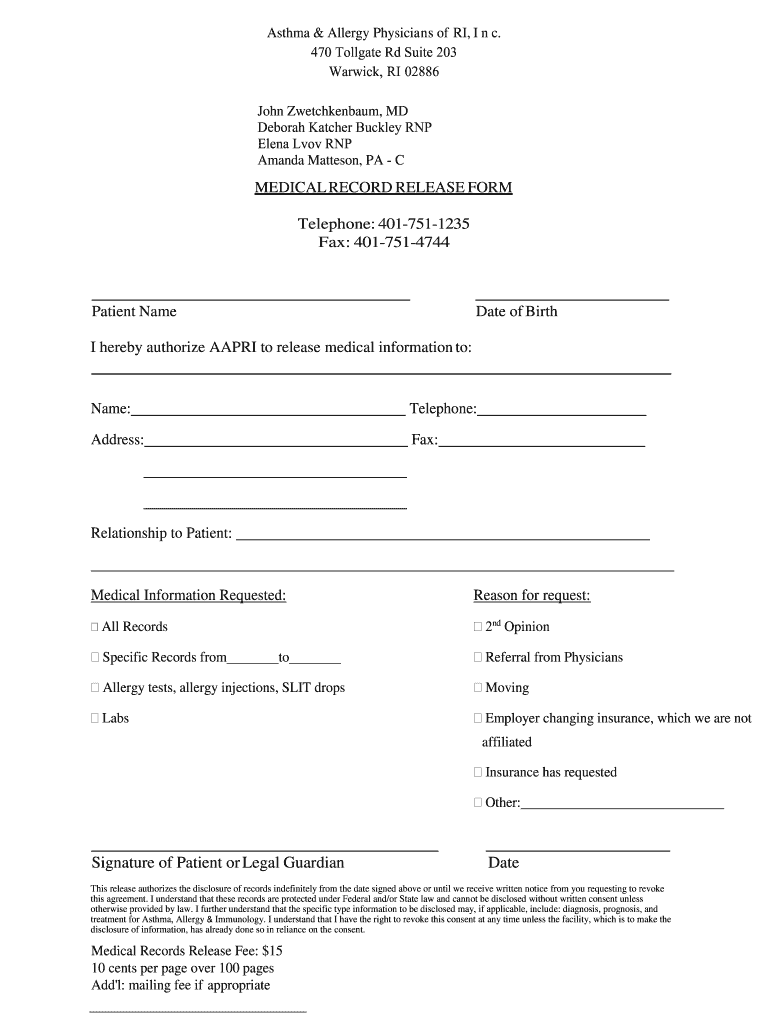
- Begin by entering the Patient Name and Date of Birth in the designated fields. This information is crucial for identifying the correct medical records.
- In the section labeled 'I hereby authorize AAPRI to release medical information to:', fill in the Name, Telephone, Address, and Relationship to Patient. Ensure accuracy as this will determine where the records are sent.
- Select the Medical Information Requested by checking the appropriate boxes. Options include 'All Records', '2nd Opinion', or specific records from a date range.
- Provide a Reason for request by selecting from options like 'Moving' or 'Insurance has requested'. If none apply, use 'Other' and specify.
- Finally, sign and date at the bottom of the form. This signature authorizes the release of your medical records as per your selections.
Start filling out your form online for free today!
It's free
See more John F Zwetchkenbaum MD - Asthma & Allergy Physicians Of versions
| Versions | Form popularity | Fillable & printable |
|---|---|---|
| 2019 | 4.8 Satisfied (132 Votes) |
Got questions?
What do I need to sign my John F Zwetchkenbaum MD - Asthma & Allergy Physicians Of electronically?
Electronic document approval requires a software solution that works in compliance with data protection and eSignature laws. DocHub is an excellent tool for that, since it meets all the previously mentioned requirements. Whatever method you like to sign your John F Zwetchkenbaum MD - Asthma & Allergy Physicians Of in DocHub, your electronic signature will be legally binding and court-admissible.
How do you create an e-signature for the John F Zwetchkenbaum MD - Asthma & Allergy Physicians Of on iOS?
In addition to an extensive toolset for editing PDFs on mobile devices, DocHub allows you to sign your John F Zwetchkenbaum MD - Asthma & Allergy Physicians Of along the way. Open our editor in your browser, make changes using DocHub’s toolset, and complete your editing by eSigning the finished form.
Security and compliance
At DocHub, your data security is our priority. We follow HIPAA, SOC2, GDPR, and other standards, so you can work on your documents with confidence.
Learn more


