




Here's how it works



How to use or fill out Marion County Circuit Court Annual Guardian's Report Instructions

- Click ‘Get Form’ to open it in the editor.
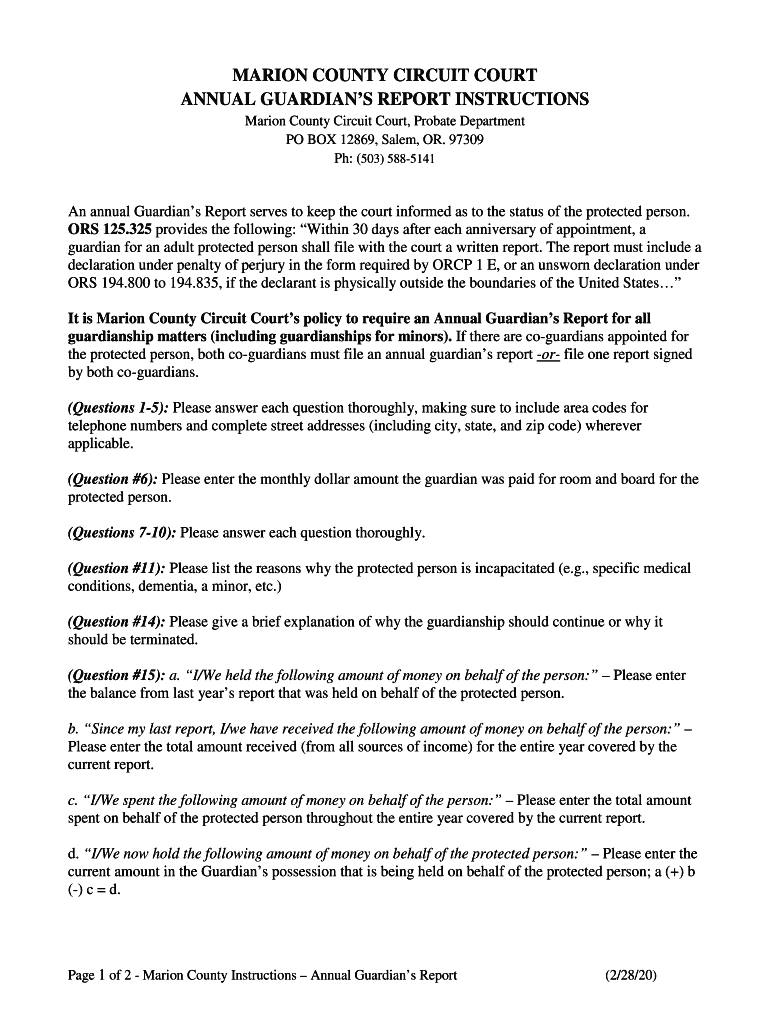
- Begin by entering your name and address in Questions 1 and 2. Ensure you include your complete telephone number.
- For Questions 3 and 4, provide the current residence details of the protected person, including the type of facility they reside in.
- In Questions 5 through 10, describe the protected person's activities, services received, and their physical and mental conditions.
- Question 11 requires you to list reasons for the protected person's incapacitation. Be thorough in your explanation.
- For financial details in Question 15, accurately report amounts held, received, spent, and current balances on behalf of the protected person.
- Complete the Proof of Mailing section on Page 4 by listing all individuals served with a copy of the report.
Utilize our platform to streamline your document editing process for free and ensure your Annual Guardian's Report is completed efficiently!
It's free
See more marion county circuit court annual guardian's report instructions versions
| Versions | Form popularity | Fillable & printable |
|---|---|---|
| 2020 | 4.8 Satisfied (49 Votes) |
Got questions?
Can I use DocHub to create legal electronic signatures on my the document provides instructions for detailing the responsibilities of guardians?
Yes, you can utilize DocHub for signing any business and private documentation, including your the document provides instructions for detailing the responsibilities of guardians. All electronic signatures you generate with our service are legally binding and court-admissible, as DocHub complies with standards required by ESIGN and UETA. Save your accomplished form with a detailed Audit Trail if necessary.
Can I print my annual guardianship report oregon and finish it by myself?
If you choose analog methods of completing your annual guardianship report oregon, you can easily download your file for printing. Search DocHub’s Forms & Templates catalog to get the exact document template you need and open it for editing or download it on your device in the format of your choice. It is possible to complete your form electronically and place your handwritten signature on it after printing or eSign your document with DocHub.
Security and compliance
At DocHub, your data security is our priority. We follow HIPAA, SOC2, GDPR, and other standards, so you can work on your documents with confidence.
Learn more


