




Here's how it works

01. Edit your form online
Type text, add images, blackout confidential details, add comments, highlights and more.

02. Sign it in a few clicks
Draw your signature, type it, upload its image, or use your mobile device as a signature pad.

03. Share your form with others
Send it via email, link, or fax. You can also download it, export it or print it out.
How to use or fill out Income tax credit forms (current year) - Tax NY

- Click ‘Get Form’ to open it in the editor.
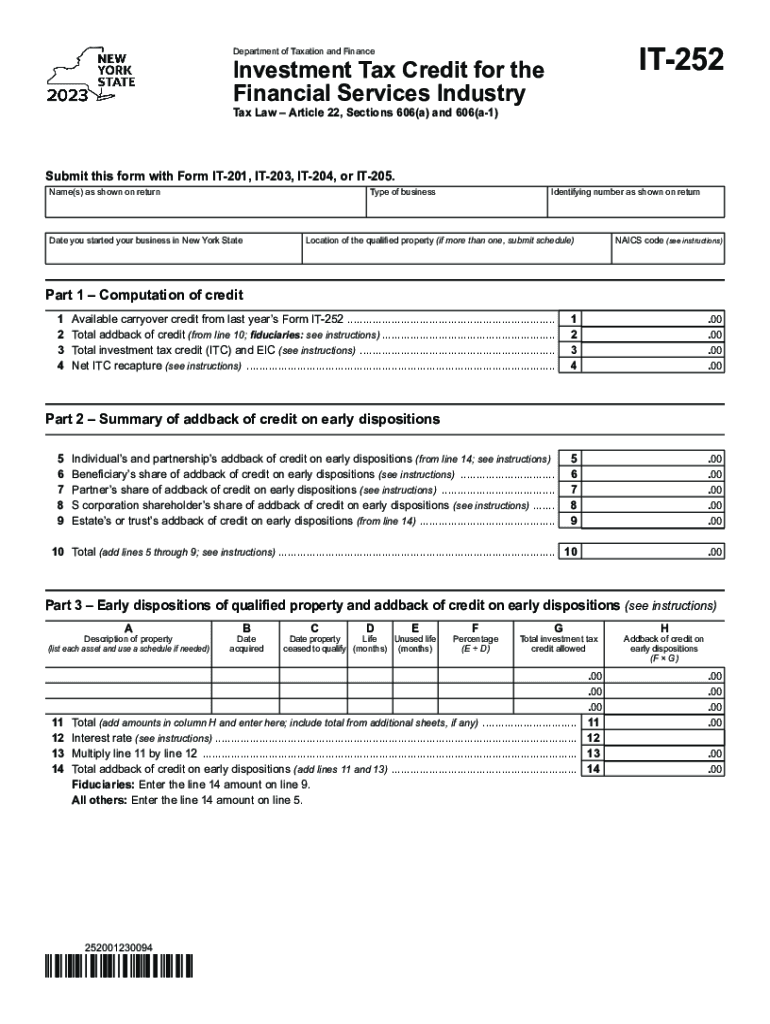
- Begin by entering your name(s) as shown on your return and the type of business you operate. This information is crucial for identification purposes.
- Fill in the date you started your business in New York State and your identifying number as shown on your return. Ensure accuracy to avoid processing delays.
- In Part 1, compute your credit by filling out lines 1 through 10. Carefully follow the instructions provided for each line to ensure correct calculations.
- Proceed to Part 2, where you will summarize any addback of credit on early dispositions. Complete lines 5 through 9 with relevant details.
- In Part 3, list each asset that qualifies under early dispositions, providing necessary details such as acquisition date and total investment tax credit allowed.
- Finally, complete Parts 4 and 5 regarding beneficiary shares and application of credits. Double-check all entries for accuracy before submission.
Start using our platform today to fill out your Income tax credit forms easily and for free!
Fill out Income tax credit forms (current year) - Tax NY online
It's free
It's free
See more Income tax credit forms (current year) - Tax NY versions
We've got more versions of the Income tax credit forms (current year) - Tax NY form. Select the right Income tax credit forms (current year) - Tax NY version from the list and start editing it straight away!
Got questions?
We have answers to the most popular questions from our customers. If you can't find an answer to your question, please contact us.
Contact us
What is the $6000 tax credit?
Deduction for Seniors (Sec. 70103) New deduction: Effective for 2025 through 2028, individuals who are age 65 and older may claim an additional deduction of $6,000. This new deduction is in addition to the current additional standard deduction for seniors under existing law.
What is the form for claiming tax credit?
Form 67 can only be submitted online on the e-Filing portal. After logging into the e-Filing portal, select Form 67, prepare and submit the form.
Who qualifies for earned income credit in NY?
General Qualifications To qualify for the 2021 EITC, you must: Have earned income in 2021 or 2019 through full- or part-time work or self-employment. You can use your 2019 OR 2021 income to see which gets you the largest EITC when you file your taxes. Be legally authorized to work in the United States.
Where can I get NYS income tax forms?
If you are trying to locate, download, or print state of New York state tax forms, you can do so on the New York Department of Taxation website.
Security and compliance
At DocHub, your data security is our priority. We follow HIPAA, SOC2, GDPR, and other standards, so you can work on your documents with confidence.
Learn more




