




Here's how it works



How to use or fill out Unrelated Business Income Tax ("UBIT") Tax Department with our platform

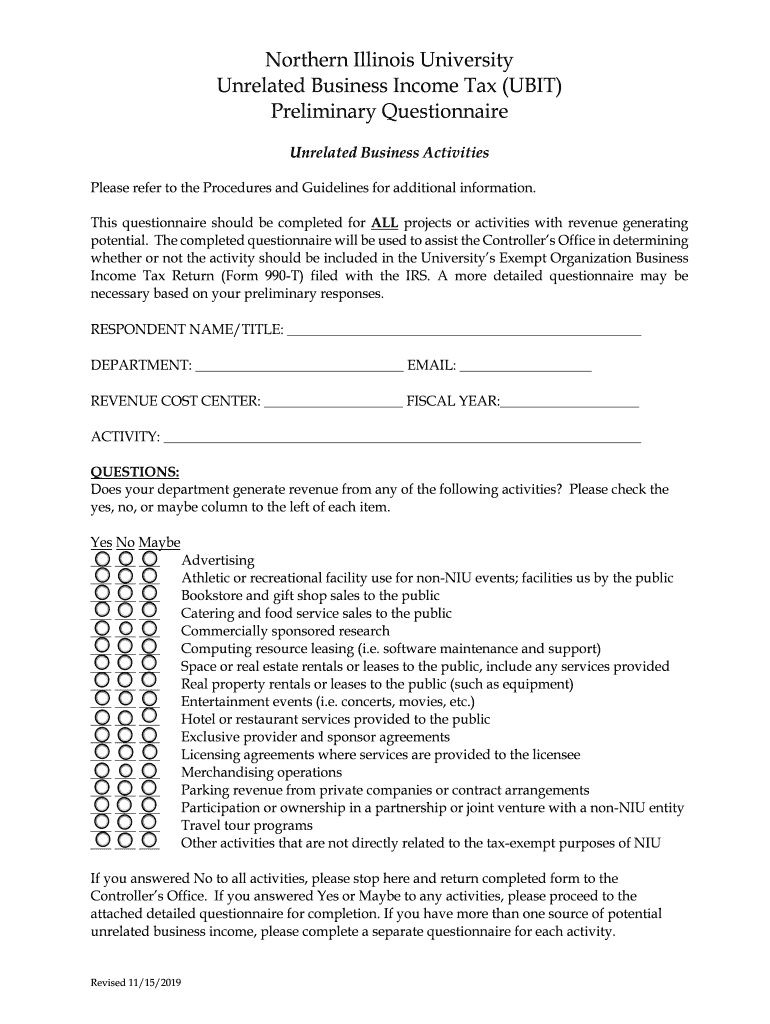
- Click ‘Get Form’ to open the Unrelated Business Income Tax (UBIT) Preliminary Questionnaire in the editor.
- Begin by filling in your RESPONDENT NAME/TITLE, DEPARTMENT, EMAIL, REVENUE COST CENTER, and FISCAL YEAR at the top of the form.
- In the ACTIVITY section, provide a brief description of the revenue-generating activity you are reporting.
- Review the list of activities provided. For each item, check 'Yes', 'No', or 'Maybe' based on whether your department generates revenue from that activity.
- If you answered 'No' to all activities, simply return the completed form to the Controller’s Office. If you answered 'Yes' or 'Maybe' to any activities, proceed to complete the attached detailed questionnaire.
- If applicable, ensure that you complete a separate questionnaire for each source of potential unrelated business income.
Start using our platform today for free to streamline your UBIT form completion!
It's free
See more Unrelated Business Income Tax ("UBIT")Tax Department versions
| Versions | Form popularity | Fillable & printable |
|---|---|---|
| 2019 | 4.9 Satisfied (48 Votes) |
Got questions?
How can I sign my Unrelated Business Income Tax ("UBIT")Tax Department on iOS?
With DocHub, you can rapidly sign your Unrelated Business Income Tax ("UBIT")Tax Department or any other document on iOS, even without installing extra programs. You can access your DocHub account from any internet-connected browser and fill out and sign your document in any preferred method with just a few clicks.
How do you fill out Unrelated Business Income Tax ("UBIT")Tax Department online?
You may find and modify your Unrelated Business Income Tax ("UBIT")Tax Department online by using DocHub. Its straightforward but feature-rich design enables you to start effective work immediately after you sign up your account. Create your profile and add your document, then our interface will guide you through our stress-free form completion experience.
Security and compliance
At DocHub, your data security is our priority. We follow HIPAA, SOC2, GDPR, and other standards, so you can work on your documents with confidence.
Learn more


