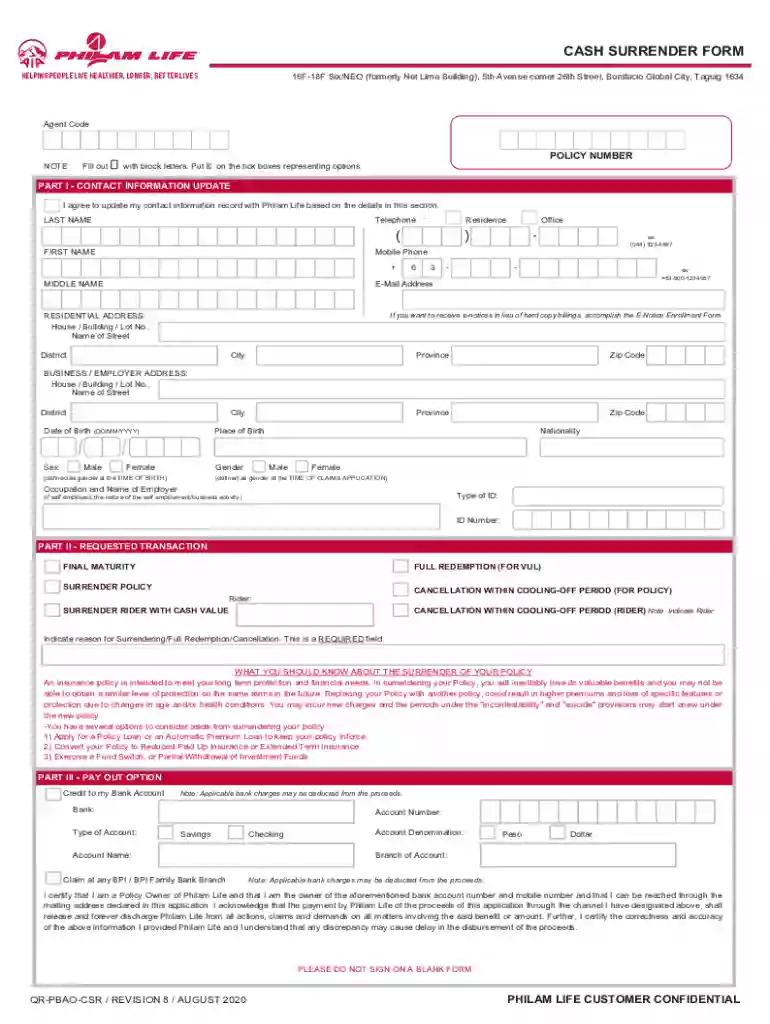
how to withdraw funds from pami Preview on Page 1

Philam life cash 2026

Here's how it works

  • 01. Edit your how to withdraw funds from pami online

    Type text, add images, blackout confidential details, add comments, highlights and more.

  • 02. Sign it in a few clicks

    Draw your signature, type it, upload its image, or use your mobile device as a signature pad.

  • 03. Share your form with others

    Send philam life cash surrender form via email, link, or fax. You can also download it, export it or print it out.

How to use or fill out philam life cash with our platform

Form edit decoration
9.5
Ease of Setup
DocHub User Ratings on G2
9.0
Ease of Use
DocHub User Ratings on G2
  1. Click ‘Get Form’ to open the philam life cash document in the editor.
  2. Begin by filling out your contact information in Part I. Use block letters for clarity. Include your last name, first name, middle name, telephone number, mobile phone, and email address.
  3. Complete your residential address details accurately, including house/building/lot number, street name, district, city, province, and zip code.
  4. In Part II, select the type of transaction you are requesting—full redemption, final maturity surrender policy, or cancellation. Ensure to indicate the reason for surrendering as this is a required field.
  5. For Part III, choose your payout option. You can opt for credit to your bank account or claim at any BPI/BPI Family Bank branch. Fill in the necessary bank details accurately.
  6. Finally, sign and date the form in Part IV. Make sure all information is correct to avoid delays in processing.

Start using our platform today to easily complete your philam life cash form online for free!

See more how to withdraw funds from pami versions

We've got more versions of the how to withdraw funds from pami form. Select the right how to withdraw funds from pami version from the list and start editing it straight away!

VersionsForm popularityFillable & printable
20204.8 Satisfied (98 Votes)
20114.3 Satisfied (50 Votes)

be ready to get more

Complete this form in 5 minutes or less

Security and compliance

At DocHub, your data security is our priority. We follow HIPAA, SOC2, GDPR, and other standards, so you can work on your documents with confidence.

If you believe that this page should be taken down, please follow our DMCA take down process here