




Here's how it works

01. Edit your australia beneficiary form online
Type text, add images, blackout confidential details, add comments, highlights and more.

02. Sign it in a few clicks
Draw your signature, type it, upload its image, or use your mobile device as a signature pad.

03. Share your form with others
Send csc nomination form via email, link, or fax. You can also download it, export it or print it out.
How to use or fill out beneficiaries trustee with our platform

- Click ‘Get Form’ to open the Beneficiary Nomination Form in the editor.
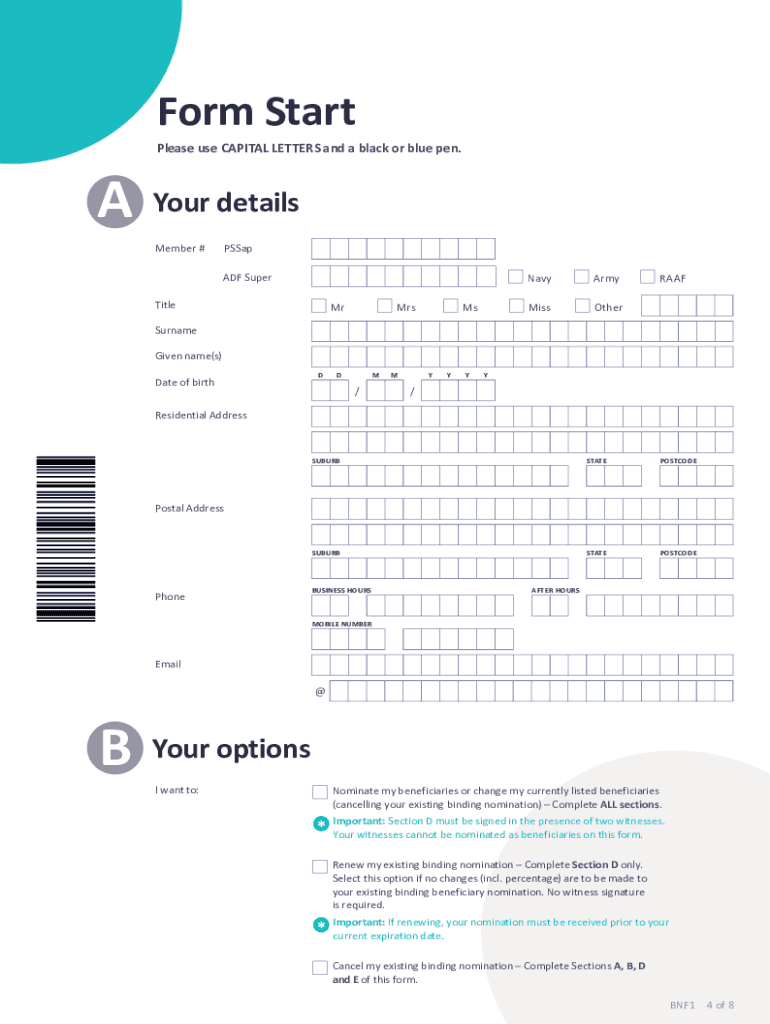
- In Section A, enter your personal details including your member number, title, surname, given names, date of birth, and contact information. Ensure all fields are completed using CAPITAL LETTERS.
- Move to Section B where you will select your intention: to nominate new beneficiaries, renew an existing nomination, or cancel a current nomination. Follow the instructions based on your choice.
- In Section C, list the beneficiaries you wish to nominate along with their details and the percentage of your benefit allocated to each. Remember that total percentages must equal 100%.
- Complete Section D by signing and dating the declaration. If making a binding nomination, ensure it is signed in front of two witnesses who are not nominated as beneficiaries.
- Finally, review all sections for accuracy before submitting your form via post or email as indicated in the submission guidelines.
Start filling out your Beneficiary Nomination Form today for free using our platform!
Fill out beneficiaries trustee online
It's free
It's free
Security and compliance
At DocHub, your data security is our priority. We follow HIPAA, SOC2, GDPR, and other standards, so you can work on your documents with confidence.
Learn more




