Johns tuition remission 2026

Get Form
hopkins tuition remission form Preview on Page 1

Here's how it works

01. Edit your hopkins tuition remission form online
Type text, add images, blackout confidential details, add comments, highlights and more.

02. Sign it in a few clicks
Draw your signature, type it, upload its image, or use your mobile device as a signature pad.

03. Share your form with others
Send it via email, link, or fax. You can also download it, export it or print it out.

How to use or fill out johns tuition remission with our platform

Form edit decoration
9.5
Ease of Setup
DocHub User Ratings on G2
9.0
Ease of Use
DocHub User Ratings on G2
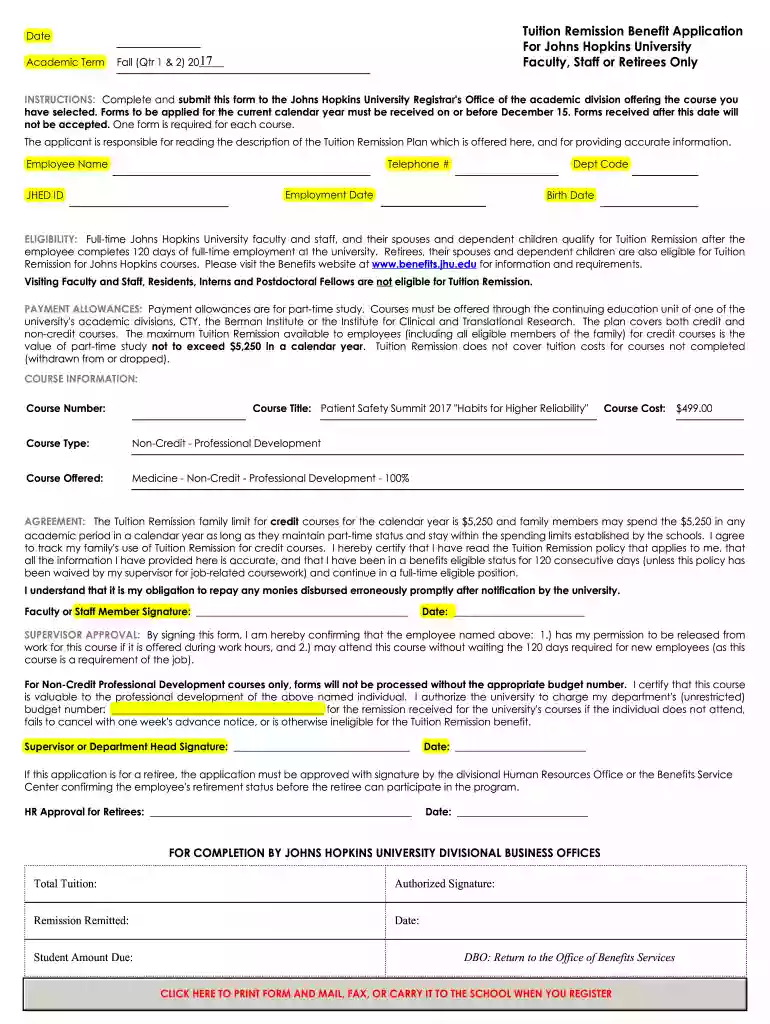
  1. Click ‘Get Form’ to open the johns tuition remission application in the editor.
  2. Begin by entering the date and academic term at the top of the form. Ensure you select the correct term for your course.
  3. Fill in your personal details, including your name, telephone number, department code, employment date, JHED ID, and birth date. Accuracy is crucial here.
  4. Review the eligibility section to confirm that you meet the requirements for Tuition Remission. This includes ensuring you have completed 120 days of full-time employment.
  5. In the course information section, input the course number and title accurately. Make sure to specify whether it is a credit or non-credit course.
  6. Sign and date the agreement section to certify that all information provided is accurate and that you understand your obligations regarding Tuition Remission.
  7. If applicable, obtain supervisor approval by having them sign and date their section of the form.

Start filling out your johns tuition remission application today using our platform for free!

See more johns tuition remission versions

We've got more versions of the johns tuition remission form. Select the right johns tuition remission version from the list and start editing it straight away!
Versions Form popularity Fillable & printable
2017 4.8 Satisfied (46 Votes)
be ready to get more

Complete this form in 5 minutes or less

Get form

Got questions?

We have answers to the most popular questions from our customers. If you can't find an answer to your question, please contact us.
Contact us
Tuition remission you receive at the start of the calendar year falls under the $5,250 exclusion and is not taxable. Once you exceed that amount, every dollar of the graduate remission is taxable.
Tuition remission refers to ways that the university pays tuition costs for students. Tuition remission includes tuition waivers and tuition payments. For students receiving tuition remission, the net effect is the samethe university pays a part of or all of your tuition. What Tuition Remission Covers.
ELIGIBILITY: Full-time Johns Hopkins University faculty and staff, and their spouses and dependent children qualify for Tuition Remission after the employee completes 120 days of full-time employment at the university.
St. Johns University (NY)s tuition is $53,020. Compared with the national average cost of tuition of $47,890, St. Johns University (NY) is more expensive.
It sounds great, but its important to know exactly what it means. Often, tuition free doesnt mean completely free. Schools might not charge for tuition, but they may have other fees.

Security and compliance

At DocHub, your data security is our priority. We follow HIPAA, SOC2, GDPR, and other standards, so you can work on your documents with confidence.

Learn more
ccpa2
pci-dss
gdpr-compliance
hipaa
soc-compliance

People also ask

Tuition remission is tuition reimbursement from an employer. The individual employer specifies the terms of this benefit. It might be 50% remission or 100% for one or two courses in a senester with an annual limit on credit hours abs/or amount of money.

Related links