CITY HALL ROOM 224 2026

Get Form
CITY HALL ROOM 224 Preview on Page 1

Here's how it works

01. Edit your form online
Type text, add images, blackout confidential details, add comments, highlights and more.

02. Sign it in a few clicks
Draw your signature, type it, upload its image, or use your mobile device as a signature pad.

03. Share your form with others
Send it via email, link, or fax. You can also download it, export it or print it out.

How to use or fill out CITY HALL ROOM 224

Form edit decoration
9.5
Ease of Setup
DocHub User Ratings on G2
9.0
Ease of Use
DocHub User Ratings on G2
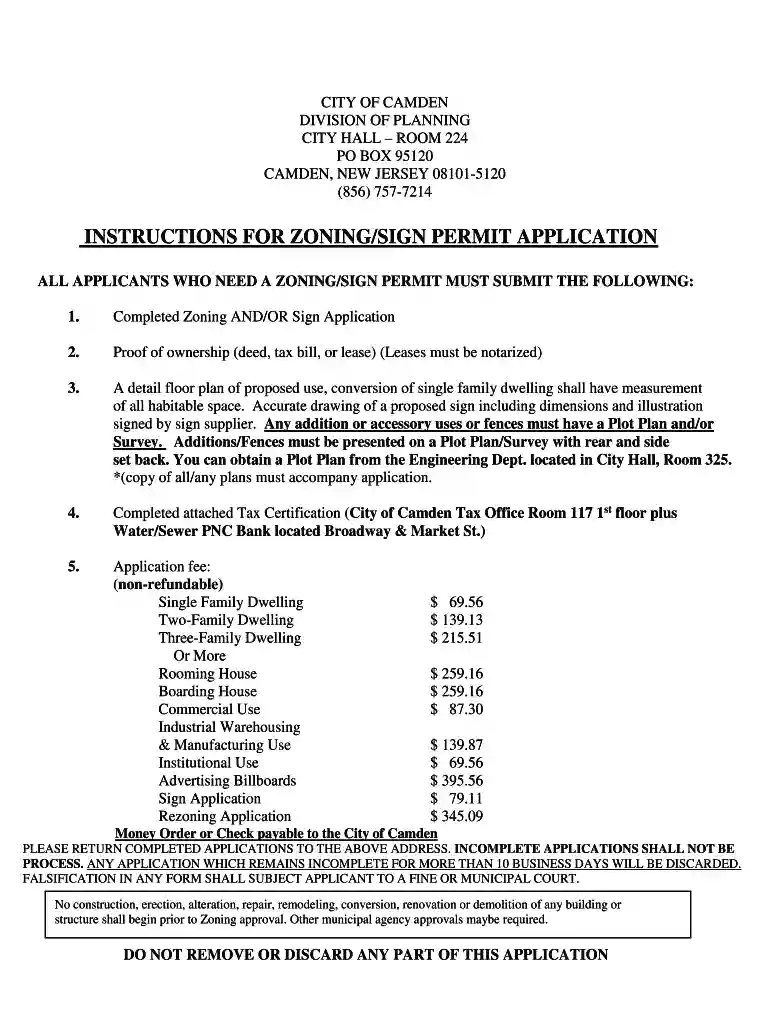
  1. Begin by clicking ‘Get Form’ to open the CITY HALL ROOM 224 application in our editor.
  2. Fill in the 'Today's Date' and provide your name, telephone number, and address in the General section. Indicate your interest by checking the appropriate box for owner, tenant, or agent.
  3. Complete the property owner's information if different from yours, including their name and address. Then, specify the address along with the Block and Lot number for which you are applying.
  4. Select the Zone District applicable to your property by circling one of the options provided. If applicable, fill in details about any historic district.
  5. In the Zoning section, describe what is being proposed (e.g., new construction or conversion) and provide detailed information about existing activities on the property.
  6. For the Sign section, indicate the type of sign you are proposing and provide dimensions. Ensure to include any existing signs and their conditions.
  7. Finally, complete Section A of the Assessment Certification before visiting the Tax Office and PNC Bank to confirm that all taxes are paid up to date.

Start filling out your CITY HALL ROOM 224 application online for free today!

See more CITY HALL ROOM 224 versions

We've got more versions of the CITY HALL ROOM 224 form. Select the right CITY HALL ROOM 224 version from the list and start editing it straight away!
Versions Form popularity Fillable & printable
2020 4.9 Satisfied (28 Votes)
be ready to get more

Complete this form in 5 minutes or less

Get form

Got questions?

We have answers to the most popular questions from our customers. If you can't find an answer to your question, please contact us.
Contact us
If you receive a parking violation in an orange envelope from the Transit Police, pay it within 21 days to avoid additional fines. Unpaid parking tickets may result in penalties from the RMV, including the inability to renew your license or registration.
If you received a ticket in error despite having a valid PayByPhone parking session, you will need to appeal the charge, following the process outlined on the ticket. Note: PayByPhone cannot handle Parking Charge Notice (PCN) appeals on behalf of customers.
When to appeal a parking ticket You were parked correctly. The parking signs or road markings were unclear. There was no way to pay. You were charged too much. You werent driving when the ticket was issued. You couldnt get back to your car. Your car broke down. You were only just out of time.
If you apply online, youll receive your resident permit in about 10 business days.

Security and compliance

At DocHub, your data security is our priority. We follow HIPAA, SOC2, GDPR, and other standards, so you can work on your documents with confidence.

Learn more
ccpa2
pci-dss
gdpr-compliance
hipaa
soc-compliance