




Here's how it works



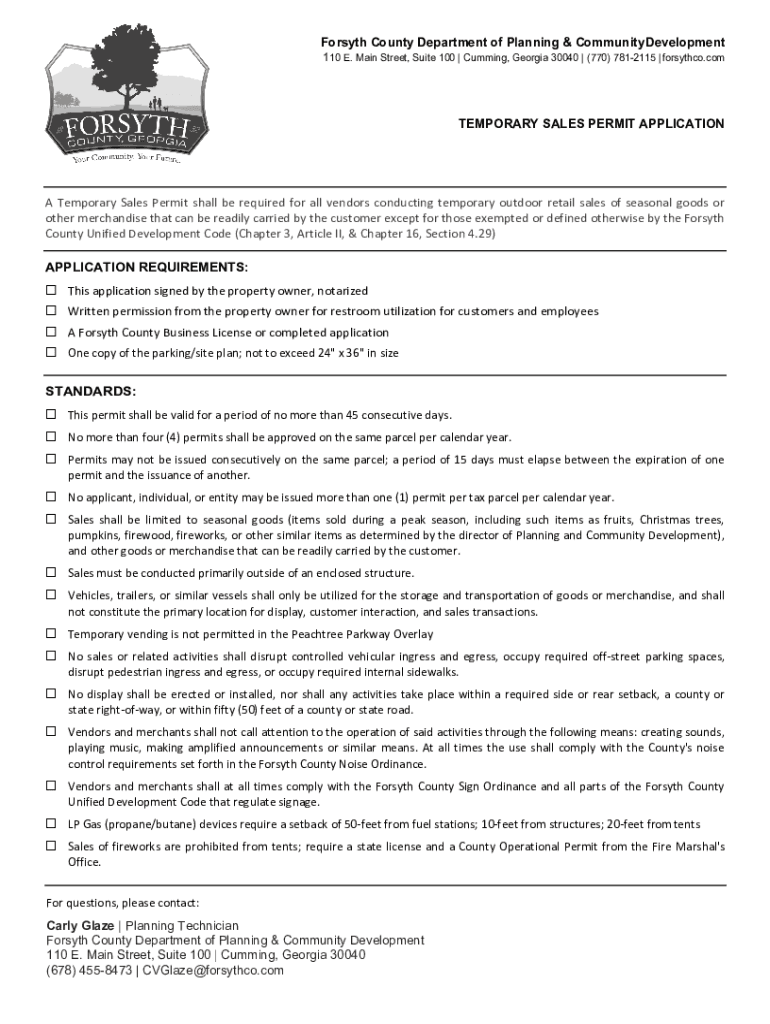
How to use or fill out temporary sales permit application - Forsyth County Georgia

- Click ‘Get Form’ to open it in the editor.
- Begin by filling out the 'Temporary Vendor Information' section. Enter your business name, email, contact name, phone number, and mailing address. Ensure all details are accurate for effective communication.
- Next, provide the 'Address of Site' where you plan to conduct sales. Specify the duration of sales by entering the start and end dates, along with your operating hours.
- List the items you intend to sell in the 'Items for Sale' field. Be specific to comply with permit regulations regarding seasonal goods.
- In the 'Property Owner Affidavit' section, ensure that the property owner signs and dates the authorization. If applicable, attach a copy of any Power of Attorney documentation.
- Review all entries for accuracy before submitting your application through our platform.
Start using our editor today to complete your temporary sales permit application effortlessly!
It's free
See more temporary sales permit application - Forsyth County Georgia versions
| Versions | Form popularity | Fillable & printable |
|---|---|---|
| 2021 | 4.8 Satisfied (135 Votes) |
Got questions?
Can I sign my forsyth county business license in electronic format?
Based on eSignature laws, documents signed digitally have the same validity as traditionally approved ones. You can eSign almost any business and personal paperwork. Four types of documents still call for handwritten signatures only - wills and testamentary trusts, court orders and other court papers, state statutes regulating divorce, adoption, or other family law, and notice of cancellation of utility services. If you adhere to the regulations and utilize a secure and compliant software solution, like DocHub, you can eSign your forsyth county business license without printing it.
How do you get georgia temporary license for my state?
If you are looking for a state-specific georgia temporary license sample, you can find it in our DocHub Forms & Templates catalog. Use the search field, enter your form’s name, and search through the results for your state. You can also filter out irrelevant results while exploring our catalog by categories.
Security and compliance
At DocHub, your data security is our priority. We follow HIPAA, SOC2, GDPR, and other standards, so you can work on your documents with confidence.
Learn more


