States' Rights and International Trade - Public Citizen 2026

Get Form
States' Rights and International Trade - Public Citizen Preview on Page 1

Here's how it works

01. Edit your form online
Type text, add images, blackout confidential details, add comments, highlights and more.

02. Sign it in a few clicks
Draw your signature, type it, upload its image, or use your mobile device as a signature pad.

03. Share your form with others
Send it via email, link, or fax. You can also download it, export it or print it out.

How to use or fill out States' Rights and International Trade - Public Citizen with our platform

Form edit decoration
9.5
Ease of Setup
DocHub User Ratings on G2
9.0
Ease of Use
DocHub User Ratings on G2
  1. Click ‘Get Form’ to open it in the editor.
  2. Begin by entering the 'Name of the Project' in the designated field. This is crucial for identifying your submission.
  3. Fill in the 'Location' where the project will take place, ensuring accuracy for processing.
  4. Provide details about the 'Sponsoring Agency' responsible for the project.
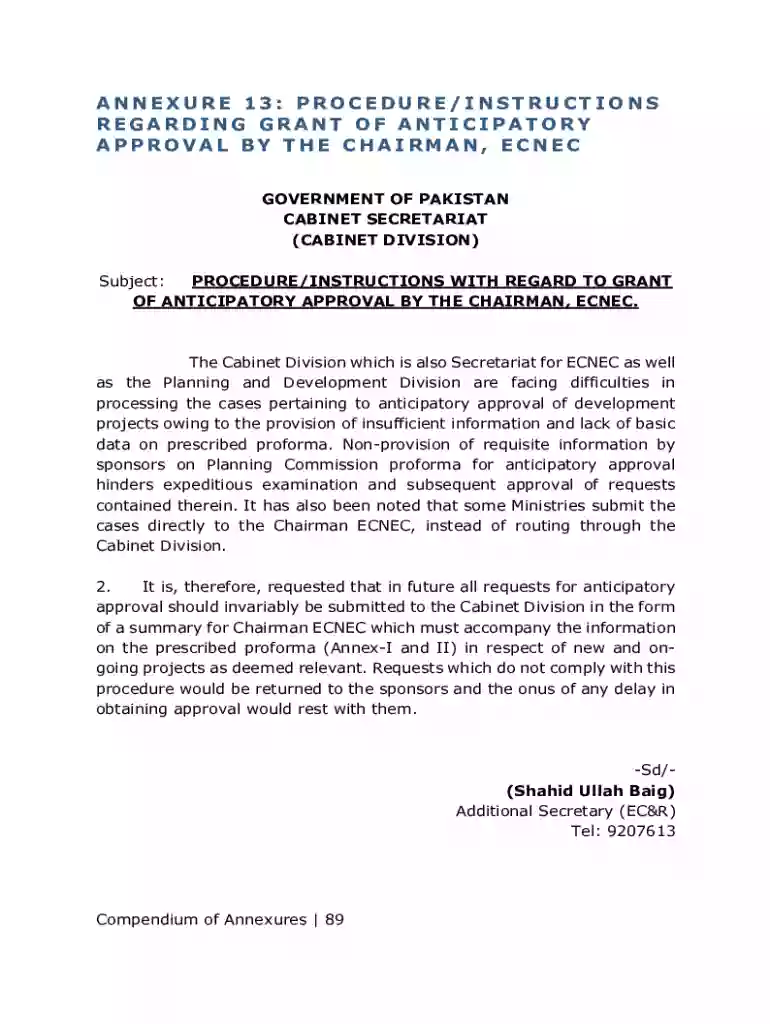
  5. If applicable, enter the 'Date of submission of PC-I/PC-II to the Planning Division'. If not submitted, indicate when it will be submitted.
  6. Complete fields regarding previous submissions and comments from the Planning & Development Division.
  7. Incorporate a brief description of your project, including aims, objectives, scope, capacity, justification, and benefits.
  8. Specify the proposed period for commencement and completion of your project.
  9. Detail the total estimated cost along with any foreign exchange components involved.
  10. Outline how expenditures will be phased over time and describe your mode of financing.
  11. Indicate any expenditures incurred to date on this scheme and provide ADP allocation details for current and upcoming years.
  12. Conclude by stating reasons justifying why anticipatory approval is required along with other necessary details as outlined in the form.

Start using our platform today to streamline your document editing and submission process!

See more States' Rights and International Trade - Public Citizen versions

We've got more versions of the States' Rights and International Trade - Public Citizen form. Select the right States' Rights and International Trade - Public Citizen version from the list and start editing it straight away!
Versions Form popularity Fillable & printable
2010 4.8 Satisfied (35 Votes)
be ready to get more

Complete this form in 5 minutes or less

Get form

Got questions?

We have answers to the most popular questions from our customers. If you can't find an answer to your question, please contact us.
Contact us

Sign in to your DocHub account and import your States' Rights and International Trade - Public Citizen to our editor using one of its upload options - from your device, cloud storage, secure URL, or your DocHub folders if you have already processed your form before. Open our editor, click the Sign key in the upper toolbar, and choose your signing method. You can use a picture of your handwritten signature, draw it, type in your name, or utilize a QR code instead.

You need only a web connection and a web browser to complete your States' Rights and International Trade - Public Citizen by using an iOS phone. Open the DocHub website and authenticate. Then, add your document or choose it from the list in your dashboard. Then use our editing tools to complete your form and save all your modifications. You may also send it to a dedicated recipient straight away.

The U.S. Constitution, through the Commerce Clause, gives Congress exclusive power over trade activities between the states and with foreign countries. Trade within a state is regulated exclusively by the states themselves.
Trade agreements do not restrict a states right to regulate and do not automatically preempt, invalidate or overturn state laws. Nothing in any trade agreement prevents the United States or any state from enacting, modifying, or fully enforcing domestic laws.
Trade and human rights have an intertwined relationship, as human rights often influence the prevalence, scope, or availability of an international trade agreement. Most of the worlds economically dominant countries use human rights language in their trade agreements.

Security and compliance

At DocHub, your data security is our priority. We follow HIPAA, SOC2, GDPR, and other standards, so you can work on your documents with confidence.

Learn more
ccpa2
pci-dss
gdpr-compliance
hipaa
soc-compliance
be ready to get more

Complete this form in 5 minutes or less

Get form

People also ask

Under NAFTA, not only can countries challenge state laws as barriers to trade, but corporations can also launch trade suits against state policies in trade tribunals.
The most direct barrier to trade is an embargo a blockade or political agreement that limits a foreign countrys ability to export or import. Embargoes still exist, but they are difficult to enforce and are not common except in situations of war. The most common barrier to trade is a tariffa tax on imports.
Trade Regulation: an overview The U.S. Constitution, through the Commerce Clause, gives Congress exclusive power over trade activities between the states and with foreign countries. Trade within a state is regulated exclusively by the states themselves.
The four main types are protective tariffs, import quotas, trade embargoes, and voluntary export restraints. The most common type of trade barrier is the protective tariff, a tax on imported goods. Countries use tariffs to raise revenue and to protect domestic industries from competition from cheaper foreign goods.
Consumer goods, raw materials, food, and machinery all are bought and sold in the international marketplace. International trade allows countries to expand their markets and access goods and services that otherwise may not have been available domestically.

Related links