Type text, add images, blackout confidential details, add comments, highlights and more.
02. Sign it in a few clicks
Draw your signature, type it, upload its image, or use your mobile device as a signature pad.
03. Share your form with others
Send it via email, link, or fax. You can also download it, export it or print it out.
How to use or fill out tn dor poa with our platform
Ease of Setup
DocHub User Ratings on G2
Ease of Use
DocHub User Ratings on G2
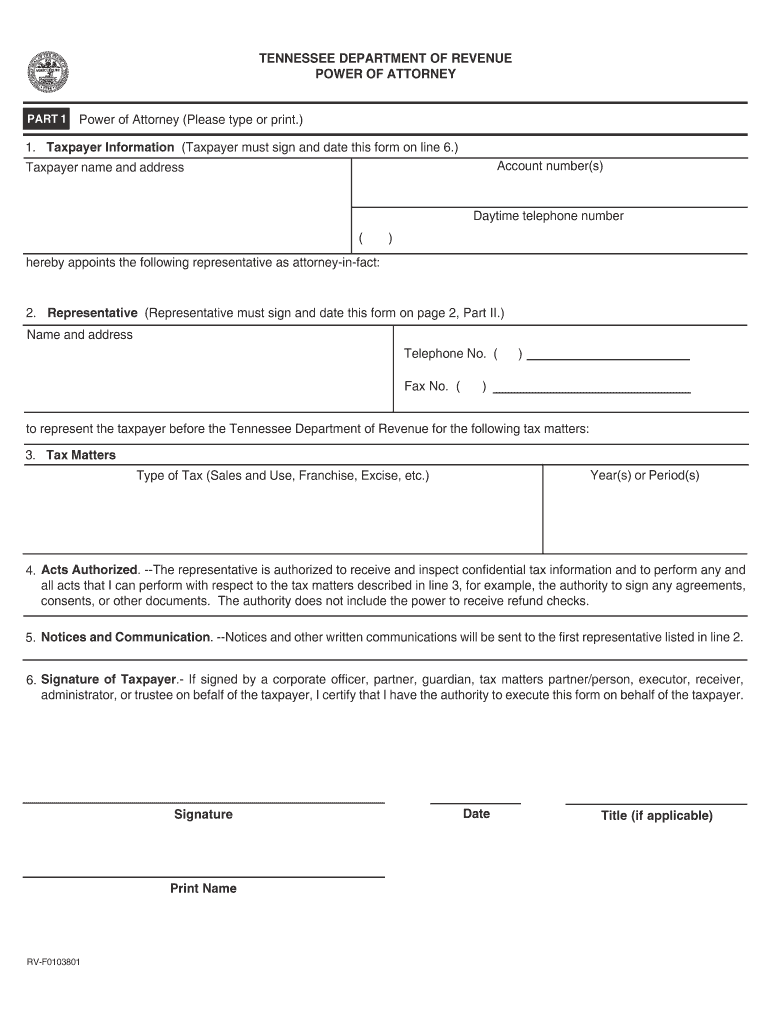
Click ‘Get Form’ to open the tn dor poa in the editor.
Begin by filling out the Taxpayer Information section. Enter your account number, name, address, and daytime telephone number. Remember, you must sign and date this form on line 6.
In the Representative section, provide the name and address of your appointed representative. Include their telephone and fax numbers as well.
Specify the Tax Matters by indicating the year(s) or period(s) and type of tax (e.g., Sales and Use, Franchise).
In the Acts Authorized section, confirm that your representative can receive confidential tax information and perform necessary actions on your behalf.
Complete the Signature of Taxpayer section by signing, printing your name, entering the date, and providing a title if applicable.
For Part II, ensure that your representative completes their Declaration of Representative by signing and dating it. They must also indicate their designation.
Start using our platform today for free to streamline your tn dor poa completion!
Tn dor poa formPower of attorney form tn pdfTn dor poa form pdfTn dor poa onlineTN durable power of attorney formPower of Attorney for Vehicle Transactions tnTn power of Attorney instructionsTN Financial power of attorney form
Security and compliance
At DocHub, your data security is our priority. We follow HIPAA, SOC2, GDPR, and other standards, so you can work on your documents with confidence.
Cookie consent notice
This site uses cookies to enhance site navigation and personalize your experience.
By using this site you agree to our use of cookies as described in our Privacy Notice.
You can modify your selections by visiting our Cookie and Advertising Notice.