Uco waiver 2026

Get Form
uco waiver Preview on Page 1

Here's how it works

01. Edit your uco waiver online
Type text, add images, blackout confidential details, add comments, highlights and more.

02. Sign it in a few clicks
Draw your signature, type it, upload its image, or use your mobile device as a signature pad.

03. Share your form with others
Send it via email, link, or fax. You can also download it, export it or print it out.

How to use or fill out uco waiver with our platform

Form edit decoration
9.5
Ease of Setup
DocHub User Ratings on G2
9.0
Ease of Use
DocHub User Ratings on G2
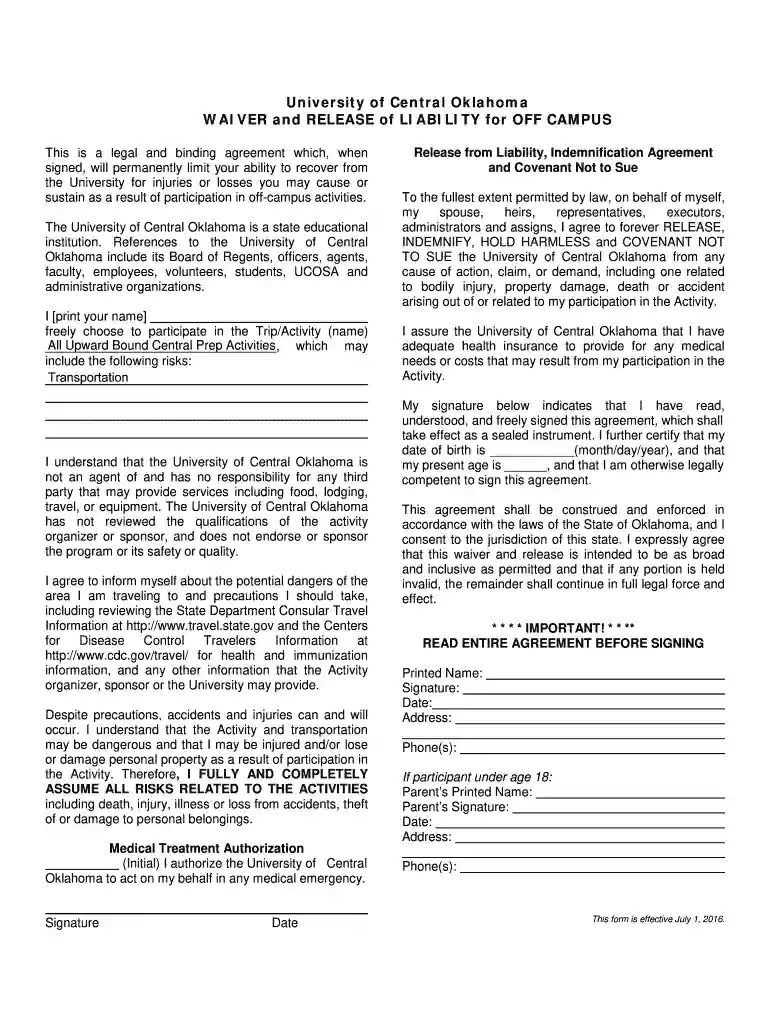
  1. Click ‘Get Form’ to open the uco waiver in the editor.
  2. Begin by entering your printed name in the designated field at the top of the form. This identifies you as the participant.
  3. In the section labeled 'Trip/Activity (name)', specify the name of the activity you are participating in, which is 'All Upward Bound Central Prep Activities'.
  4. Read through the risks associated with participation and ensure you understand them before proceeding.
  5. Initial next to 'Medical Treatment Authorization' to grant permission for medical action in case of an emergency.
  6. Sign and date the form at the bottom, confirming that you have read and understood all terms outlined in this waiver.
  7. If under 18, ensure a parent or guardian fills out their information and signs where indicated.

Start filling out your uco waiver today for free using our platform!

See more uco waiver versions

We've got more versions of the uco waiver form. Select the right uco waiver version from the list and start editing it straight away!
Versions Form popularity Fillable & printable
2016 4.8 Satisfied (180 Votes)
be ready to get more

Complete this form in 5 minutes or less

Get form

Got questions?

We have answers to the most popular questions from our customers. If you can't find an answer to your question, please contact us.
Contact us
Faculty On-Campus Grant Program The intent of this program is to provide funding for faculty members to develop research projects with internal funds and then complete or expand the project with funds obtained from an external granting agency (federal, state, private corporation, etc.).
You qualify for a fee waiver if: You receive public benefits. Your household income, before taxes, is below a set amount. You cant meet your households basic needs and pay the filing fees.
Learners may qualify for a waiver for various reasons, such as military service or nontraditional learner status. Adopted degree-seekers are also eligible for tuition waivers. Schools, state governments, and the federal government fund waiver programs.
Normally, it will be based on your household income. At some universities, you can only get a fee waiver for your first year of study. You should be able to find full details of a universitys fee waiver on its website, or by contacting the admissions or student services departments.

Security and compliance

At DocHub, your data security is our priority. We follow HIPAA, SOC2, GDPR, and other standards, so you can work on your documents with confidence.

Learn more
ccpa2
pci-dss
gdpr-compliance
hipaa
soc-compliance