




Here's how it works

01. Edit your lawa badge appointment online
Type text, add images, blackout confidential details, add comments, highlights and more.

02. Sign it in a few clicks
Draw your signature, type it, upload its image, or use your mobile device as a signature pad.

03. Share your form with others
Send lawa appointment via email, link, or fax. You can also download it, export it or print it out.
How to use or fill out lax badge form with our platform

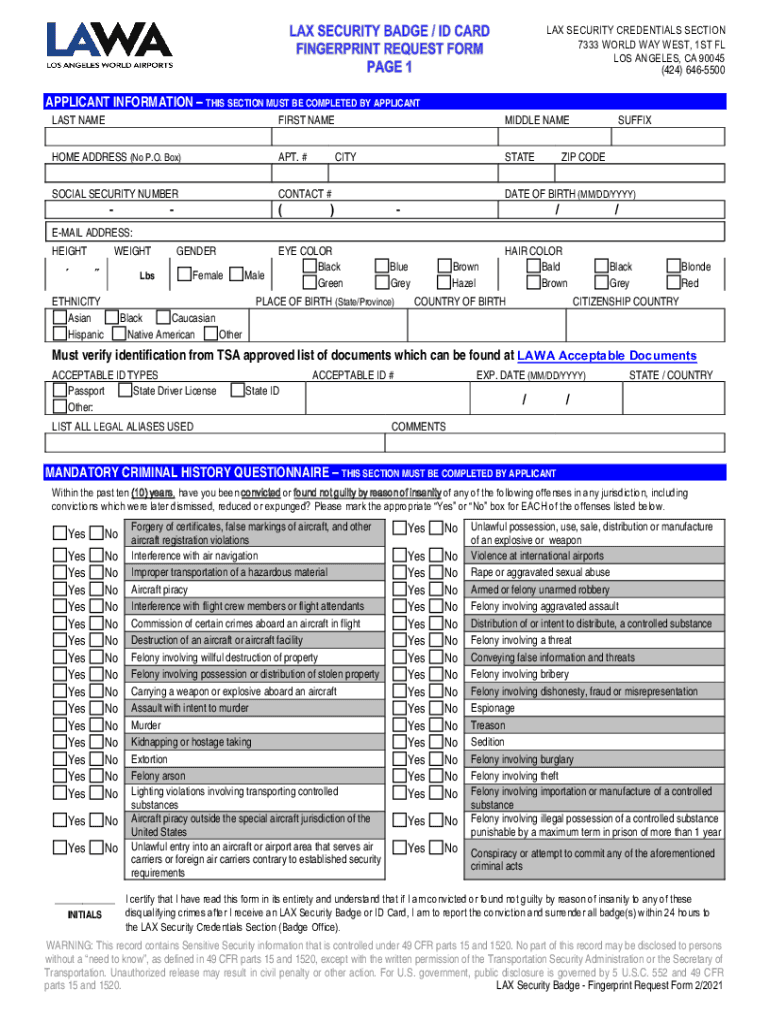
- Click ‘Get Form’ to open the lax badge form in the editor.
- Begin by filling out the 'Applicant Information' section. Enter your last name, first name, and middle name. Ensure you provide a complete home address without using a P.O. Box.
- Next, input your social security number, contact number, date of birth, and email address. Be sure to double-check these details for accuracy.
- In the 'Physical Characteristics' section, specify your height, weight, ethnicity, gender, eye color, hair color, place of birth, and citizenship country.
- Complete the 'Mandatory Criminal History Questionnaire' by marking 'Yes' or 'No' for each offense listed. Initial where required to certify your responses.
- Review the 'Privacy Act Notice and Employee Certification' section carefully before signing. Ensure all information is true and complete.
- Finally, have the signatory authority from your company complete their section before submitting the form.
Start filling out your lax badge form online for free today!
Fill out lax badge form online
It's free
Security and compliance
At DocHub, your data security is our priority. We follow HIPAA, SOC2, GDPR, and other standards, so you can work on your documents with confidence.
Learn more


