2018 EGA generic template-2026

Get Form
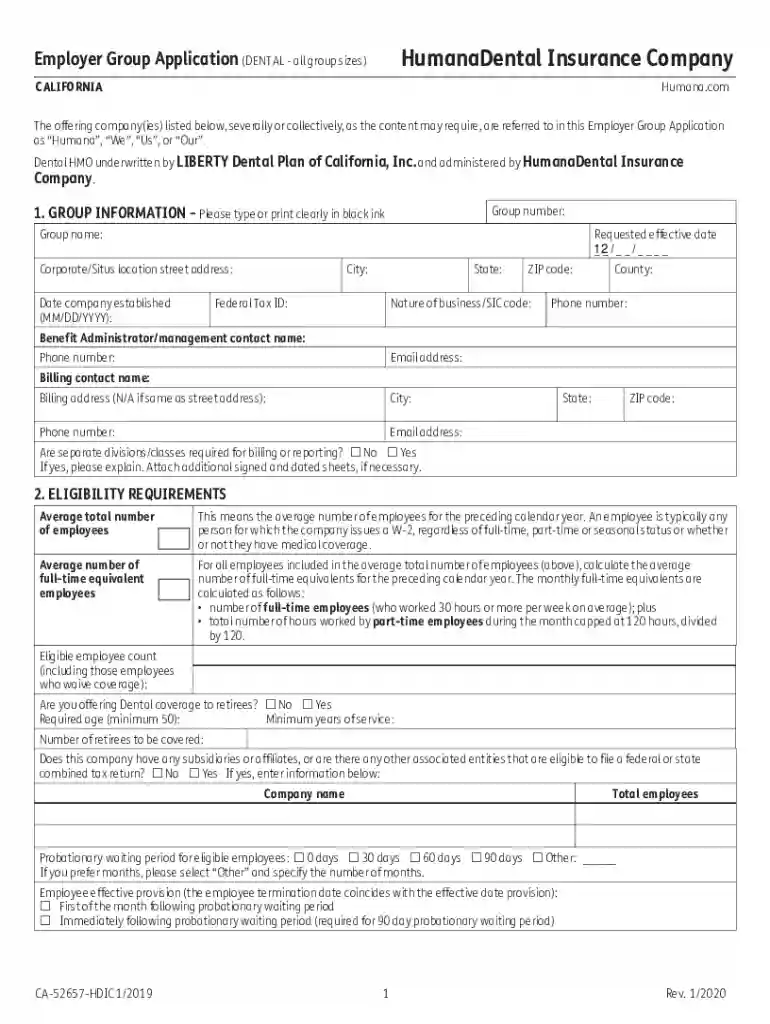
2018 EGA generic template Preview on Page 1

Here's how it works

01. Edit your form online
Type text, add images, blackout confidential details, add comments, highlights and more.

02. Sign it in a few clicks
Draw your signature, type it, upload its image, or use your mobile device as a signature pad.

03. Share your form with others
Send it via email, link, or fax. You can also download it, export it or print it out.

How to use or fill out 2018 EGA generic template with our platform

Form edit decoration
9.5
Ease of Setup
DocHub User Ratings on G2
9.0
Ease of Use
DocHub User Ratings on G2
  1. Click ‘Get Form’ to open the 2018 EGA generic template in the editor.
  2. Begin by filling out the 'GROUP INFORMATION' section. Enter your group number, name, requested effective date, and corporate location details clearly.
  3. Proceed to the 'ELIGIBILITY REQUIREMENTS' section. Input the average total number of employees and full-time equivalents as per your records.
  4. In the 'COBRA/STATE CONTINUATION' section, indicate whether your group is subject to COBRA and provide any necessary details about current or former employees on COBRA.
  5. Complete the 'DENTAL PLAN SELECTION' section by entering sold quote numbers and plan names. Ensure you specify employer contributions accurately.
  6. Review all sections for accuracy before signing in the 'AGREEMENT AND SIGNATURE' area. Confirm that all information is complete and correct.

Start using our platform today for free to streamline your document editing and form completion!

See more 2018 EGA generic template versions

We've got more versions of the 2018 EGA generic template form. Select the right 2018 EGA generic template version from the list and start editing it straight away!
Versions Form popularity Fillable & printable
2019 4.9 Satisfied (58 Votes)
2015 4.1 Satisfied (30 Votes)
be ready to get more

Complete this form in 5 minutes or less

Get form

Got questions?

We have answers to the most popular questions from our customers. If you can't find an answer to your question, please contact us.
Contact us
What is a parameterized or generic type? A generic type is a type with formal type parameters. A parameterized type is an instantiation of a generic type with actual type arguments. A generic type is a reference type that has one or more type parameters.
There are three kinds of templates: function templates, class templates and, since C++14, variable templates. Since C++11, templates may be either variadic or non-variadic; in earlier versions of C++ they are always non-variadic.
Generics specialized in two different assemblies with the same type arguments are the same type. Templates specialized in two different assemblies with the same type arguments are considered by the runtime to be different types.
The generic template is a simple structured message that includes a title, subtitle, image, and up to three buttons. You may also specify a defaultaction object that sets a URL that will be opened in the Messenger webview when the template is tapped.
Comparing Templates and Generics Generics are generic until the types are substituted for them at runtime. Templates are specialized at compile time so they are not still parameterized types at runtime. The common language runtime specifically supports generics in MSIL.

Security and compliance

At DocHub, your data security is our priority. We follow HIPAA, SOC2, GDPR, and other standards, so you can work on your documents with confidence.

Learn more
ccpa2
pci-dss
gdpr-compliance
hipaa
soc-compliance